
Open a design you bought
A design you bought on bobotemp can be opened in BoboStudio and kept on your own computer. It costs nothing, and there is no limit on how often you download it afterwards.
-
Install BoboStudio
Download for Mac or download for Windows.
The first time you open it, Windows may say it protected your PC. It has not found anything wrong: that is what it says about a program whose certificate we have not bought yet. The Mac build is signed, and opens without a word. The download page says what to click.
-
Export the design on bobotemp
Open the design you bought on bobotemp and choose Export. A file is saved to your computer — it holds the design along with its pictures and fonts.
-
Open it in BoboStudio
Start BoboStudio and drag the file onto the library, or use Import. The pictures and fonts are fetched once, and from then on the design works with no internet at all.
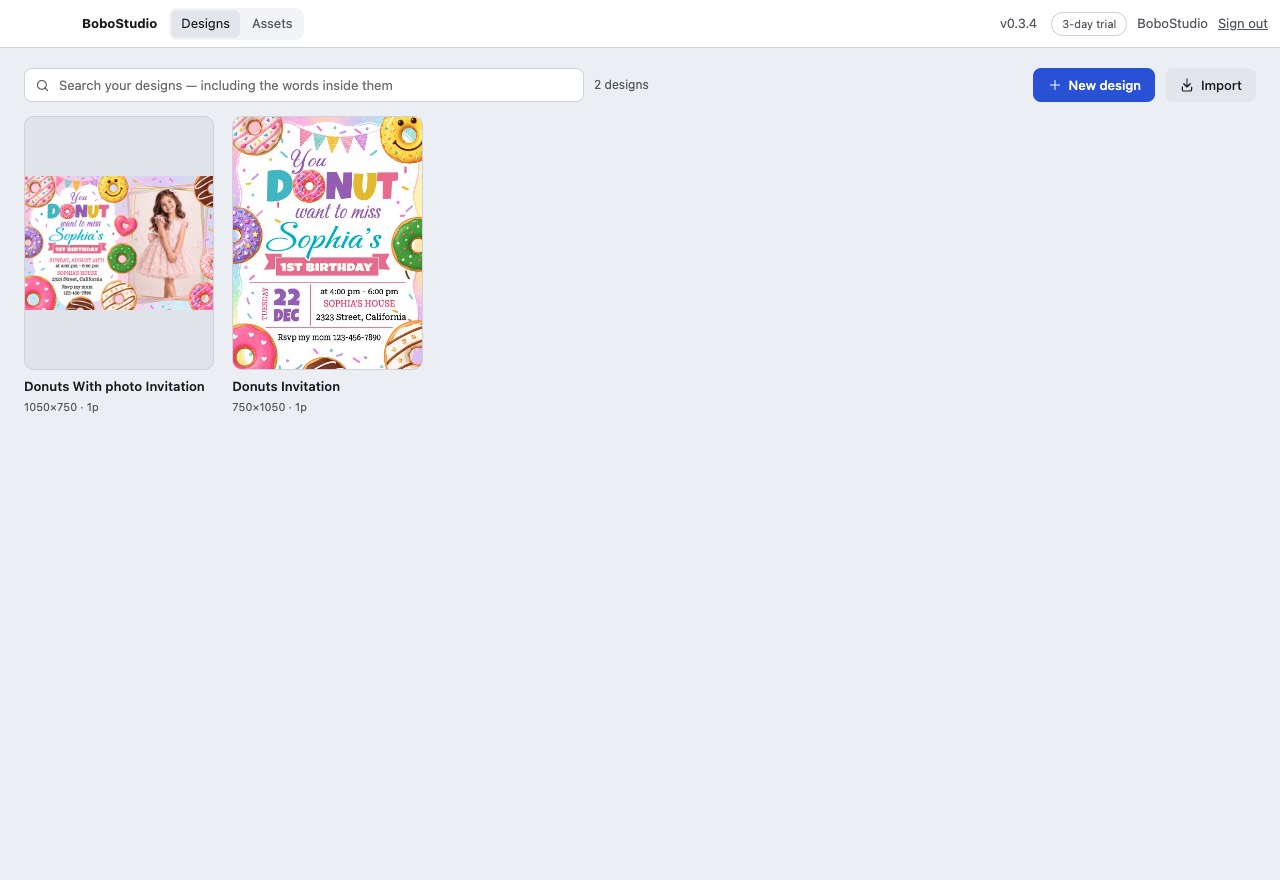
Everything you have imported, in one place on your own computer.

Questions
What may I do with a design I bought?
Use it for your own celebration. Print it at home, or take it to a print shop, for your own party or event. It is not for resale, for products you sell, or for passing on the fonts that came with it.
Some designs are built around characters, logos or brands owned by other people. They are sold as personal party stationery, and bobotemp cannot grant rights it does not own — so if you use a design commercially, that is your decision and your responsibility.
Does it cost anything?
Not for a design you bought. You can open it, change it and download it as often as you like, for ever. Only designs you start from blank in BoboStudio need a key, and those come with three days to try first.
Do I need an account?
No. There is nothing to sign in to and no password to keep. A licence key is checked with us once when you enter it, so that one key stays on one person's computers — after that BoboStudio works offline, and what it sends is the key, the name of your computer, and nothing else.
How many computers can I use my key on?
Two — a desktop and a laptop, say. If you replace one, open BoboStudio on the old machine and choose Remove key; that frees the place straight away. If the old computer is gone for good, write to support@bobotemp.com and we will clear it.
It says it needs the internet. Why?
BoboStudio checks your key with us about once a week, quietly, and a check that fails changes nothing — you can work for weeks with no connection. Only after two months without one does it ask you to go online, and one connection sorts it out in a few seconds. Designs you bought are never held back, whatever it says.
What if a picture is missing?
BoboStudio names the file it could not fetch and offers Retry. That usually means the connection dropped partway; trying again finishes the same design rather than making a second copy.
Can I still edit it on bobotemp?
Yes. Exporting changes nothing on bobotemp — it makes a copy for your computer, and the original stays where it was.
What can I save it as?
PDF (with bleed and trim marks for a print shop), PNG, JPG, SVG, and MP4 for video invitations.

How do I print more than one on a page?
Choose Export, pick PDF, set the page size to the paper you are printing on, and tick Print more than one to a sheet. Two 5 × 7 cards fit a sheet of Letter, turned on their sides. Add trim marks and BoboStudio shows you where to cut.
Can I use my own fonts and pictures?
Yes. Text in the tools down the left has Upload font, and Images keeps every picture you have used, so a frame or a flourish is one click away in the next design. Anything you upload is yours and stays on your computer.
Where are my designs kept?
In a folder on your own computer, not on ours. Help → the library folder opens it, and it can be backed up like anything else. Nothing stops working if you stop paying: your designs still open, edit and save.
Something is wrong. What do I send you?
In BoboStudio, Help → Save log… writes a file of what the app has been doing. Send that to support@bobotemp.com along with the design if you can — it usually says exactly what went wrong.