
How to customize dance challenge cards and party signs
The useful part of a creator-style party is not an app-shaped graphic. It is a set of prompts a host can read from across the room, plus signs that tell children what to do next. The prepared CP-01 starter has four pages; this is how to adapt that structure without turning it into branded social-media merchandise.
Free starter: the CP-01 PDF, previews and native .bobo source are checksum-verified. The editable file has an official signature for BoboCreate Desktop 0.3.19. These free downloads contain no premium kit files; the separate invitation link below goes to Bobotemp.
Both downloads are the free edition. The editable file uses one of BoboCreate Free’s three design places. In Desktop 0.3.19 or later, its one verified official image does not use a personal-image place.
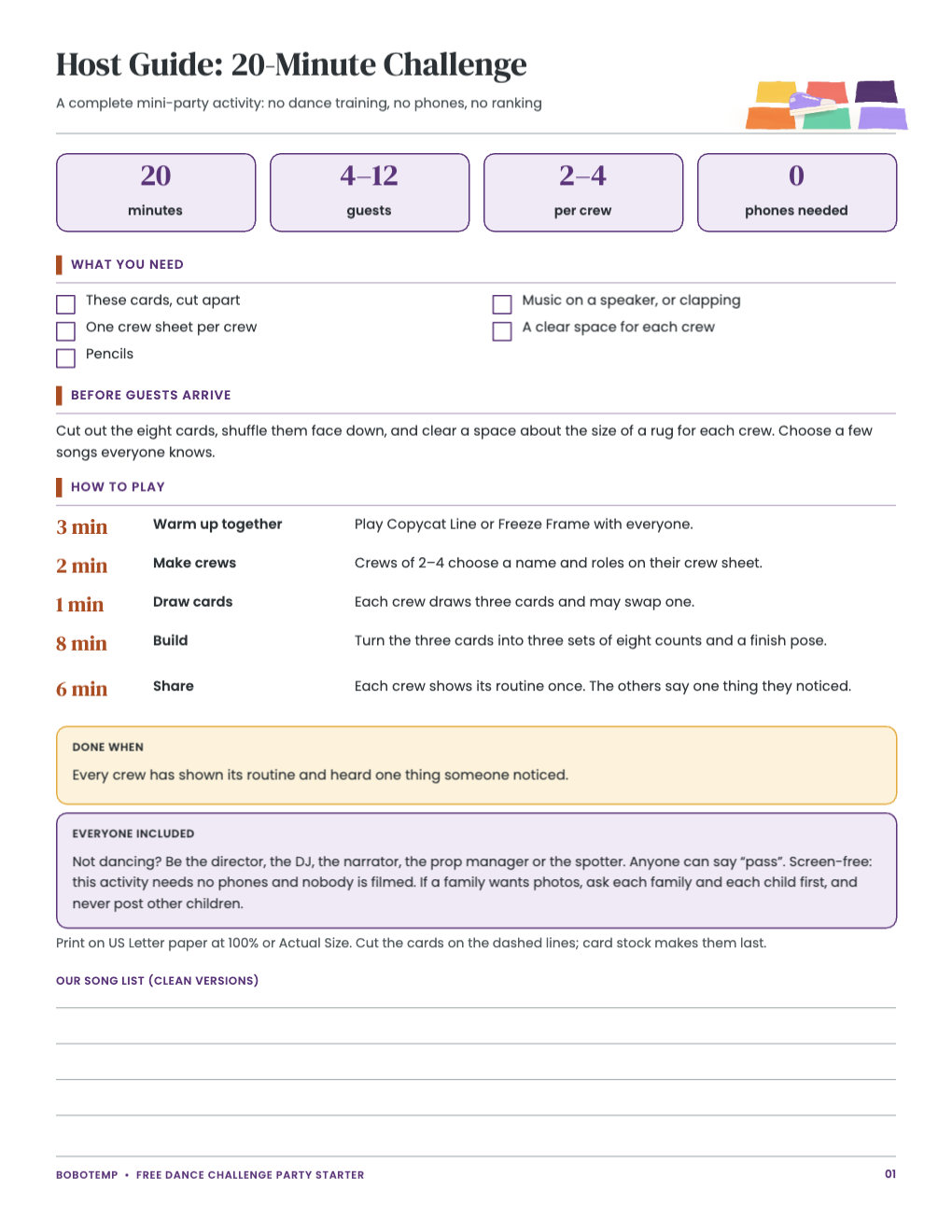
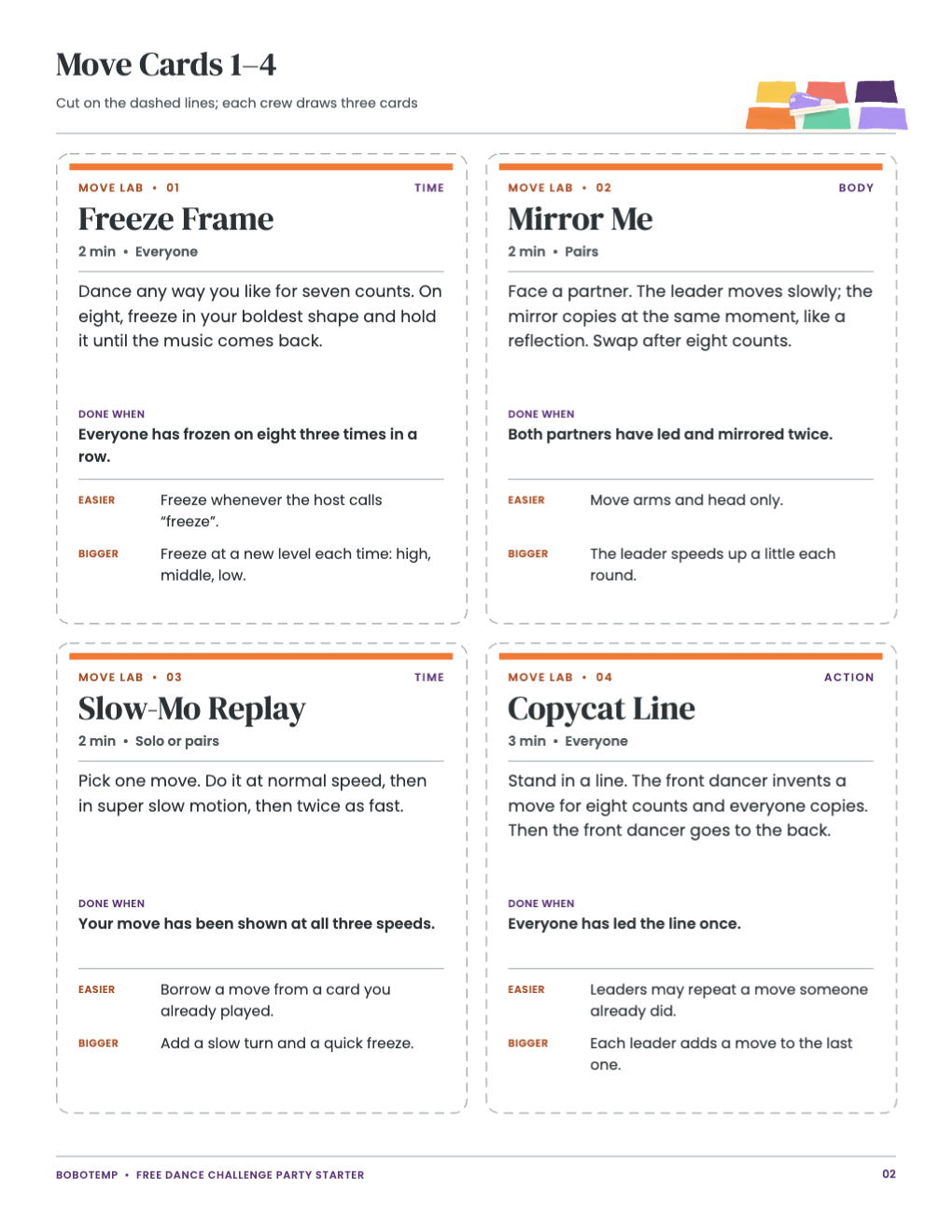
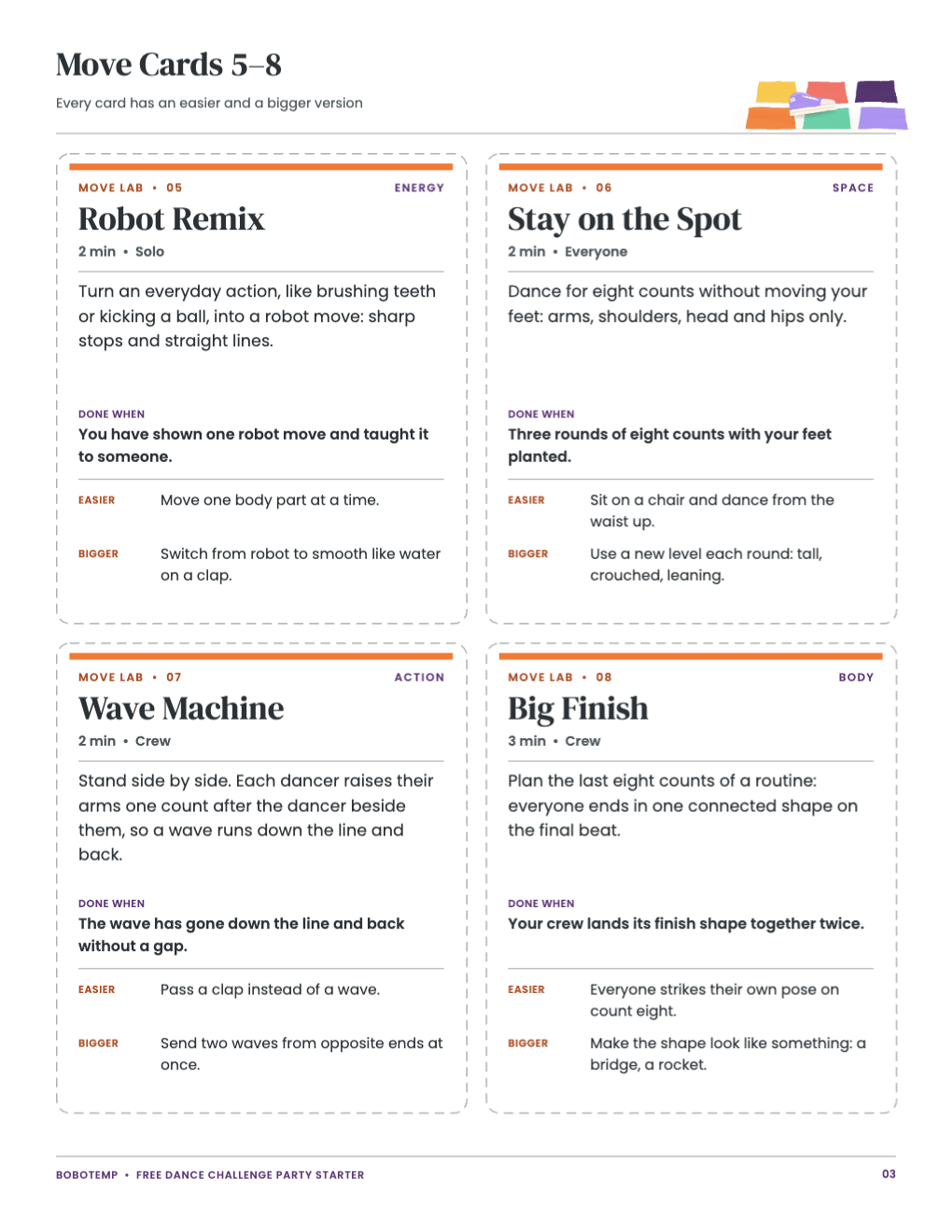
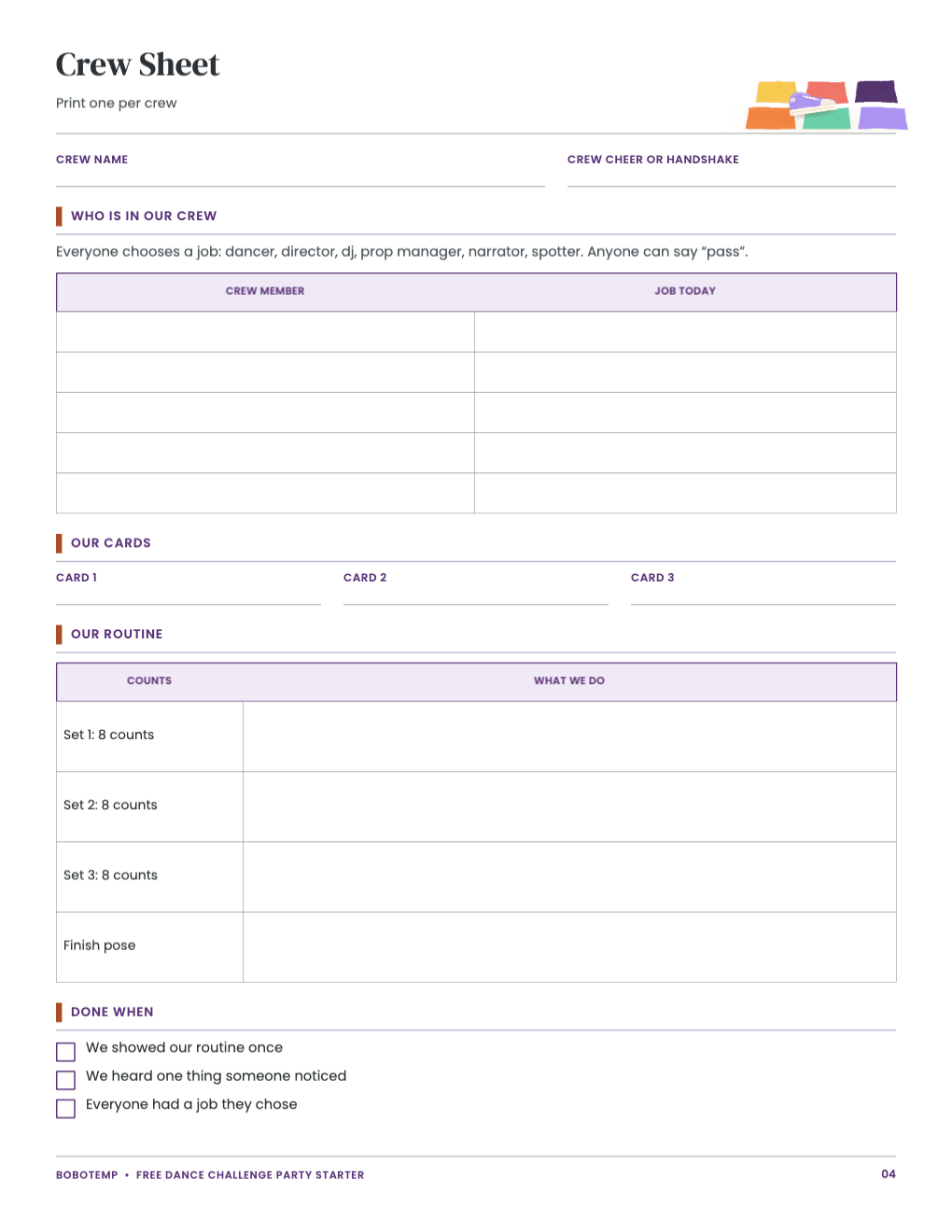
Decide what each card must do
Write the activity before editing the design. A challenge card needs a short title, one action, a time or finish condition and one adaptation. A station sign needs only a name and one instruction. If a card also contains the party schedule, team rules and decoration copy, children will not know which sentence to follow.
| Challenge card | “Mirror Moves — Copy your partner for 30 seconds. Seated moves count.” |
|---|---|
| Station sign | “Move Mixer — Draw one card from each pile.” |
| Team prompt | “Choose a dancer, director, cue holder and encourager.” |
| Host note | “No lifts, flips or required recording.” |
Open a copy, not the approved master
- Install the supported BoboCreate Desktop release.
- Download the official versioned starter after its link is enabled.
- Open or import the
.bobofile and immediately save a working copy with the party date. - Check all four pages before editing so a change on one card does not surprise you later.
- Keep the downloaded official file unchanged if you want a clean copy to return to.
An imported starter still counts as one design in BoboCreate Free, and every duplicate counts as another design. A verified official signature exempts only the exact embedded image assets named in that record; it does not remove the three-design limit or exempt pictures a user adds later.
Personalize the words in a safe order
Change the birthday name, team names and station headings first. Next edit the action lines. Finish with small host notes. After each pass, preview every page at normal size. A heading that fits alone can collide after a longer name changes line wrapping.
- Use a first name or a general team name, not a child’s account handle.
- Keep action sentences to one breath. Read each one aloud to test it.
- Offer a non-performing role on every card.
- Do not require filming, public posting, likes or follower counts.
- Do not paste copied app logos, interface symbols or creator photographs into the design.
Make station signs readable across the room
Print a test sign on ordinary paper and place it where the station will be. Stand at the room entrance. The station name should be obvious; the instruction can be read after a guest approaches. If both lines need to be huge, shorten the instruction rather than shrinking the margins.
Keep dark type on a light quiet panel or light type on a dark quiet panel. Painted art can continue around the edges, but it should not cross behind small words. Do not stretch the art to fill a different page shape; crop from the outside or preserve the original proportions.
Print cards and signs for actual handling
Use the page size stored in the design and export a PDF. In the print dialog choose Actual Size or 100%, not Fit, unless the printer’s non-printable margin clips the page. Cards that will be cut need visible trim guides or a ruler-and-knife plan; signs that use the whole sheet do not need trimming.
- Use ordinary paper for a one-time indoor sign and medium cardstock for cards handled by several teams.
- Round sharp cardstock corners after cutting if younger children will carry the cards.
- Test marker ink on one sample before making a reusable score or vote card.
- Keep printed paper away from drinks and direct food contact.
Run a five-minute host check
Lay the cards in station order. Confirm that the supplies named on each card are present, every timer value is realistic, and no instruction depends on a phone. Ask one adult who did not edit the file to explain a card back to you. If their explanation differs from your intended game, rewrite the card.
Add a matching editable invitation
The original Dance Challenge invitation uses a glowing dance-floor design rather than a copied app interface. It is a separate $4.50 Bobotemp product: personalize the name, age, date, time, place, address and RSVP details, then export the two-sided 5 × 7 design as PDF or JPG.
The free four-page starter above remains available without a purchase. The separate 24-page Creator Challenge party kit is still under physical print review and is not linked for sale.
The corresponding Bobotemp dance challenge planning guide explains the complete party schedule and privacy-conscious activity plan.