
Free PDF + editable BoboCreate template
Free Lesson: Suffixes and Spelling Changes
One complete lesson for learners who read hope and run but trip on hoping and running: find the suffix, find the base word, check the spelling change.
Both downloads are the free edition. The .bobo file opens in BoboCreate Desktop.
The editable file imports in BoboCreate Free 0.3.19 or later. It uses one of Free's three design places, and its own artwork does not count toward your three uploaded images. Older versions of the app need BoboCreate activated to import it, so update BoboCreate first.
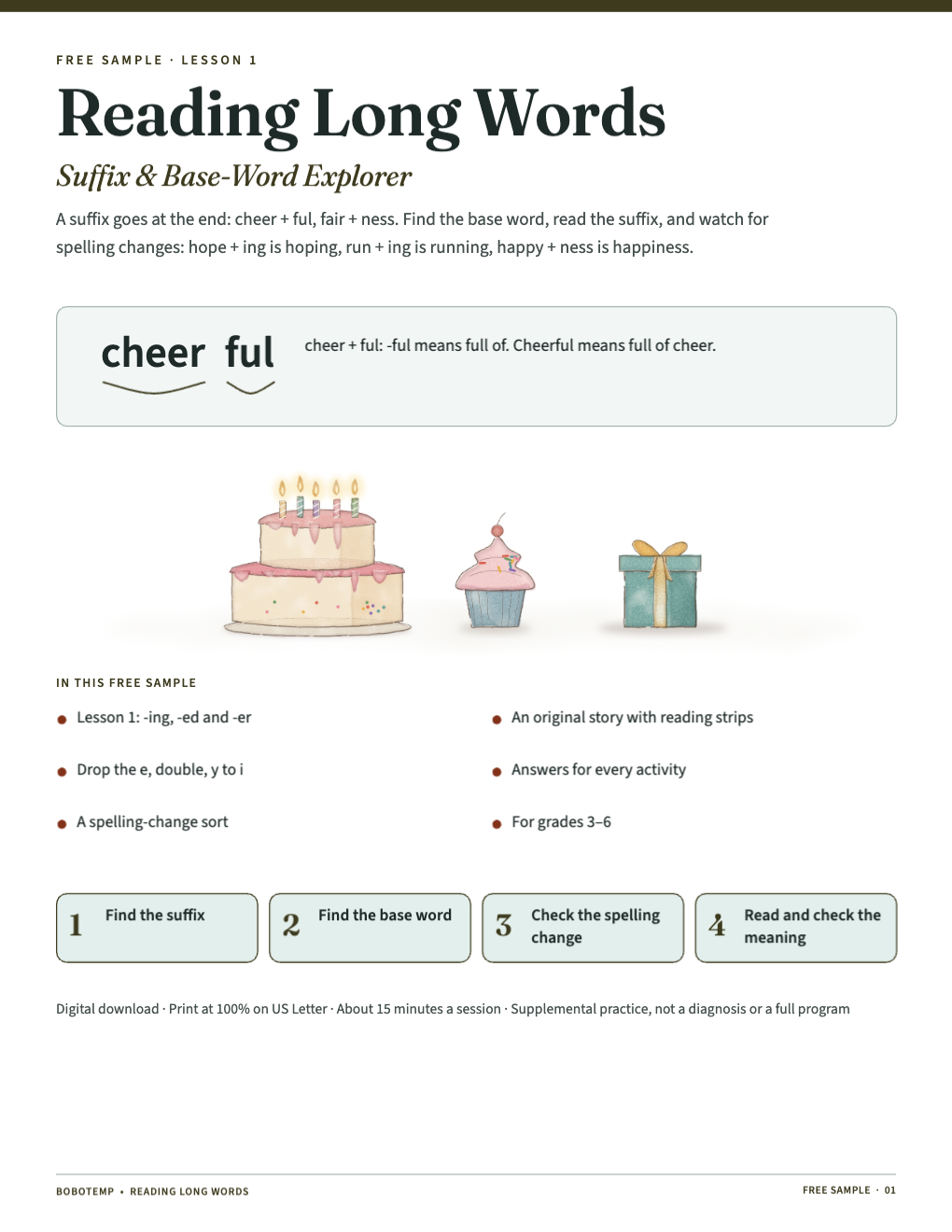
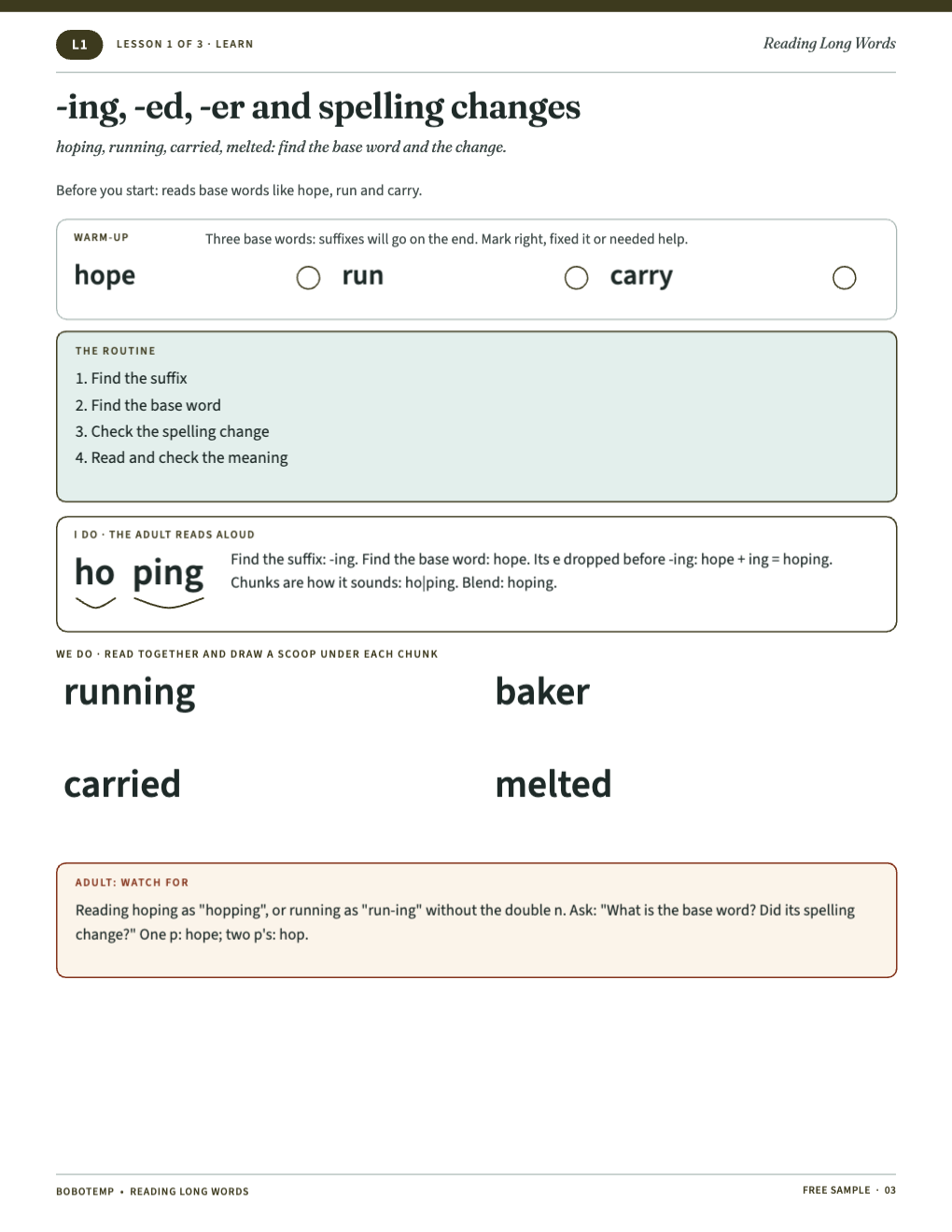
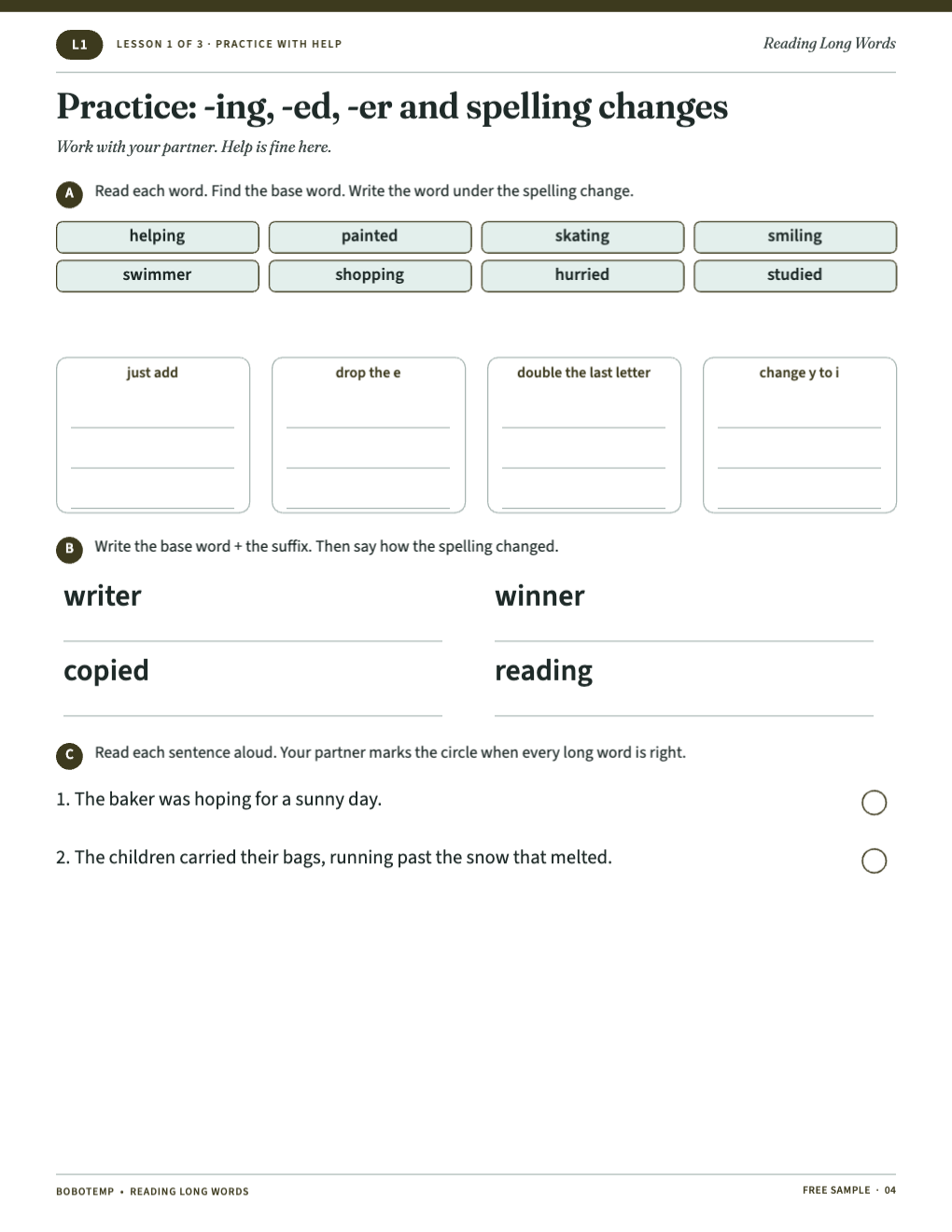
A complete first lesson from the Suffix & Base-Word Explorer.
Every word on the "on your own" page is new to the learner.
What the free template includes
- A warm-up, a model word and four words to read together
- A spelling-change sort and a base + suffix task
- Seven new words and sentence choices
- An original story with reading strips and questions
- Answers for every activity
Three spelling changes
Drop the e (hope → hoping), double the last letter (run → running), change y to i (carry → carried).
The full book
Lesson 2 teaches -ful and -less; Lesson 3 teaches -ment and -ness.
Open the editable template in BoboCreate
- Download and install BoboCreate Desktop for Mac or Windows.
- Download the free `free-suffix-base-word-explorer-sample.bobo` file.
- In BoboCreate, choose Open or Import and select the file.
- Export a PDF.
- Print at 100% on US Letter.
Download BoboCreate for Mac · Download BoboCreate for Windows
Supplemental practice, not a diagnosis.
Read the Bobotemp printable guide for the ready-to-print download and practical use instructions.