
Free PDF + editable BoboCreate template
How to Make a Recital Program Ad in Your Studio’s Size
Studios sell program ads in their own sizes, and most print them in black and white. This free 5 × 4 in sample opens in BoboCreate, so you can add your photo and message and export a file your studio can place.
Both downloads are the free edition. The .bobo file opens in BoboCreate Desktop.
The editable file imports in BoboCreate Free 0.3.19 or later. It uses one of Free's three design places, and its own artwork does not count toward your three uploaded images. Older versions of the app need BoboCreate activated to import it, so update BoboCreate first.
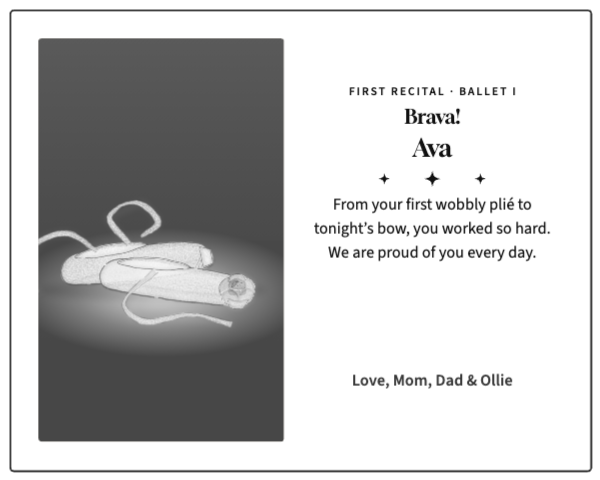
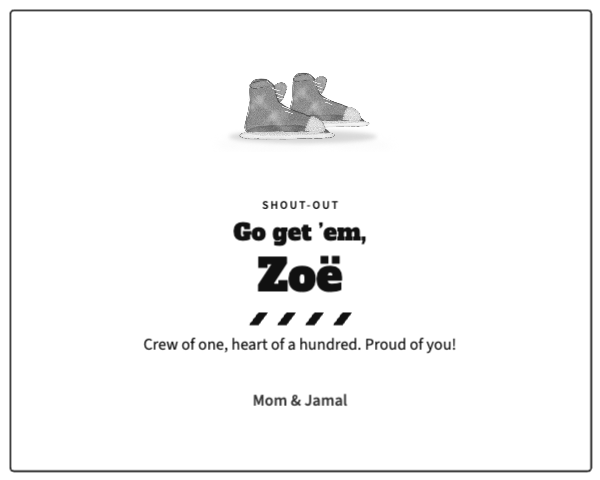
Start with your studio’s ad form: the size, color, photo rules, word limit, file type and deadline.
This sample is 5 × 4 in, the half-page size one studio published for 2027 (the same half size appears at two other studios). If your studio’s size is different, use the custom size in BoboCreate rather than stretching this file.
What the free template includes
- A one-photo black-and-white tribute
- A text-only shout-out
- Live text boxes sized for a short message
Replace the photo
Click the sample picture, choose Replace image… and pick your original photo. Drag it inside the frame to center the face. The page prints your photo in gray by itself.
Write a short message
A half page reads best at 25–60 words; the box grows downward as you type, so keep it clear of the sign-off. Read every name aloud before you export.
Export and send
Export a PDF (or a JPG if the studio asks), print one copy at 100% to check it, and send it before the deadline. The studio decides placement; the template does not include its ad fee.
Open the editable template in BoboCreate
- Download and install BoboCreate Desktop for Mac or Windows.
- Download the free `free-recital-tribute-ad-5x4.bobo` file.
- In BoboCreate, choose Open or Import and select the file.
- Replace the sample picture, type your message, and check the black-and-white page.
- Export a PDF and send it to your studio.
Download BoboCreate for Mac · Download BoboCreate for Windows
Use photos you have the right to share and follow your studio’s rules about names. The sizes are studio examples, not a standard.
Read the Bobotemp printable guide for the ready-to-print download and practical use instructions.