
Free PDF + editable BoboCreate template
How to Make Your First Paper Blind Bag
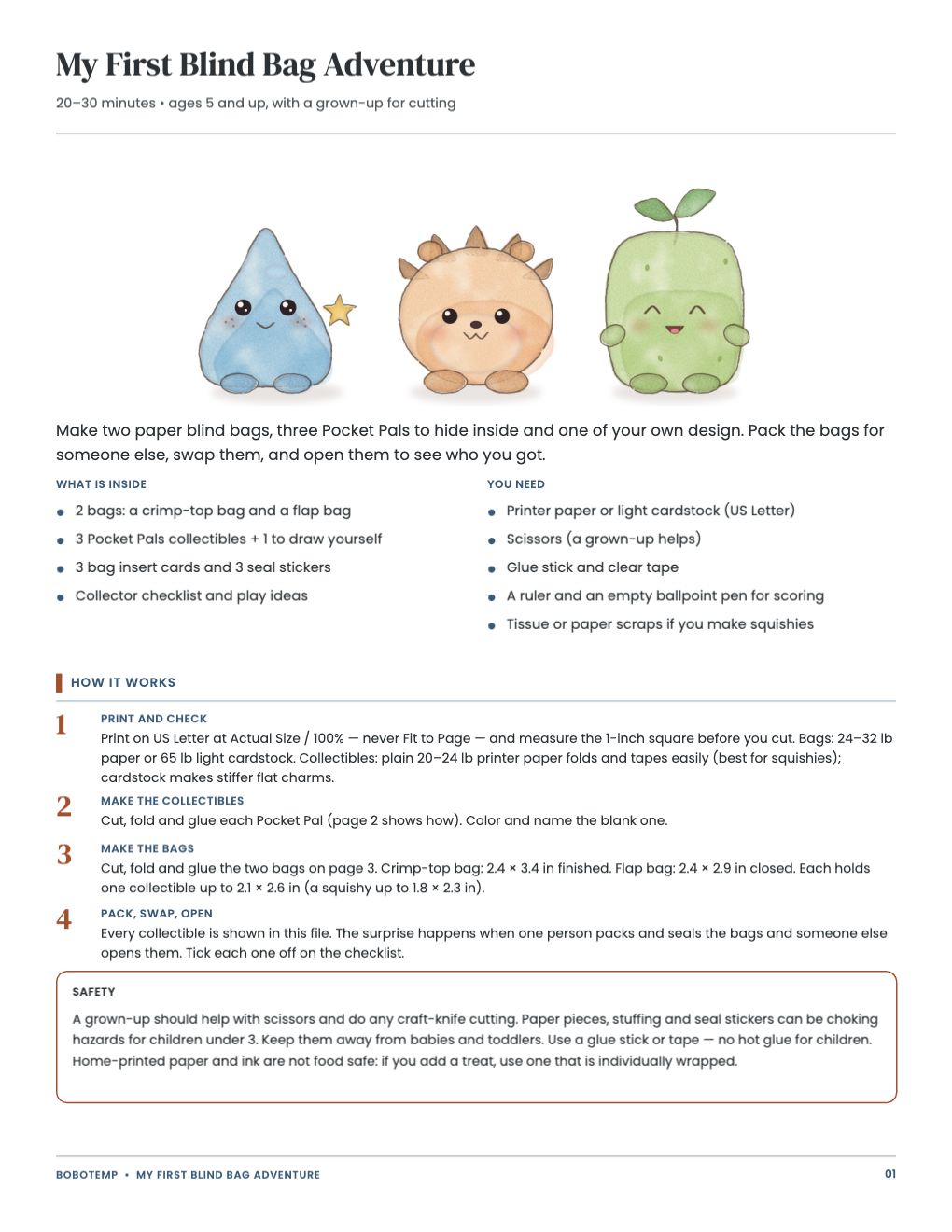
Make two paper blind bags, three Pocket Pals to hide inside and one of your own design. Pack the bags for someone else, swap them, and open them to see who you got.
Both downloads are the free edition. The .bobo file opens in BoboCreate Desktop.
The editable file imports in BoboCreate Free 0.3.19 or later. It uses one of Free's three design places, and its own artwork does not count toward your three uploaded images. Older versions of the app need BoboCreate activated to import it, so update BoboCreate first.
Everything in this set is free: no email, no sign-up. A grown-up helps with the cutting.
Print the PDF as it is, or open the .bobo file in BoboCreate Desktop to change the words before you print.
What the free template includes
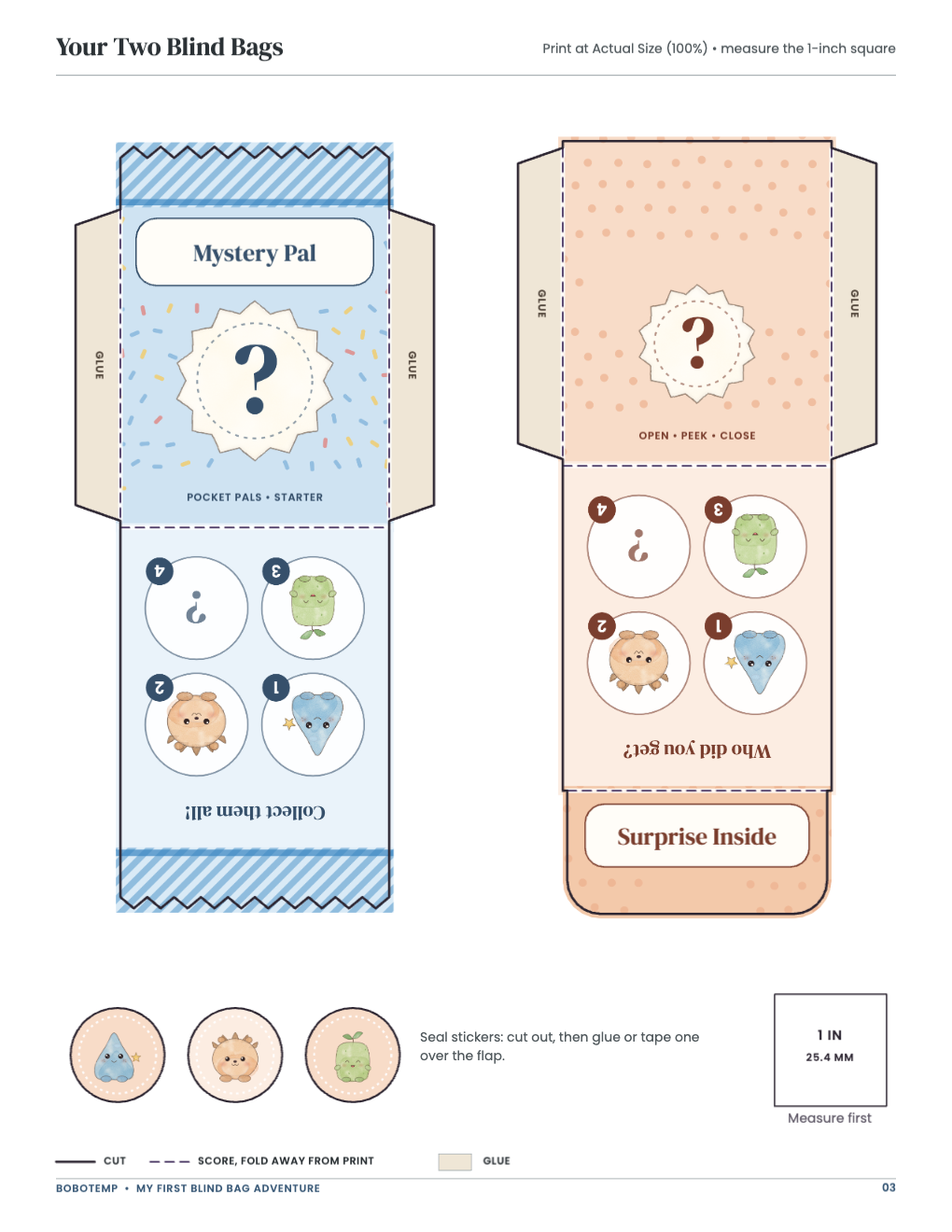
- 2 bags: a crimp-top bag and a flap bag
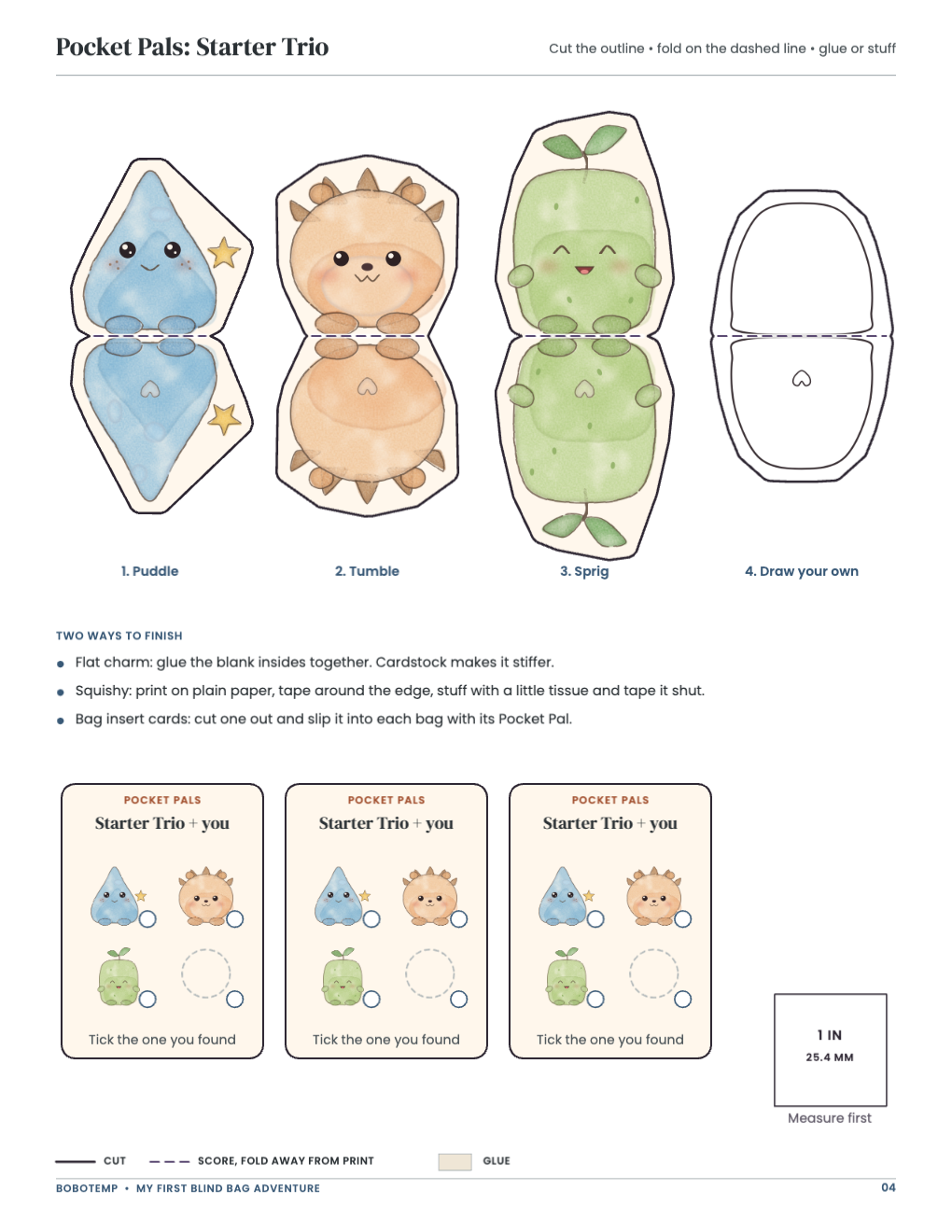
- 3 Pocket Pals collectibles + 1 to draw yourself
- 3 bag insert cards and 3 seal stickers
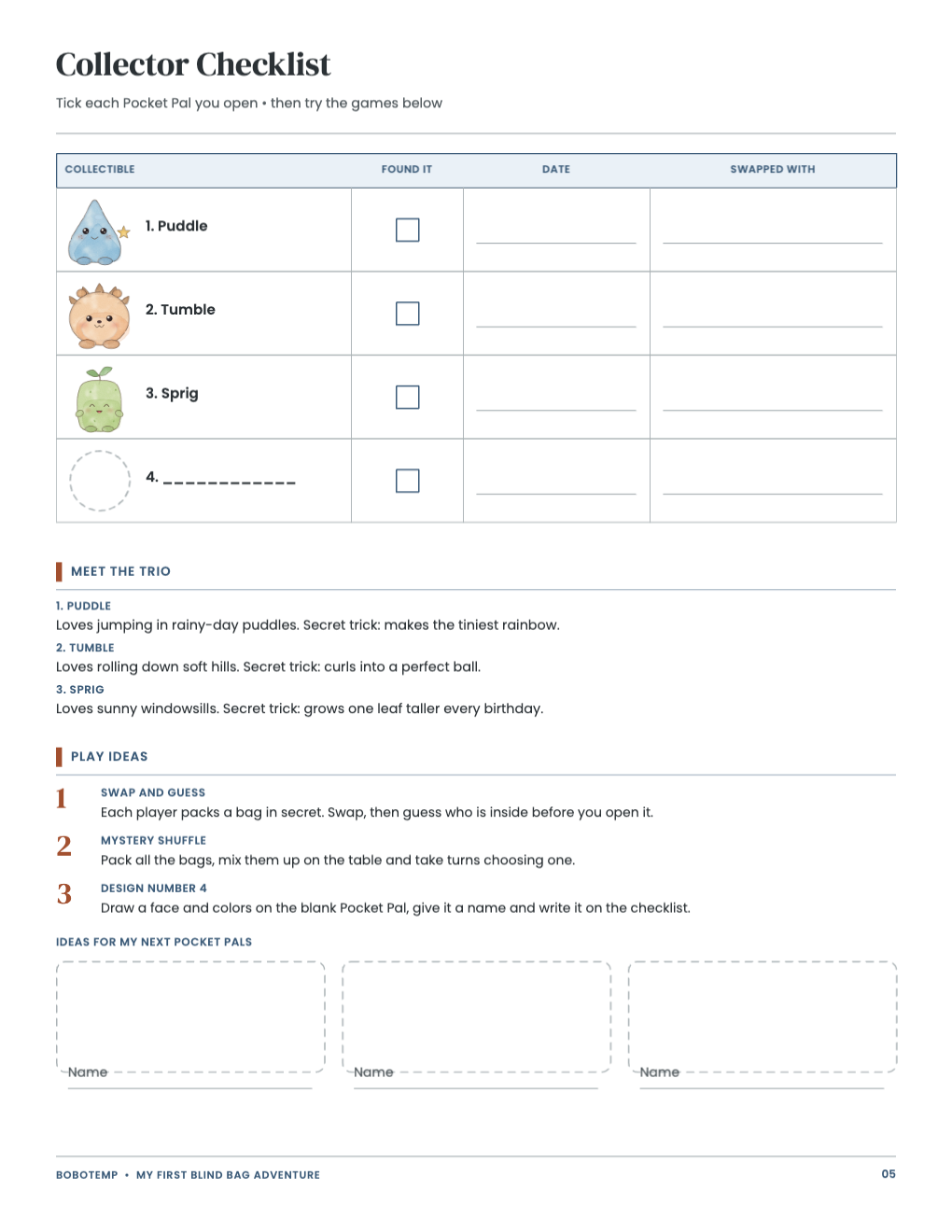
- Collector checklist and play ideas
- A print-ready US Letter PDF
- An editable .bobo file for BoboCreate Desktop
Print at true size
Print on US Letter at Actual Size / 100% — never Fit to Page — and measure the 1-inch square before you cut.
Make it
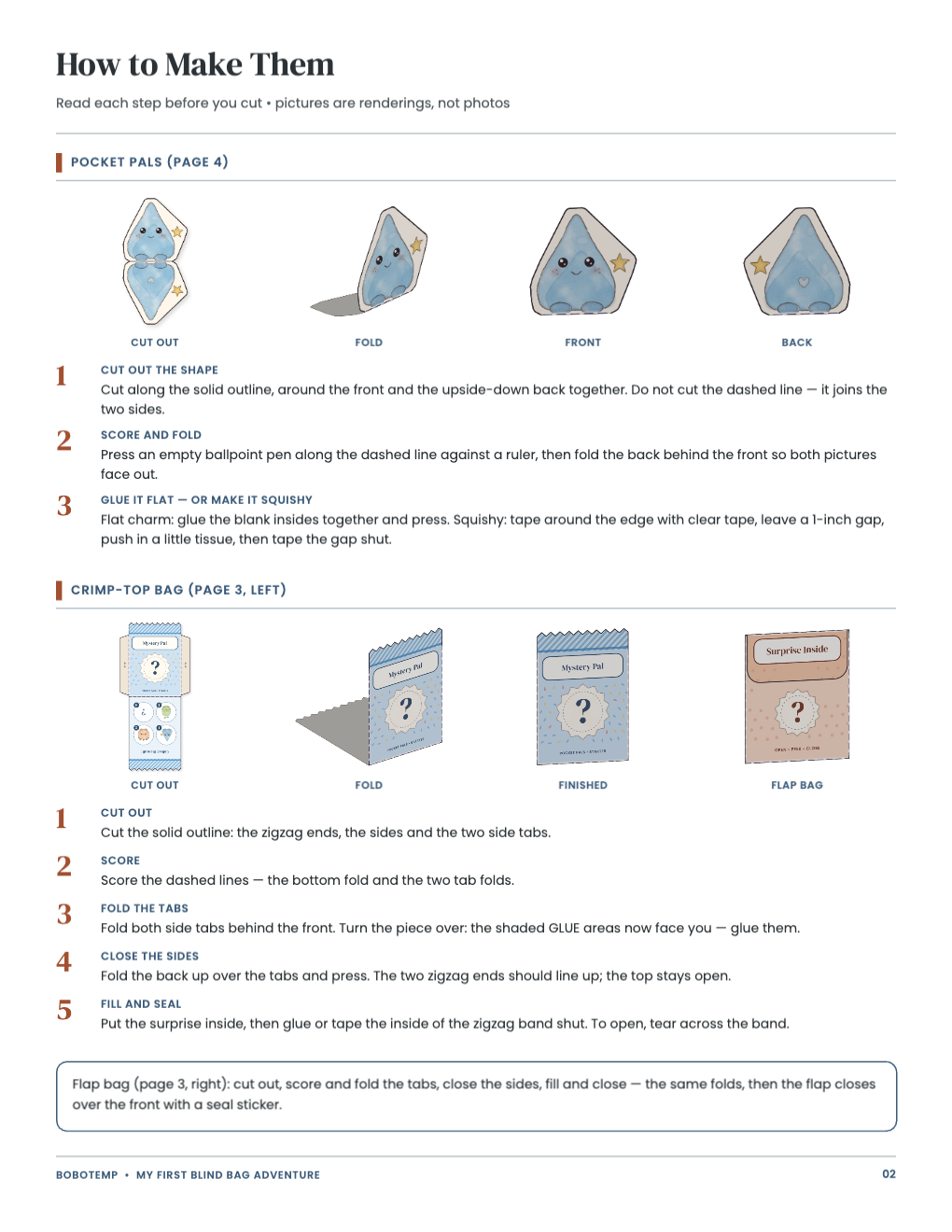
Make the collectibles. Cut, fold and glue each Pocket Pal; color and name the blank one.
Make the bags. Cut, fold and glue the two bags on page 3. Crimp-top bag: 2.4 × 3.4 in finished. Flap bag: 2.4 × 2.9 in closed. Each holds one collectible up to 2.1 × 2.6 in (a squishy up to 1.8 × 2.3 in).
Pack, swap, open. One person packs and seals the bags; someone else opens them. Tick each one off on the checklist.
Safety
A grown-up should help with scissors and do any craft-knife cutting. Paper pieces, stuffing and seal stickers can be choking hazards for children under 3. Keep them away from babies and toddlers. Use a glue stick or tape — no hot glue for children. Home-printed paper and ink are not food safe: if you add a treat, use one that is individually wrapped.
Edit in BoboCreate
Open the .bobo starter in BoboCreate Desktop to change names and words, then print your own PDF at 100%.
Open the editable template in BoboCreate
- Download and install BoboCreate Desktop for Mac or Windows.
- Download the free `my-first-blind-bag-adventure.bobo` file.
- In BoboCreate, choose Open or Import and select the file.
- Type your own names or words where you want them.
- Export a PDF and print it on US Letter at Actual Size / 100%, then check the 1-inch square before you cut.
Download BoboCreate for Mac · Download BoboCreate for Windows
Read the Bobotemp printable guide for the ready-to-print download and practical use instructions.