
Free PDF + editable BoboCreate template
Customize STEM Design-Test-Improve Studio Activities
Try the Index-Card Bridge investigation and four more data activities. The free starter has the bridge brief and test-data sheet, six activities and worked answers.
Both downloads are the free edition. The editable file opens in BoboCreate Desktop.
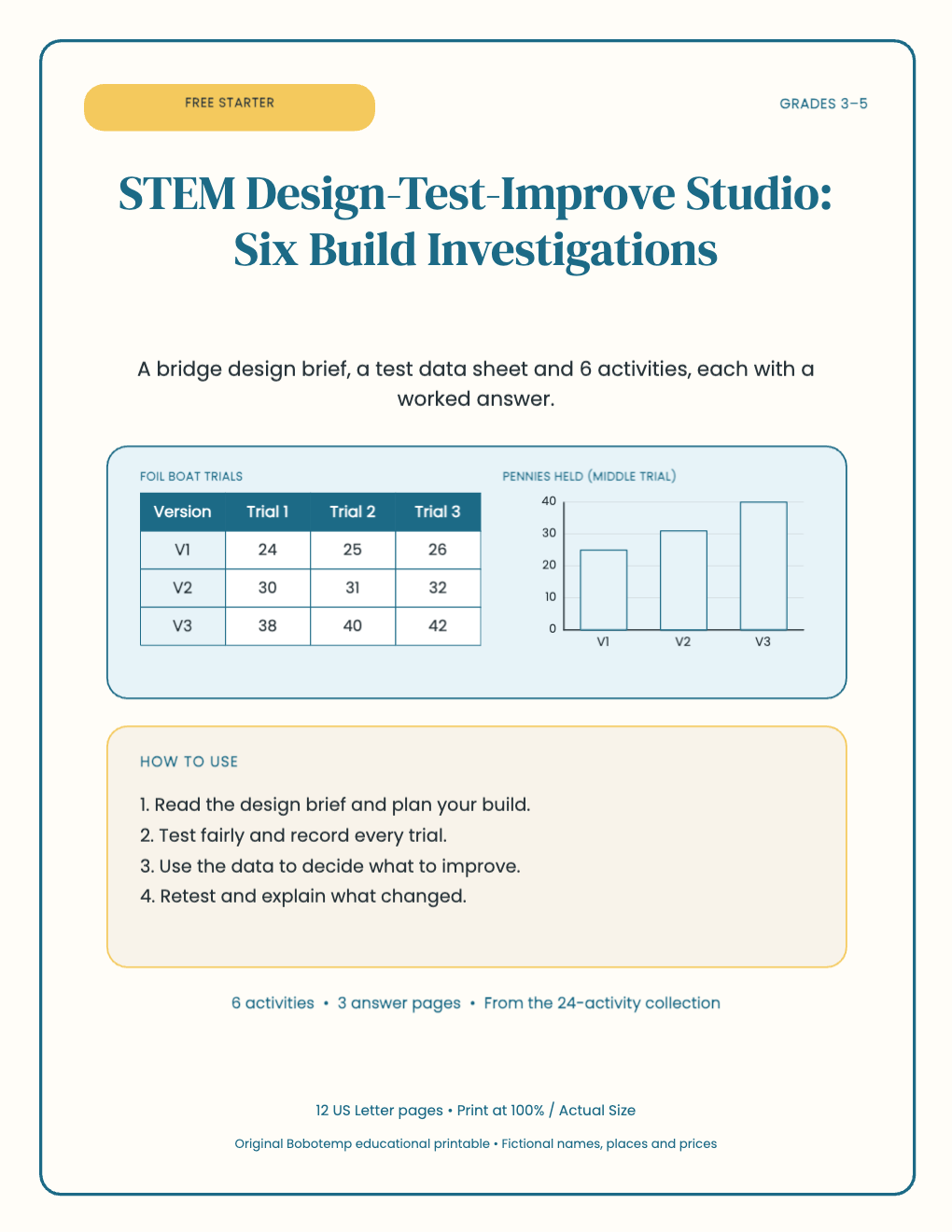
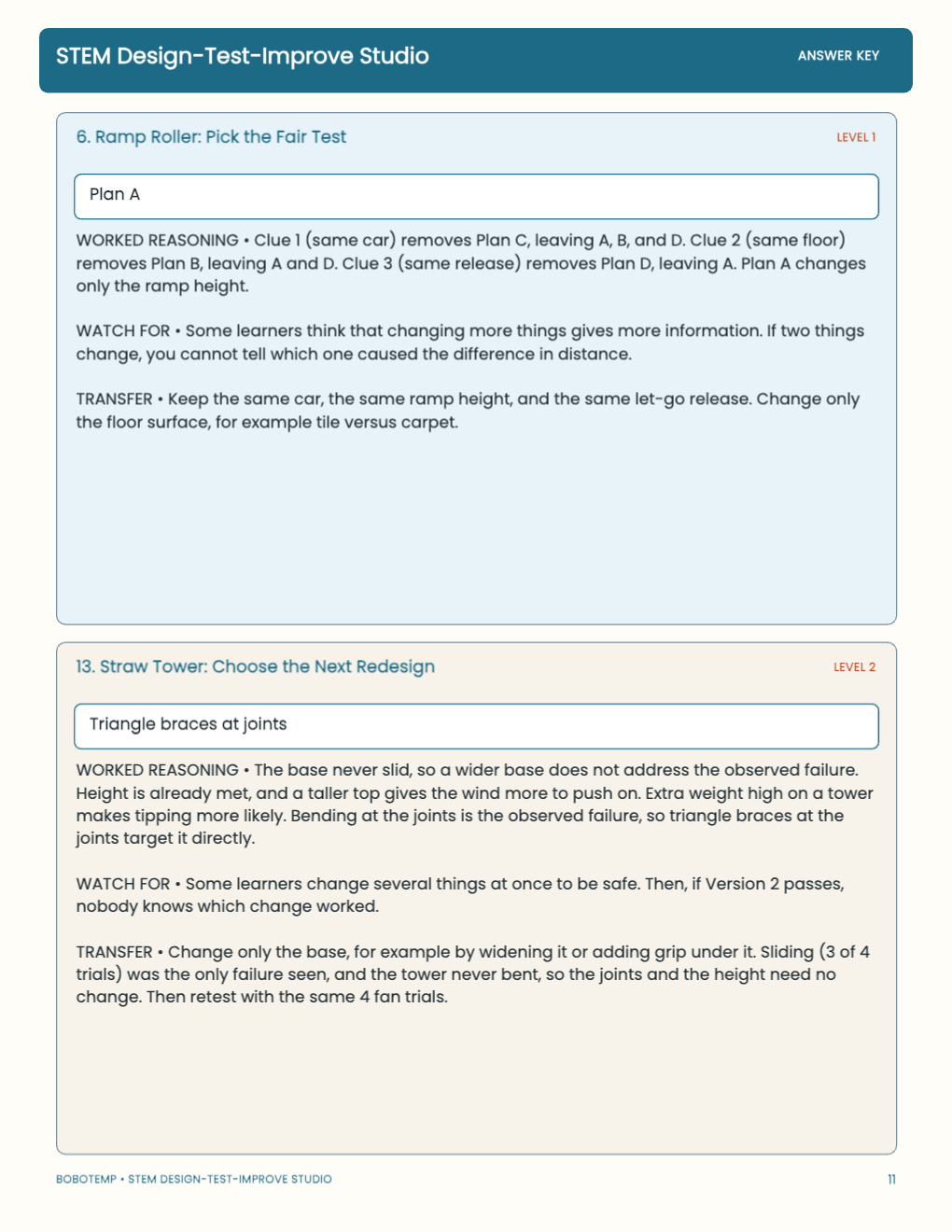
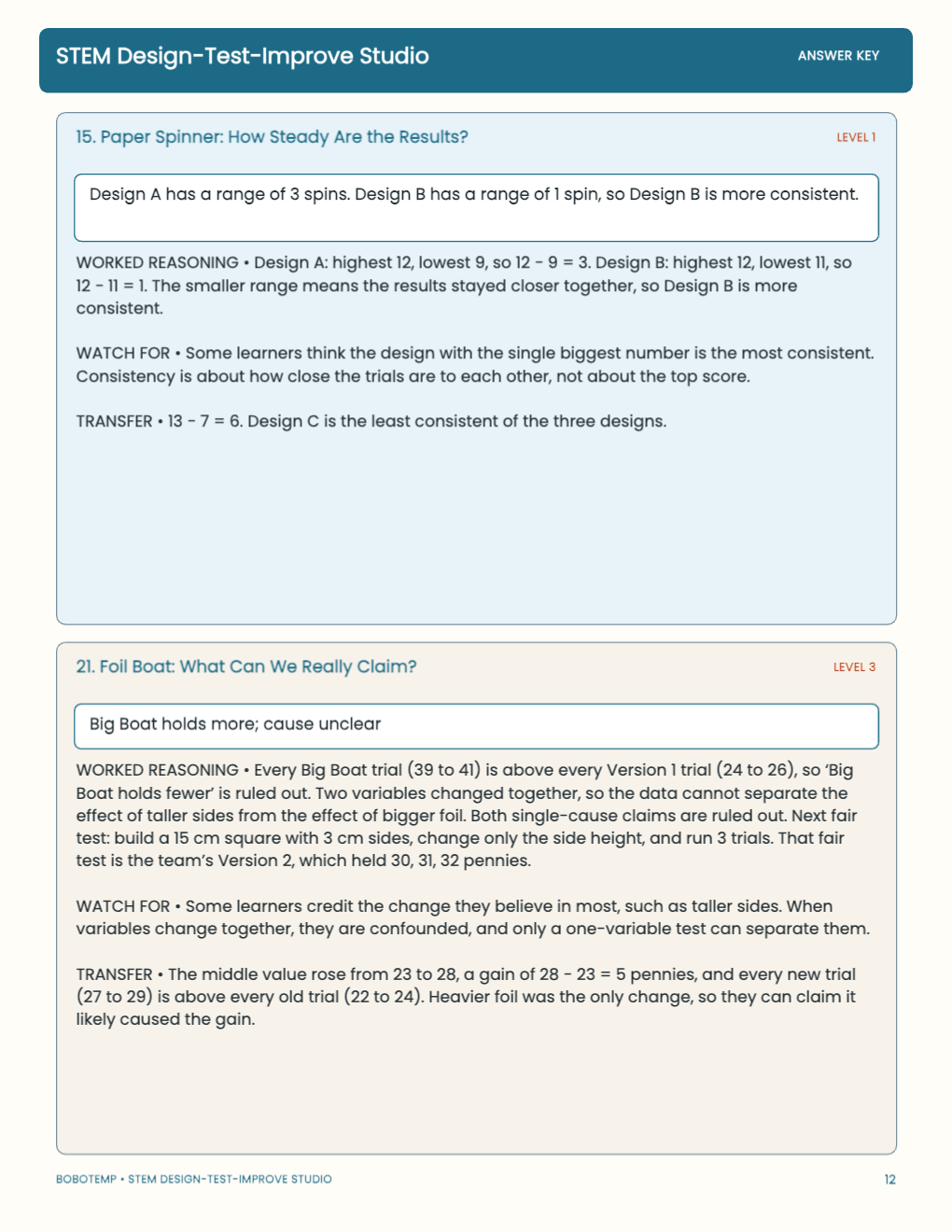
24 activities for grades 3–5 in six design-test-improve investigations: build, run repeated trials, read the data and redesign
The editable version keeps directions, evidence and response areas as native BoboCreate elements, so you can adjust names, numbers or wording before printing.
What the free template includes
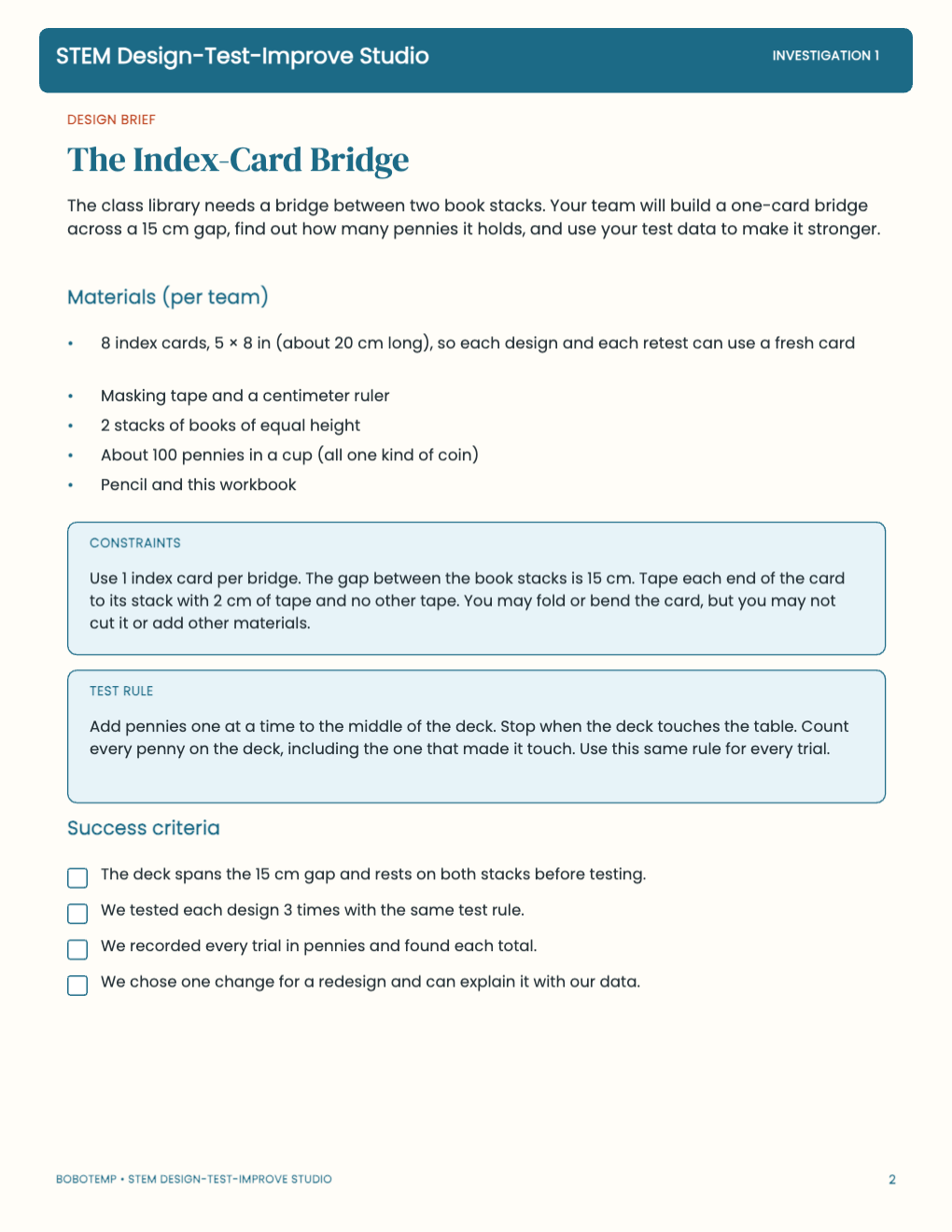
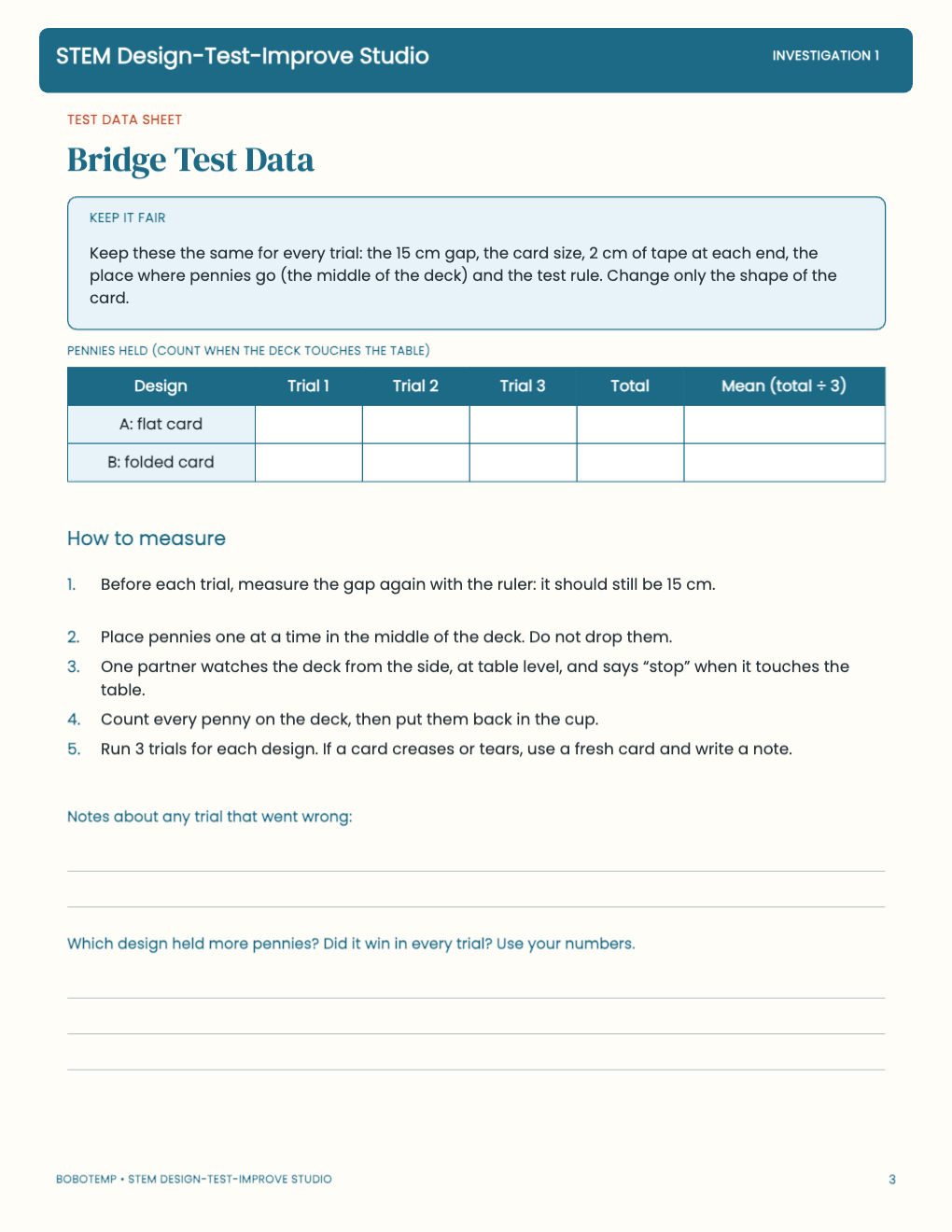
- The Index-Card Bridge brief (materials, constraints, test rule and success criteria) and its test-data sheet
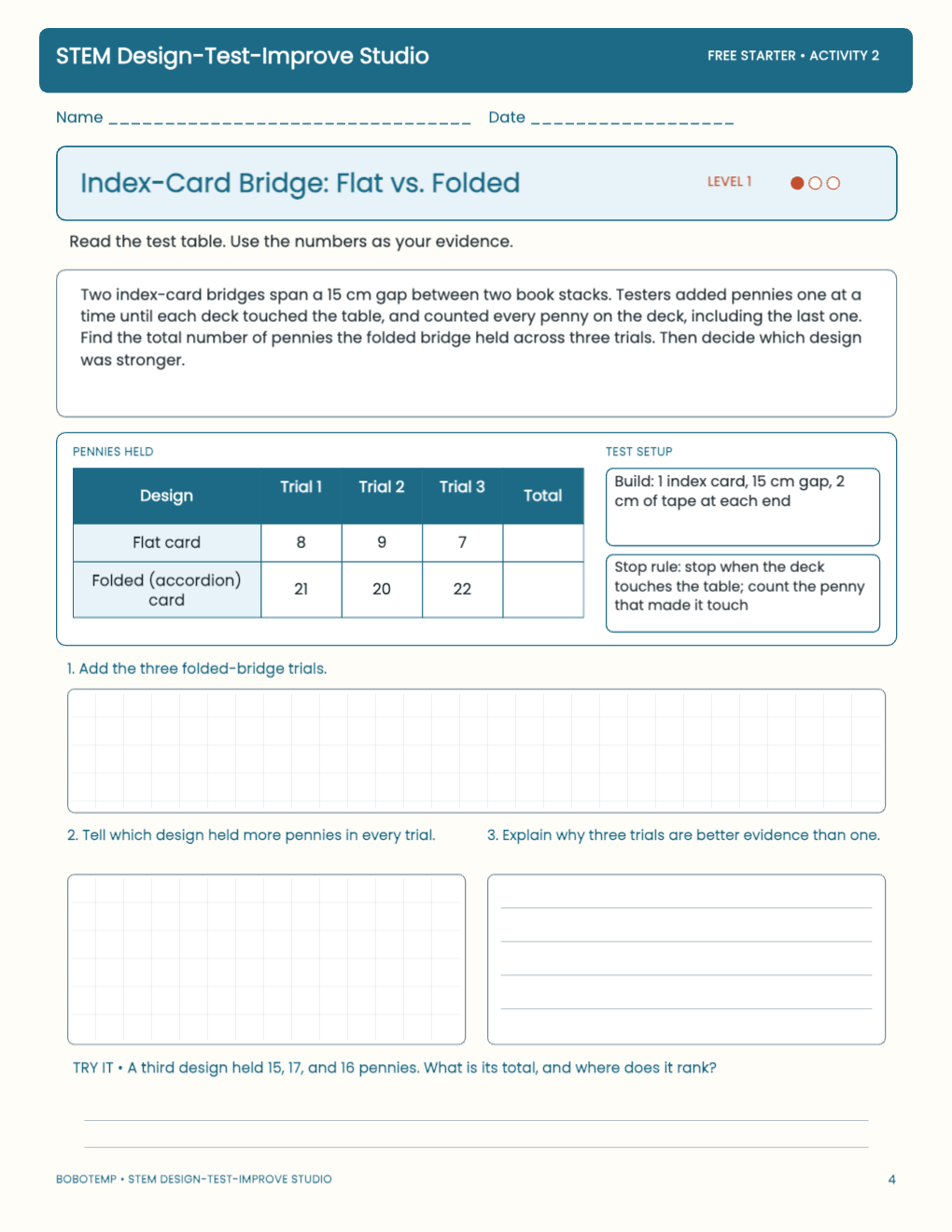
- 6 activities across all three levels: two bridge analyses and one each from the ramp, tower, spinner and foil boat investigations
- 3 worked answer pages with common-error notes and transfer answers
Build, test, then analyze
Teams build a one-card bridge across a 15 cm gap, add pennies until the deck touches the table, and record three trials for each design. The activities then use fictional teams' data for fair tests, ranges, averages and redesign decisions.
Build trials have not yet been run with students, so check materials and timing before class.
Gather materials, then print at Actual Size
Each bridge team needs 5 × 8 in index cards, masking tape, a centimeter ruler, two equal stacks of books and about 100 pennies.
Print on US Letter paper at Actual Size (100%). In BoboCreate you can edit the text and layout before you export a PDF; if you change a number, change the matching answer page too.
Open the editable template in BoboCreate
- Install or update BoboCreate Desktop.
- Download the free .bobo file and open it from your library.
- Edit any text if needed, then export a PDF and print at Actual Size.
Download BoboCreate for Mac · Download BoboCreate for Windows