
Free PDF + editable BoboCreate template
How to Customize and Print Team Trading Cards
The Team Trading Card Starter is a free printable player card for youth sports, and its editable .bobo opens in BoboCreate, a desktop design app for Mac and Windows. This guide covers the making side: putting a photo in the card’s window, typing the details, printing nine cards to a Letter sheet and cutting them out.
Both downloads are the free edition. The editable file opens in BoboCreate Desktop.
The editable file imports in BoboCreate Free 0.3.19 or later. It uses one of Free's three design places, and its own artwork does not count toward your three uploaded images. Older versions of the app need BoboCreate activated to import it, so update BoboCreate first.
You will need BoboCreate (the free plan is enough for the starter), a photo of each player taken with their family’s permission, a printer, US Letter paper or card stock, and a ruler with scissors or a paper trimmer.
Each window on the card is a photo frame: the photo you put in fills the window and stays inside its edges. Every word on the card is a live text box.
What the free template includes
- A printing and cutting guide with the card at actual size
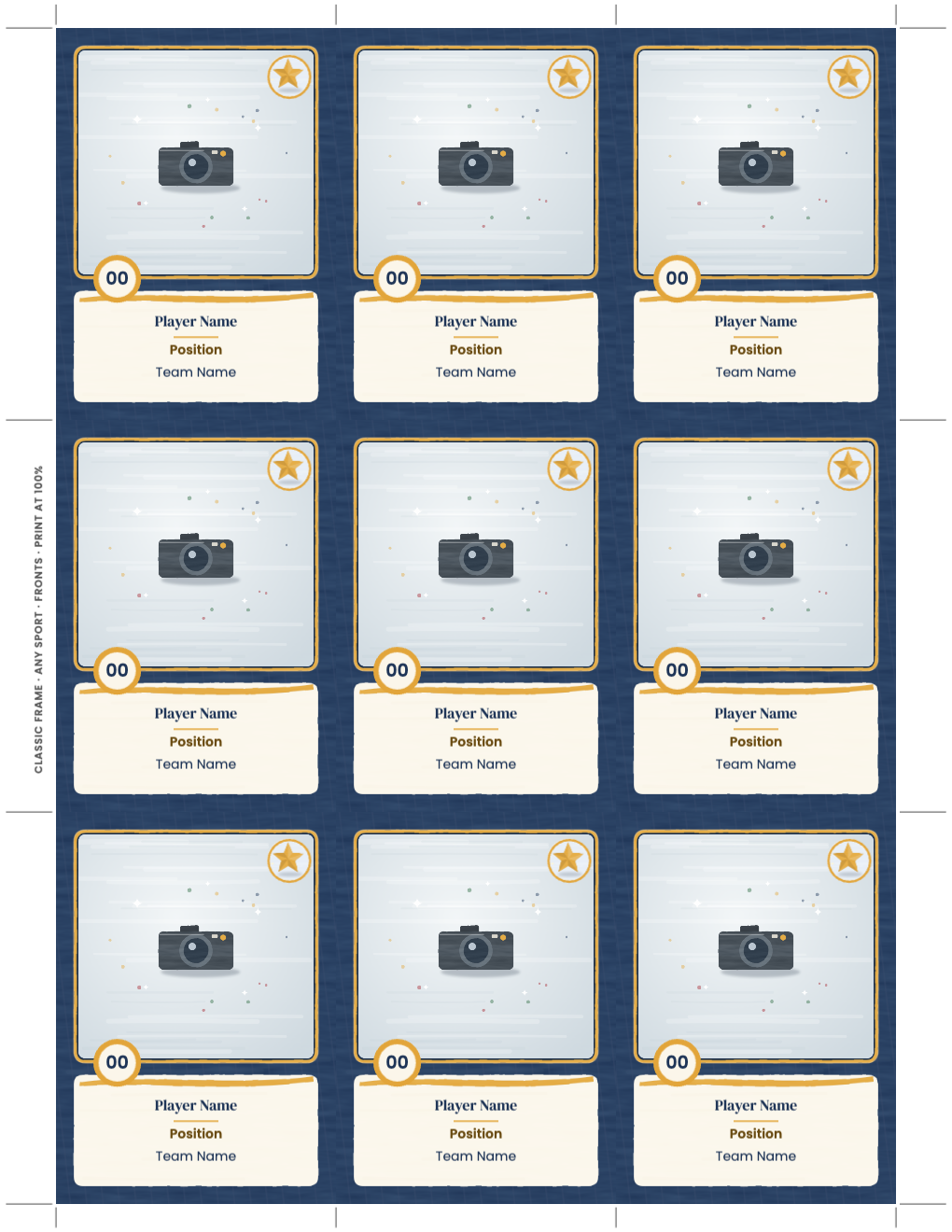
- Nine Classic Frame card fronts with photo frames and text boxes
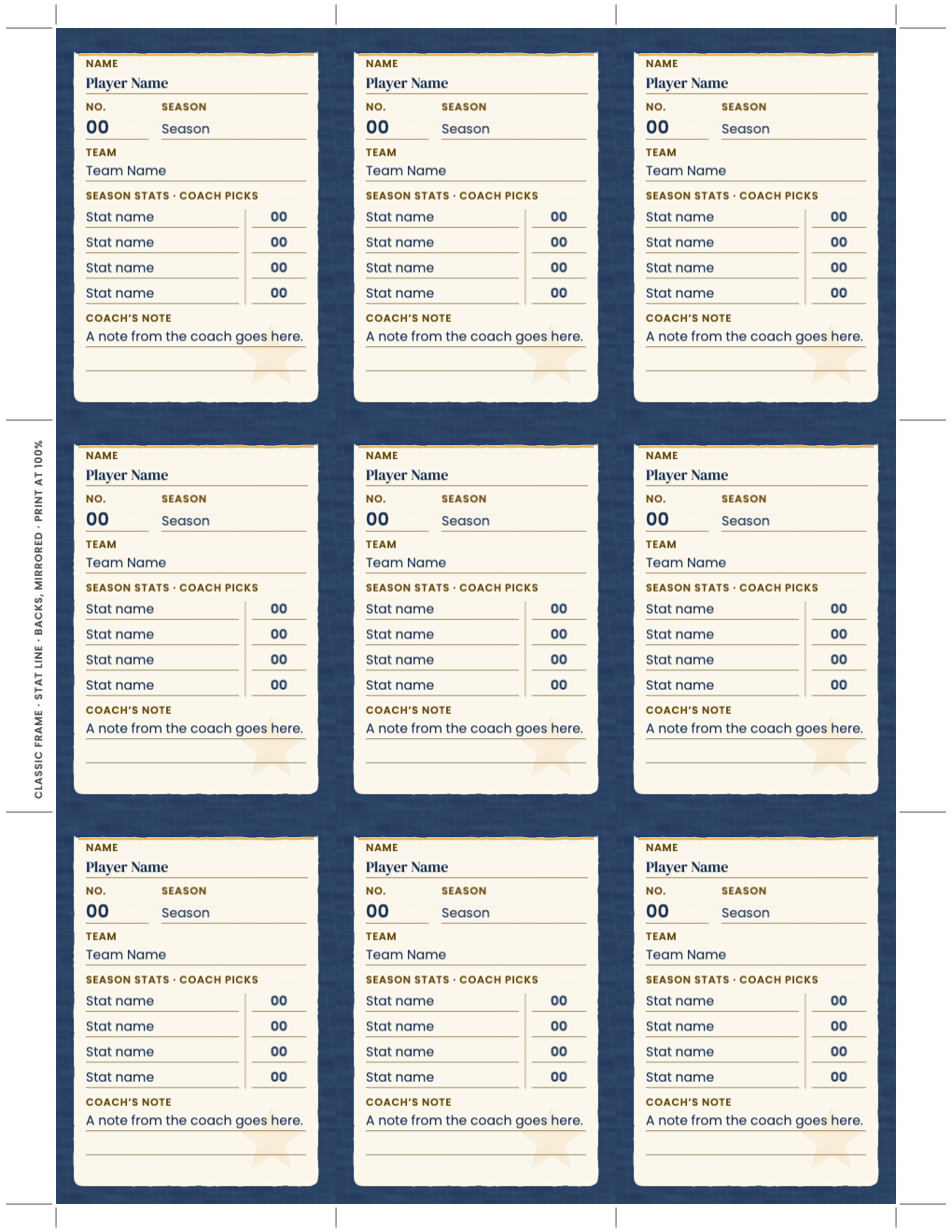
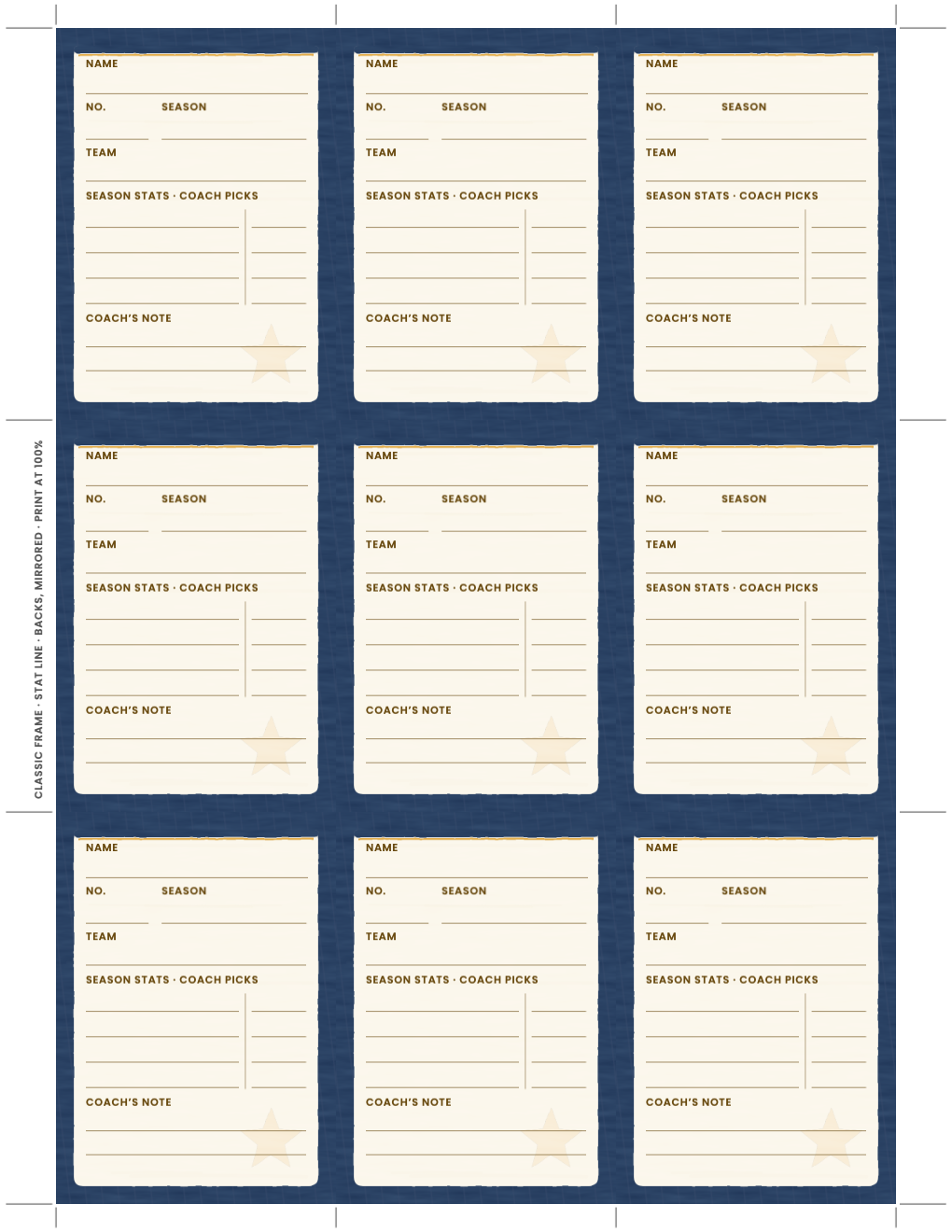
- Nine matching backs with a stats table the coach fills in
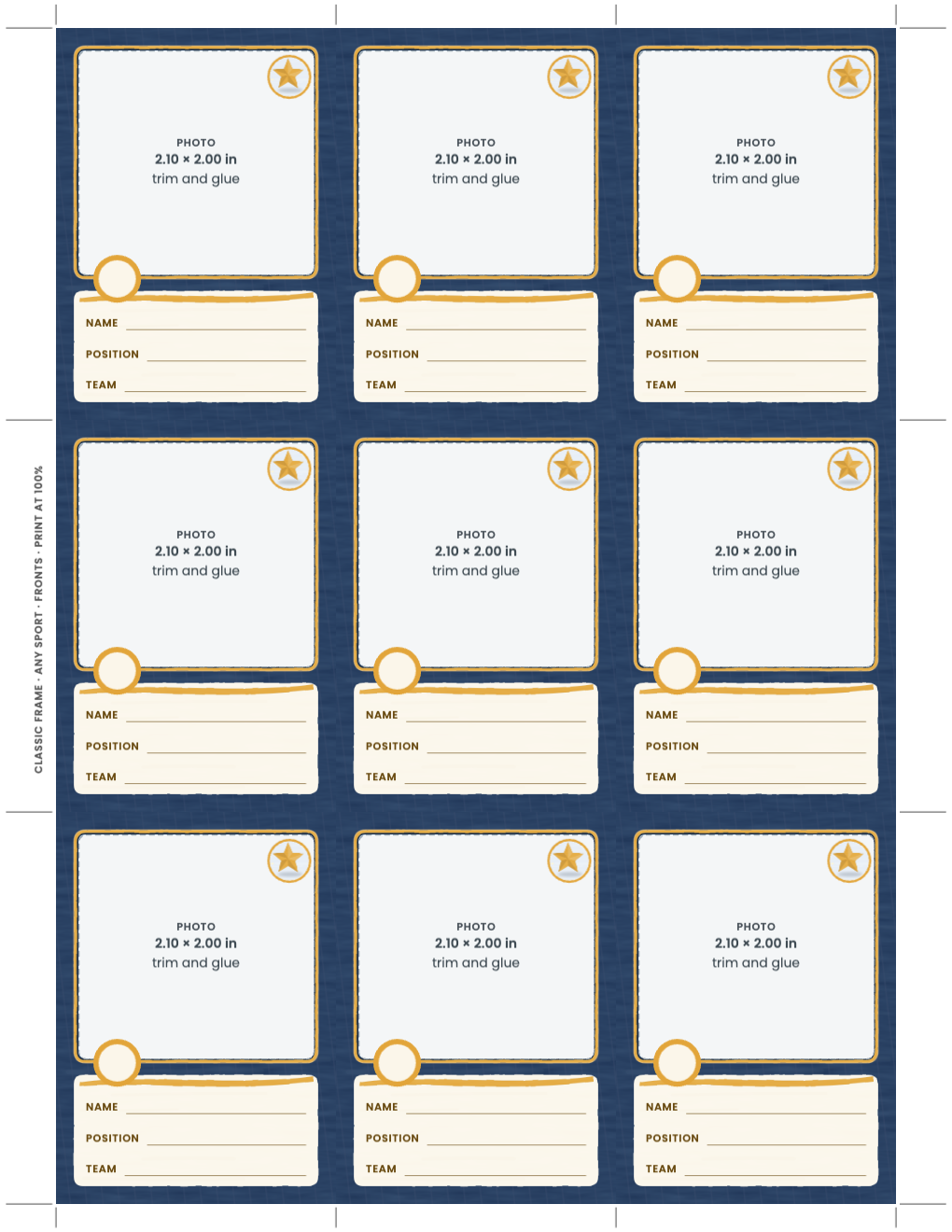
- The same front and back as print-and-write sheets for gluing photos and writing by hand
Open the free .bobo and find the card pages
Download free-team-trading-card-starter.bobo, choose Open or Import in BoboCreate and select it. Pages 2 and 3 are the card fronts and backs for BoboCreate; pages 4 and 5 are the same card for printing and writing by hand. The painted borders are locked, so a click lands on the photo or the words.
Put a photo in each window
Select the camera picture in a window and replace it with your photo. The photo is trimmed to fill the window without stretching, so a tall or a wide photo both work; keep the face near the middle. For a sharp print use a photo at least 630 × 600 pixels.
- One photo can go in all nine windows if you are making nine copies of one player’s card.
- BoboCreate Free counts each different photo you add, so a sheet of nine different teammates needs a paid BoboCreate plan.
Type the name, number, position and team
Click Player Name, 00, Position or Team Name and type. Each box holds its longest entry on one line: names up to 16 letters, positions 16, team names 17 and jersey numbers 2 digits. Fill in the backs the same way; the coach decides what the four stats rows count.
Print at 100% and cut on the marks
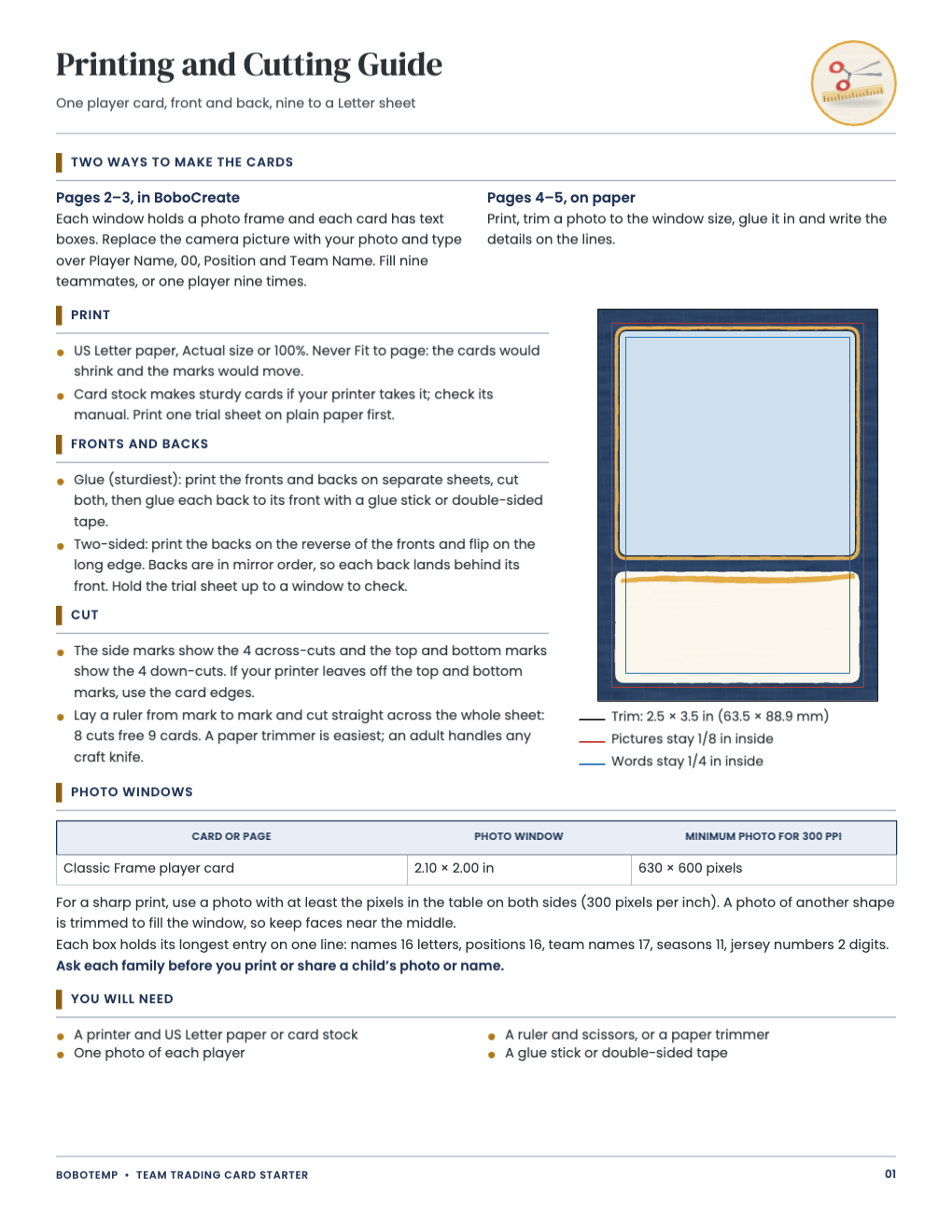
Export a PDF and print US Letter at 100% (Actual Size), never fit to page, so each card stays exactly 2.5 × 3.5 in. The marks in the margins show every cut: line a ruler up with two marks and cut across the sheet. Backs are in mirror order, so you can print them on the reverse and flip on the long edge, or glue each back to its front.
Open the editable template in BoboCreate
- Download and install BoboCreate Desktop for Mac or Windows.
- Download the free `free-team-trading-card-starter.bobo` file.
- In BoboCreate, choose Open or Import and select the file.
- Replace the camera pictures with your photos and type over the placeholder words on pages 2 and 3.
- Export a PDF, print US Letter at 100% and cut on the marks.
Download BoboCreate for Mac · Download BoboCreate for Windows
The free source is for your own team. Do not resell or redistribute the design. Ask each family before you print or share a child’s photo or name. A home print and cutting test of this edition has not been done yet.