
Free PDF + editable BoboCreate template
How to Customize and Print a Soccer Skills Workbook
Children learn soccer decisions faster when they can see them: who is open, where the space is, which way a pass goes. This guide covers opening the free Soccer Skills Starter in BoboCreate, making it yours, and printing it at the right size.
Both downloads are the free edition. The editable file opens in BoboCreate Desktop.
The editable file imports in BoboCreate Free 0.3.19 or later. It uses one of Free's three design places, and its own artwork does not count toward your three uploaded images. Older versions of the app need BoboCreate activated to import it, so update BoboCreate first.
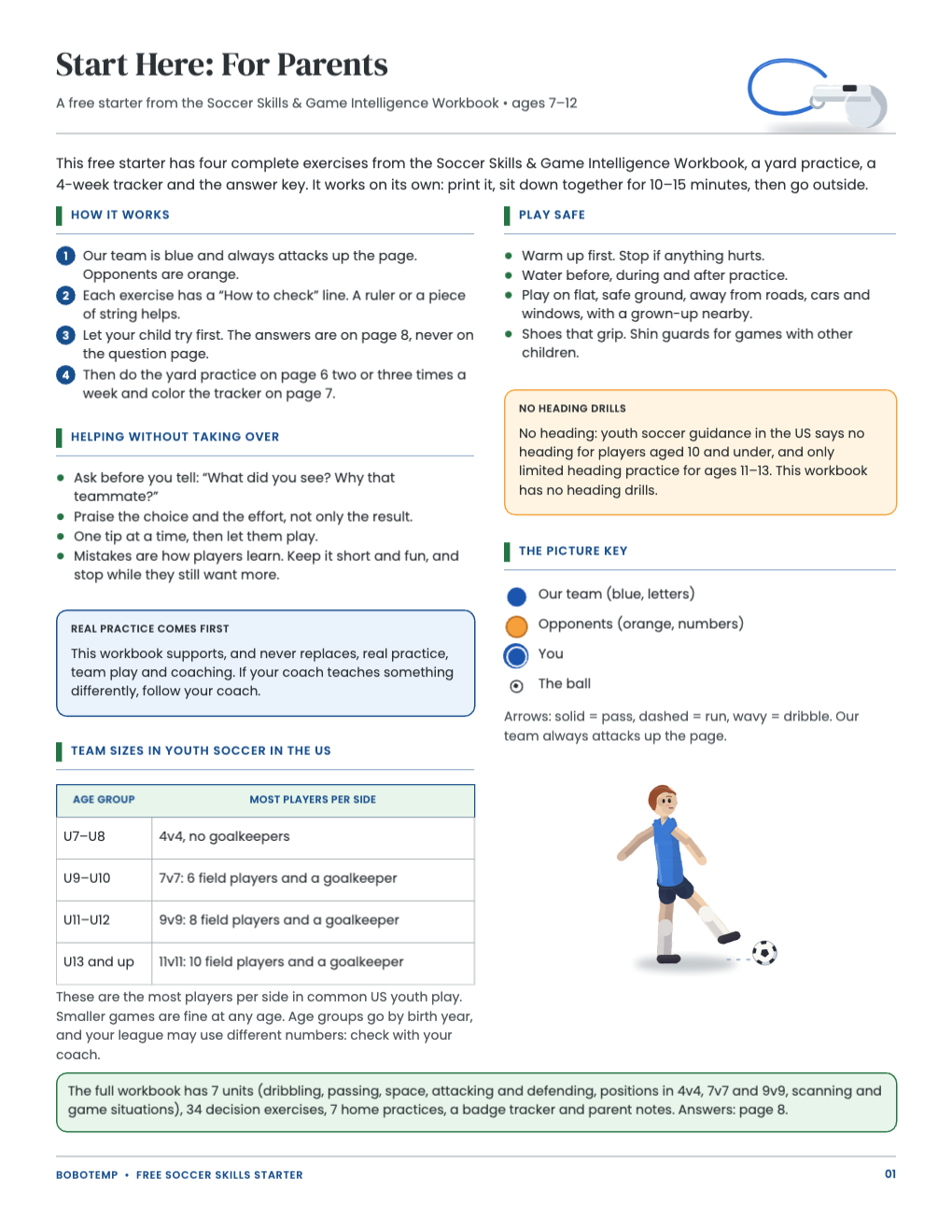
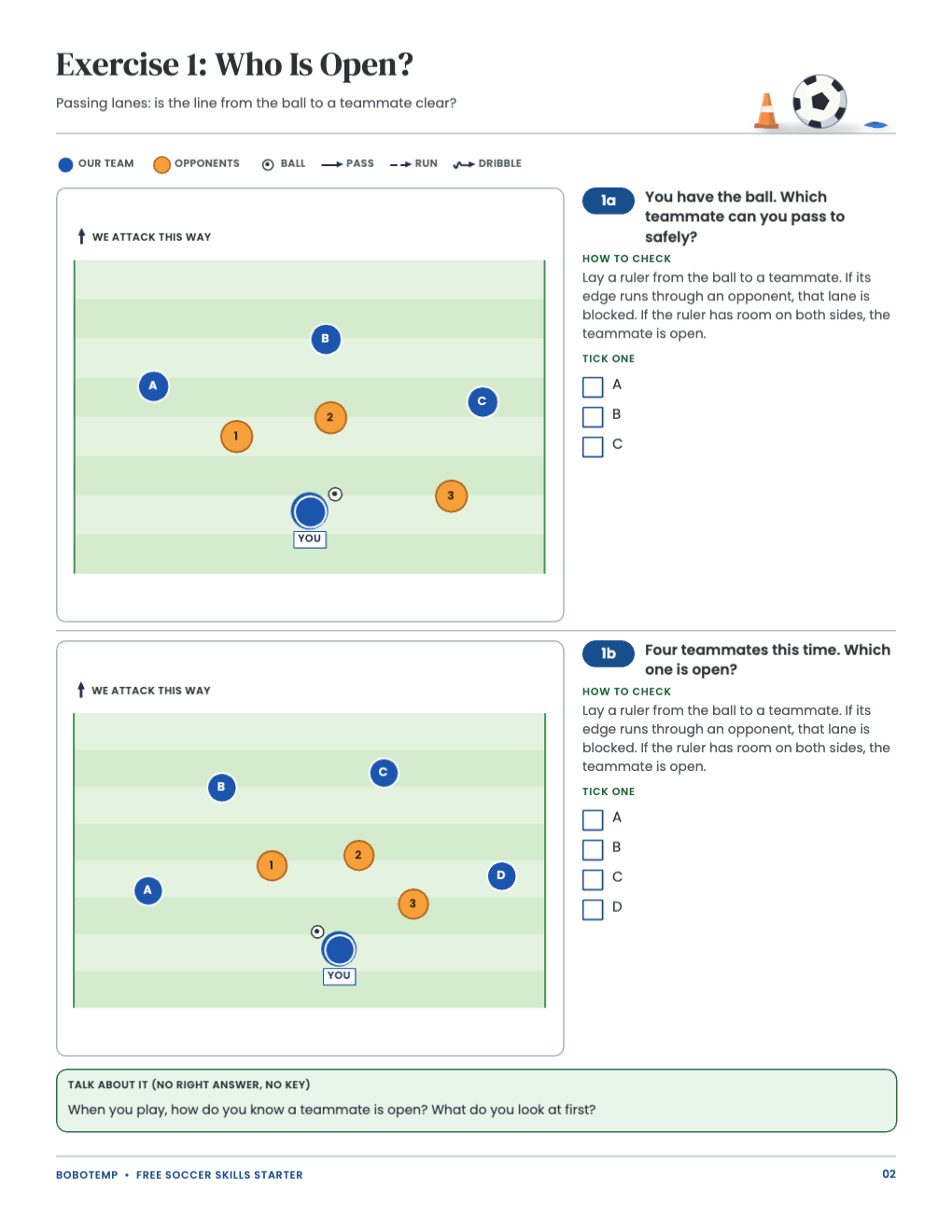
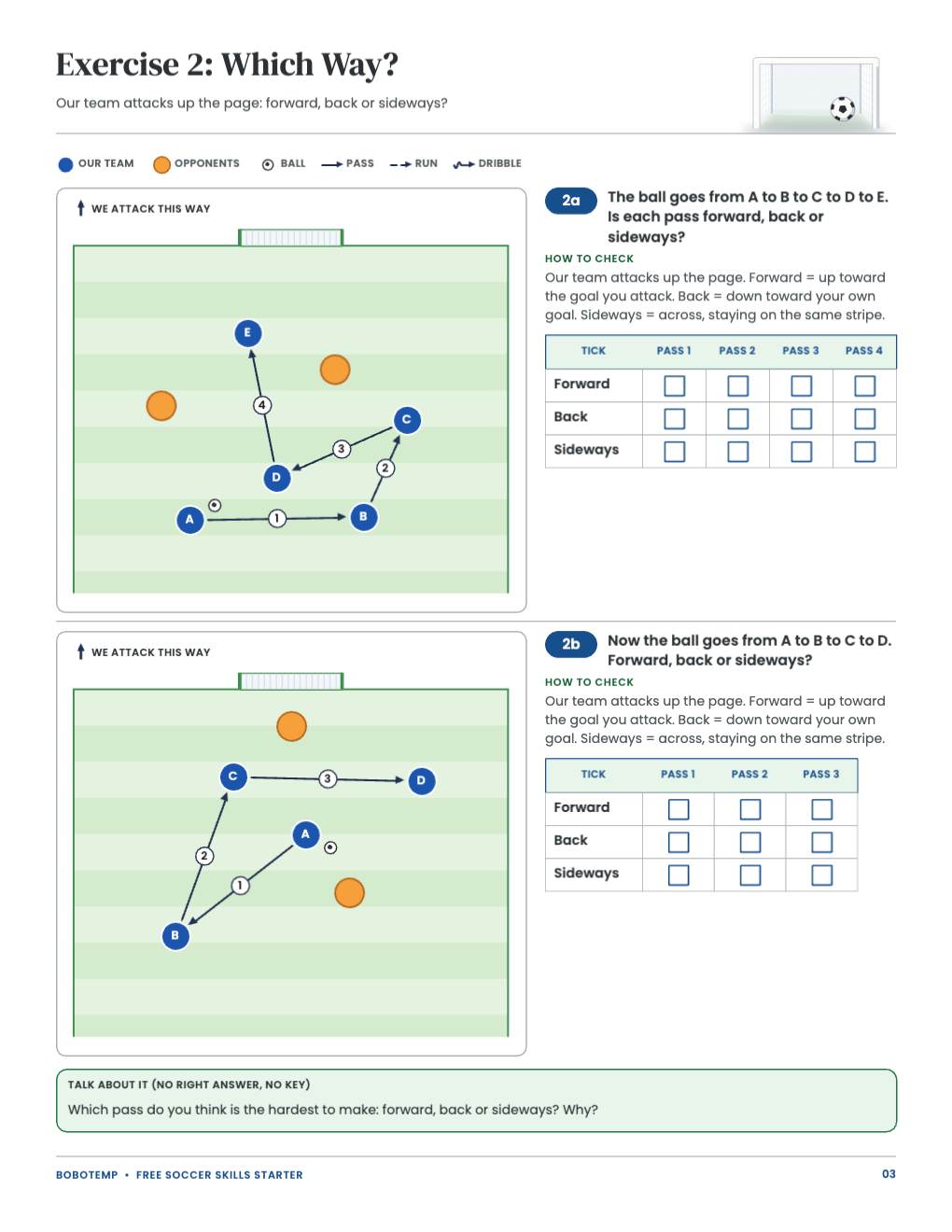
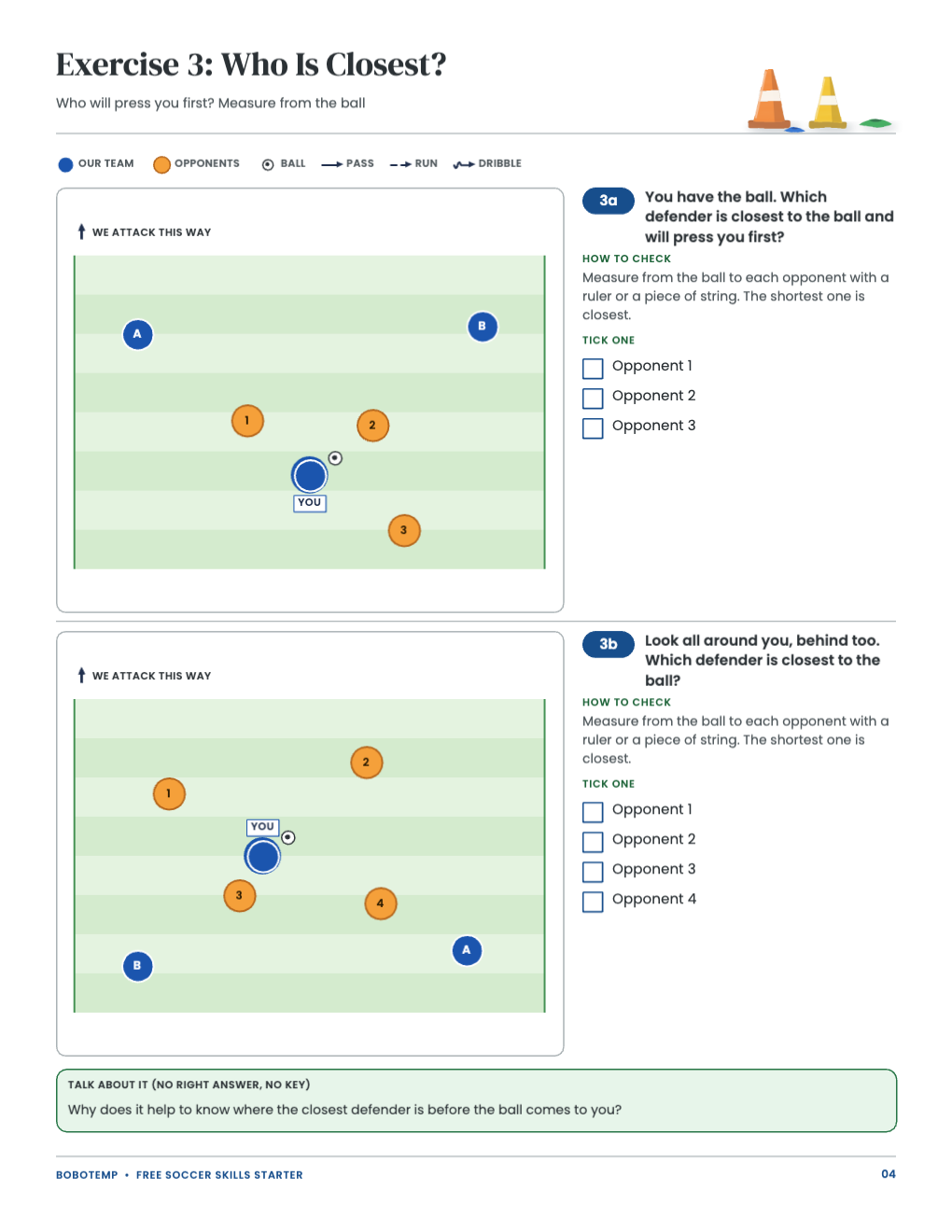
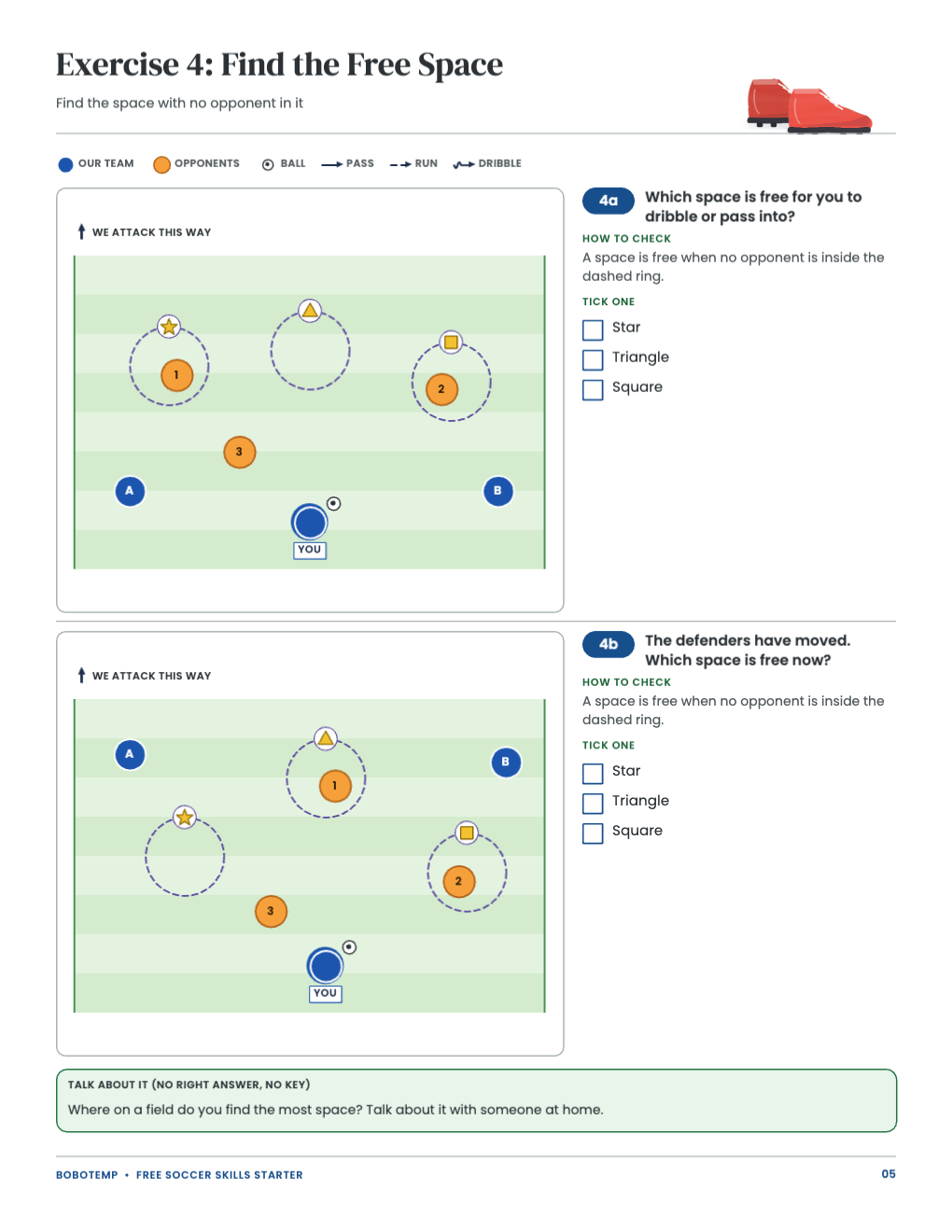
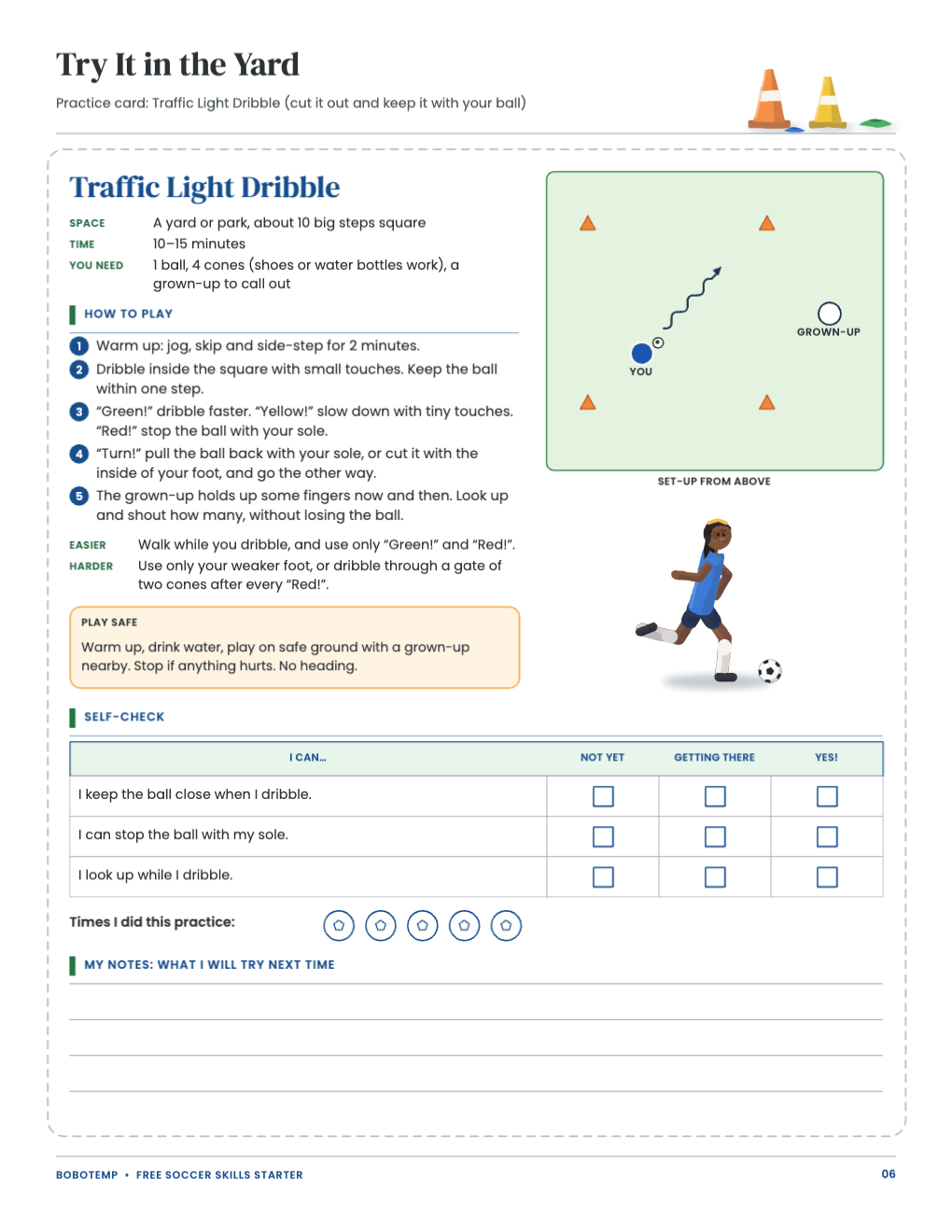
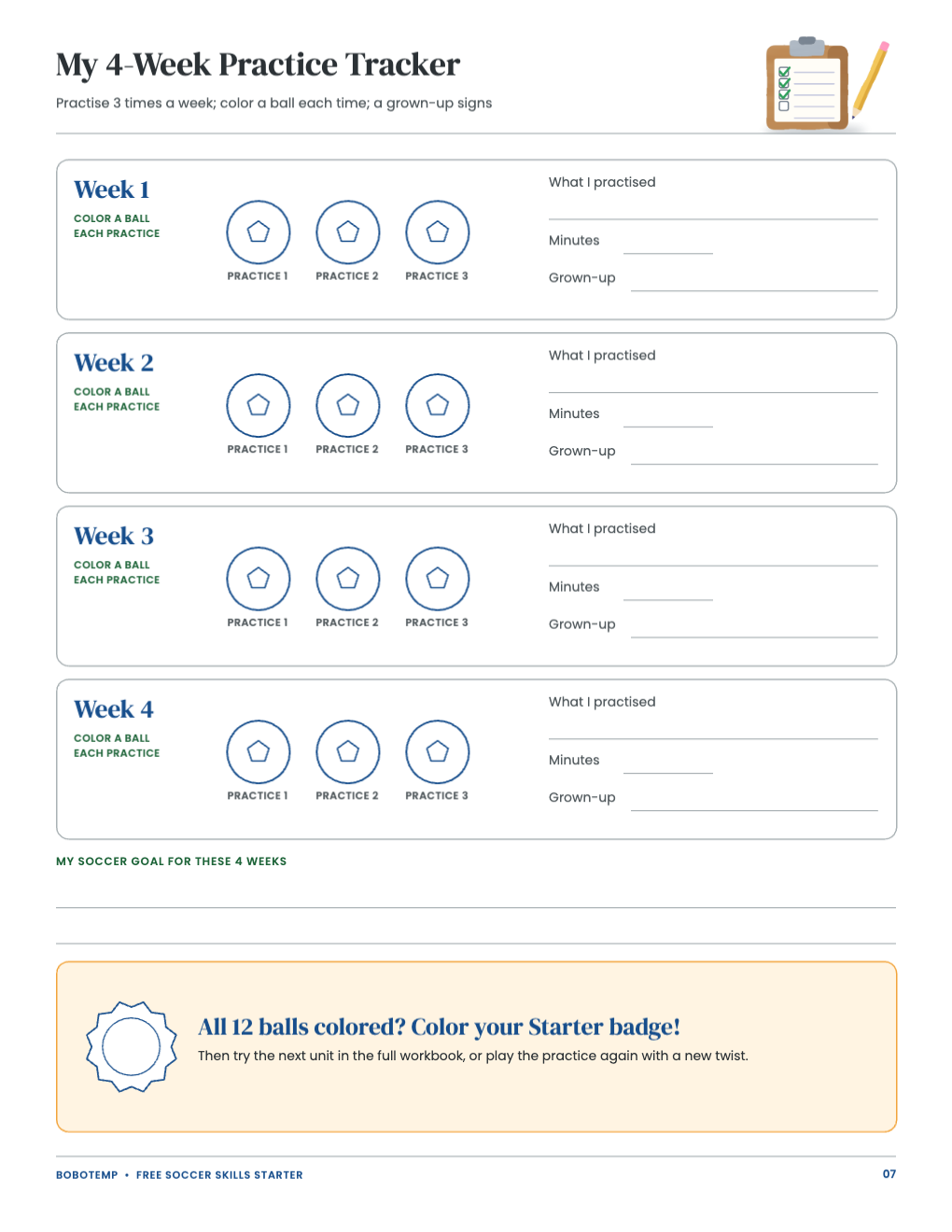
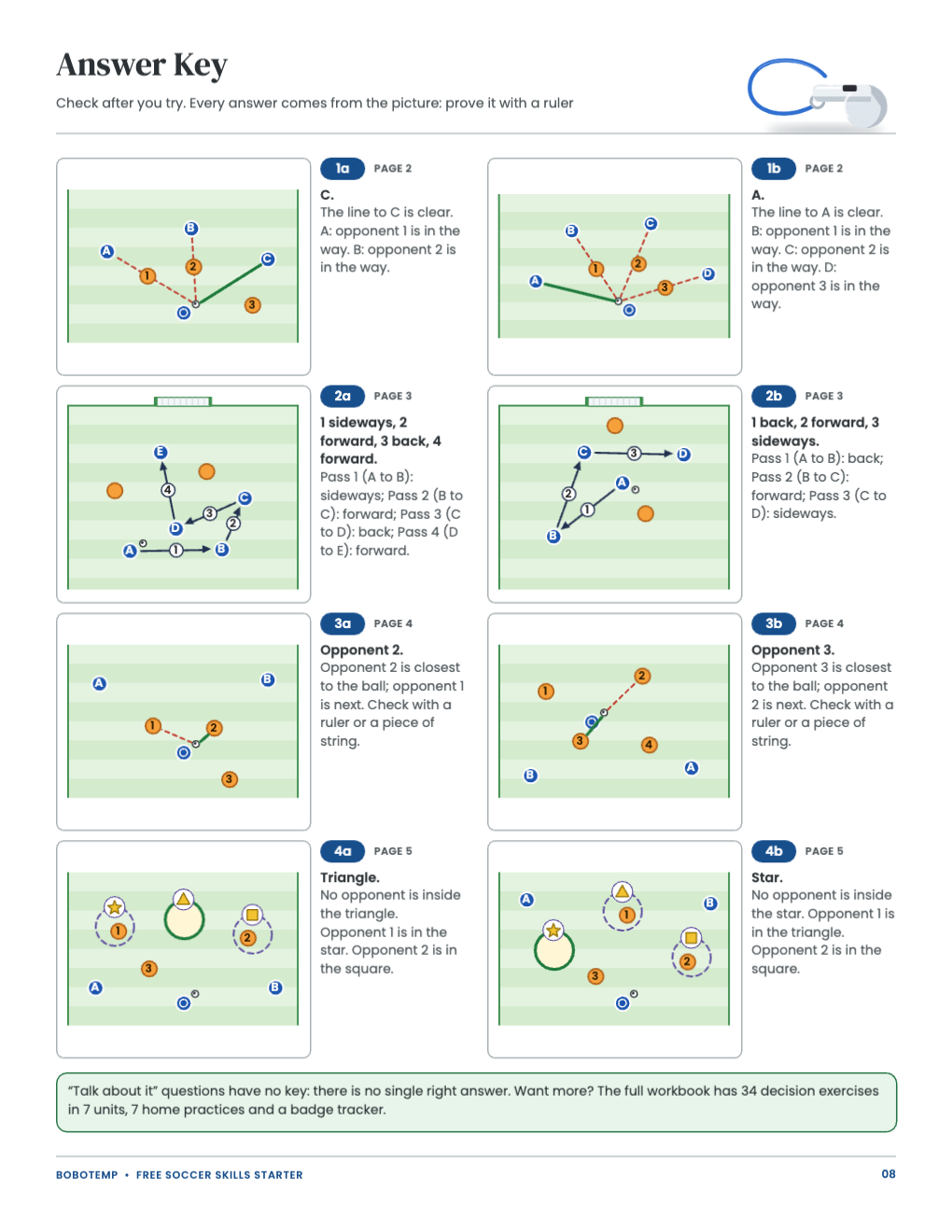
The starter is eight US Letter pages for ages 7–12: a parent page, four exercise pages with two field diagrams each (open passing lanes, forward or back passes, the closest defender, free space), a yard practice card, a 4-week tracker and the answer key. Print the PDF as it is, or open the `.bobo` file to change it first.
BoboCreate is a desktop design app for Mac and Windows, and the free plan is enough. Once the starter carries the owner’s free-template signature, its artwork does not use up your picture allowance; it does take one of your three design places.
What the free template includes
- A parent page with feedback tips, safety and the picture key
- Four exercise pages, eight field diagrams, each answer checkable with a ruler
- A Traffic Light Dribble practice card with easier and harder versions
- A 4-week practice tracker with a starter badge
- An answer key with a short reason for every answer
Make it yours
Every word in the starter is a live text box. Add your child’s name to the tracker, write the minutes and the practice you did, or change a practice step to fit your yard.
- Keep the questions short: the exercises are written for young readers.
- The answers stay on the answer key page; do not move them onto the question pages.
Adjust a field diagram
The diagrams are editable shapes: blue circles are your team, orange circles are opponents, and the arrows show passes (solid), runs (dashed) and dribbles (wavy). Move a player to set up a situation from your child’s last game, then talk it through together.
- If you move players in an exercise, its printed answer may no longer match: check it again with a ruler.
- Duplicate a page before you change it, so the original stays as printed.
Plan the weeks
Use one exercise page a week, about 10–15 minutes, then play the yard practice two or three times and color the tracker. The full workbook continues the same way with seven units.
Export and print
Export a vector PDF for the sharpest lines. Print at 100% or Actual Size on US Letter, never Fit to page, and print one test page on plain paper first.
- Exercise pages and the answer key: plain paper.
- Practice card: card stock if you want it to last outside.
Open the editable template in BoboCreate
- Download and install BoboCreate Desktop for Mac or Windows.
- Download the free `free-soccer-skills-starter.bobo` file.
- In BoboCreate, choose Open or Import and select the file.
- Add names and notes, or adjust a diagram; preview all eight pages.
- Export a PDF and print at 100% or Actual Size on US Letter.
Download BoboCreate for Mac · Download BoboCreate for Windows
The free source is for your own family. Do not resell or redistribute the design. The workbook supports, and never replaces, real practice and coaching. A home print test of this edition has not been done yet, and the exercises and practices have not yet been tried with children.