
Free PDF + editable BoboCreate template
How to Customize and Print Pickleball Party Rotations and Scorecards
The free Pickleball Party Rotations & Scorecards kit is eight US Letter pages for a pickleball birthday or social party: partner rotations for 4–12 players on one or two courts, a beginner rules card, a 2-hour plan, a party leaderboard, scorecards and awards. Its editable .bobo opens in BoboCreate, a desktop design app for Mac and Windows. This guide covers the making side: names, times and printing.
Both downloads are the free edition. The editable file opens in BoboCreate Desktop.
The editable file imports in BoboCreate Free 0.3.19 or later. It uses one of Free's three design places, and its own artwork does not count toward your three uploaded images. Older versions of the app need BoboCreate activated to import it, so update BoboCreate first.
You’ll need BoboCreate, a printer, US Letter paper and a pen for the day. Every word in the kit is a live text box, so you can change times, names and award titles before you print.
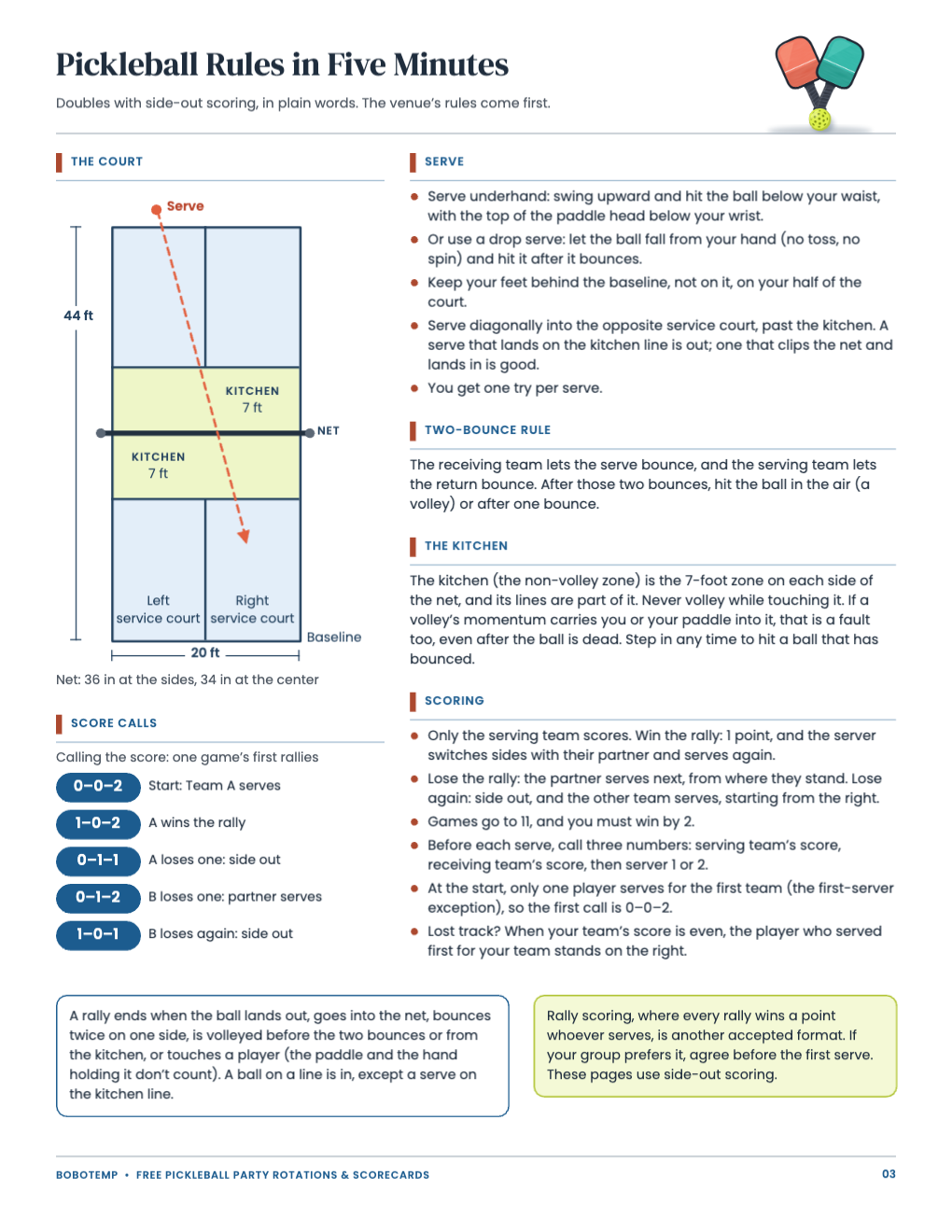
The kit itself explains how to run the party: the plan is on page 2 and the rules card on page 3. Players are numbered 1 to 12 on every rotation sheet, so the sheets work whoever turns up.
What the free template includes
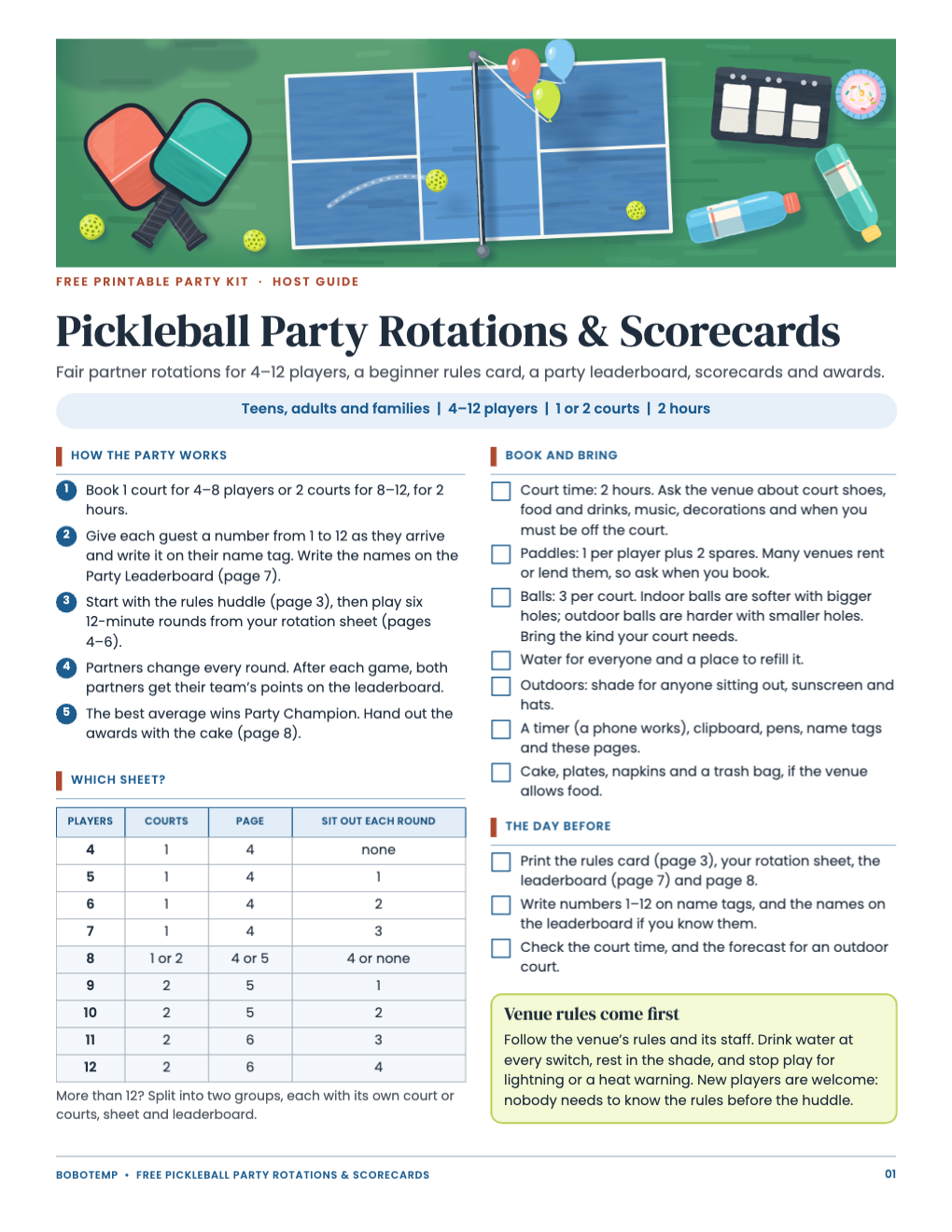
- Host guide with a which-sheet table and a book-and-bring checklist
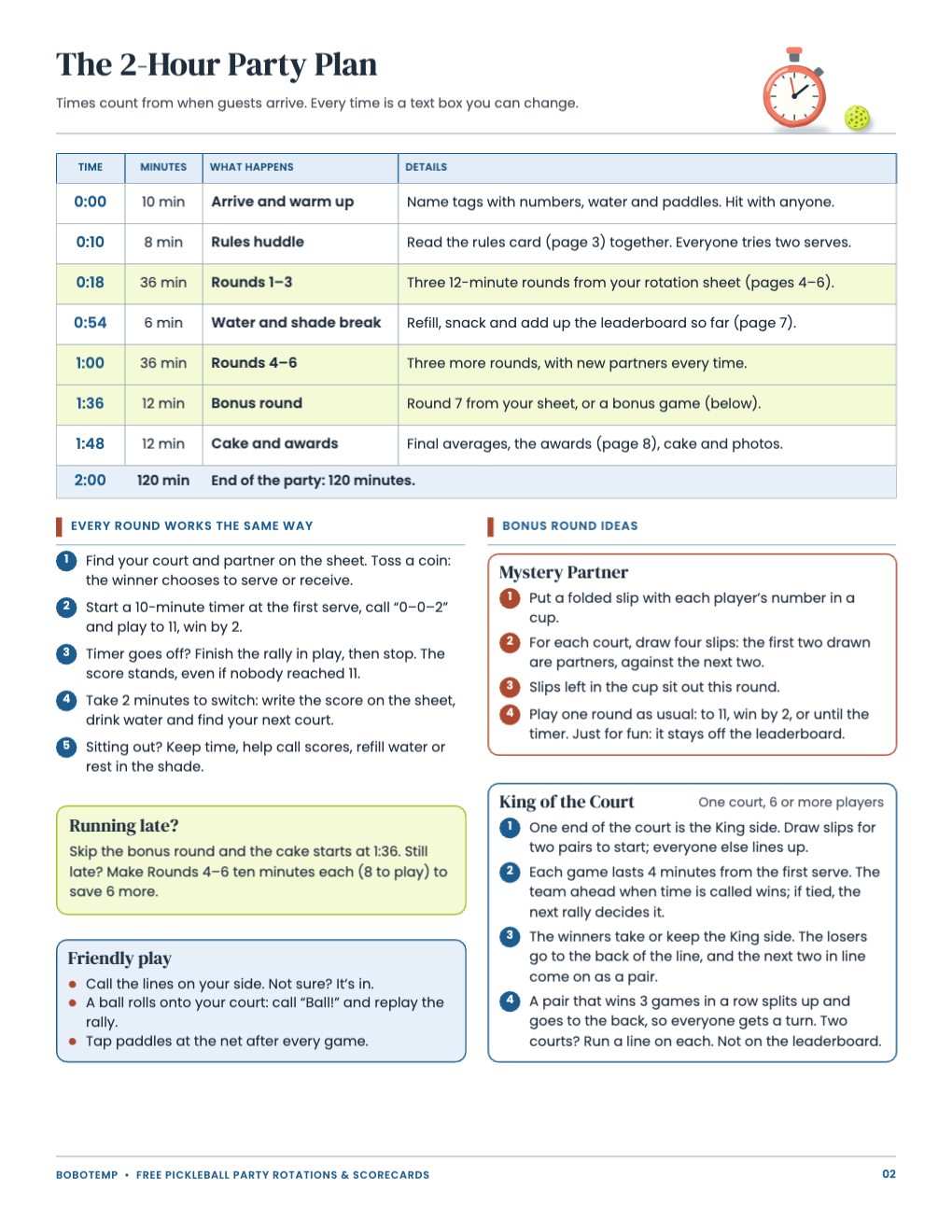
- A 2-hour party plan with Mystery Partner and King of the Court bonus games
- A beginner rules card with a court diagram and score calls
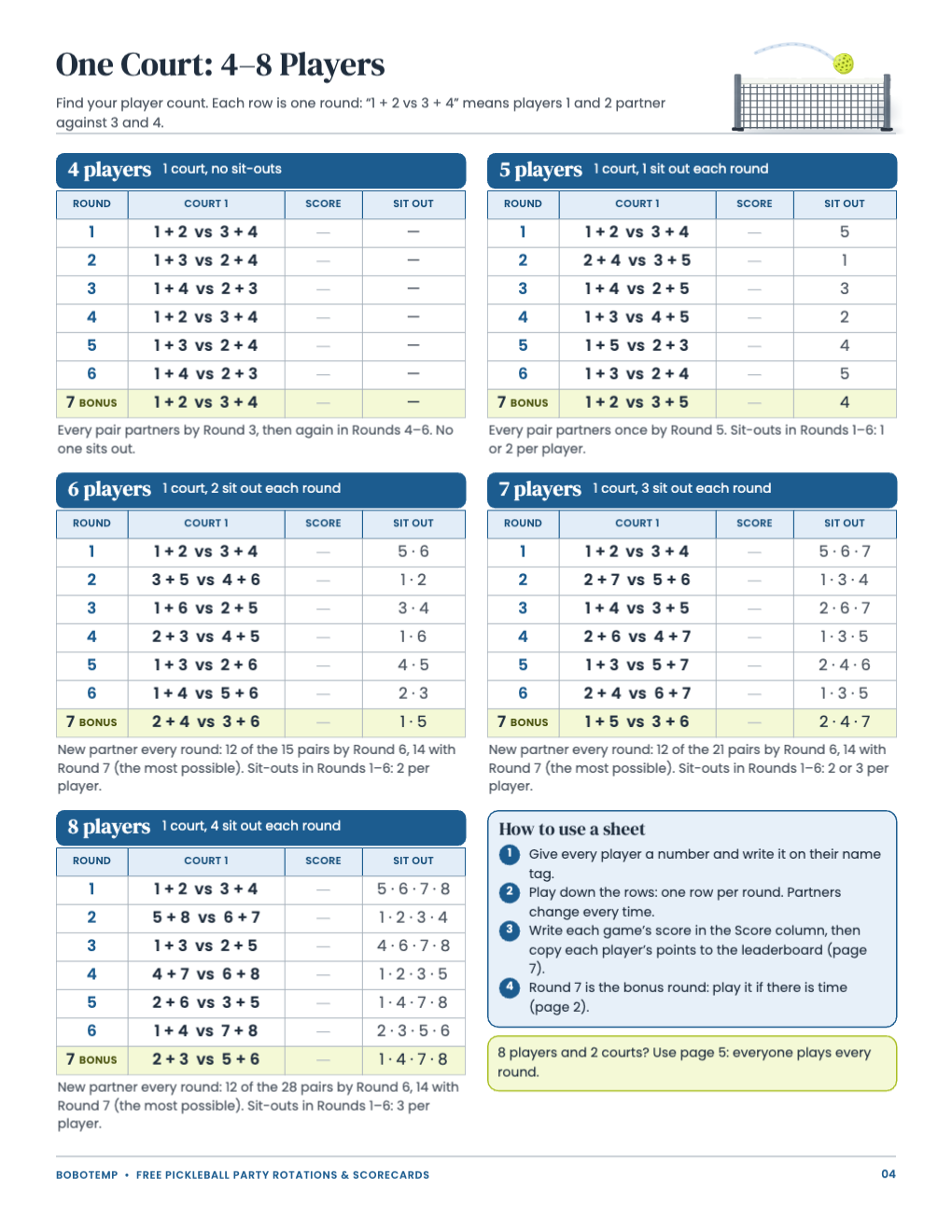
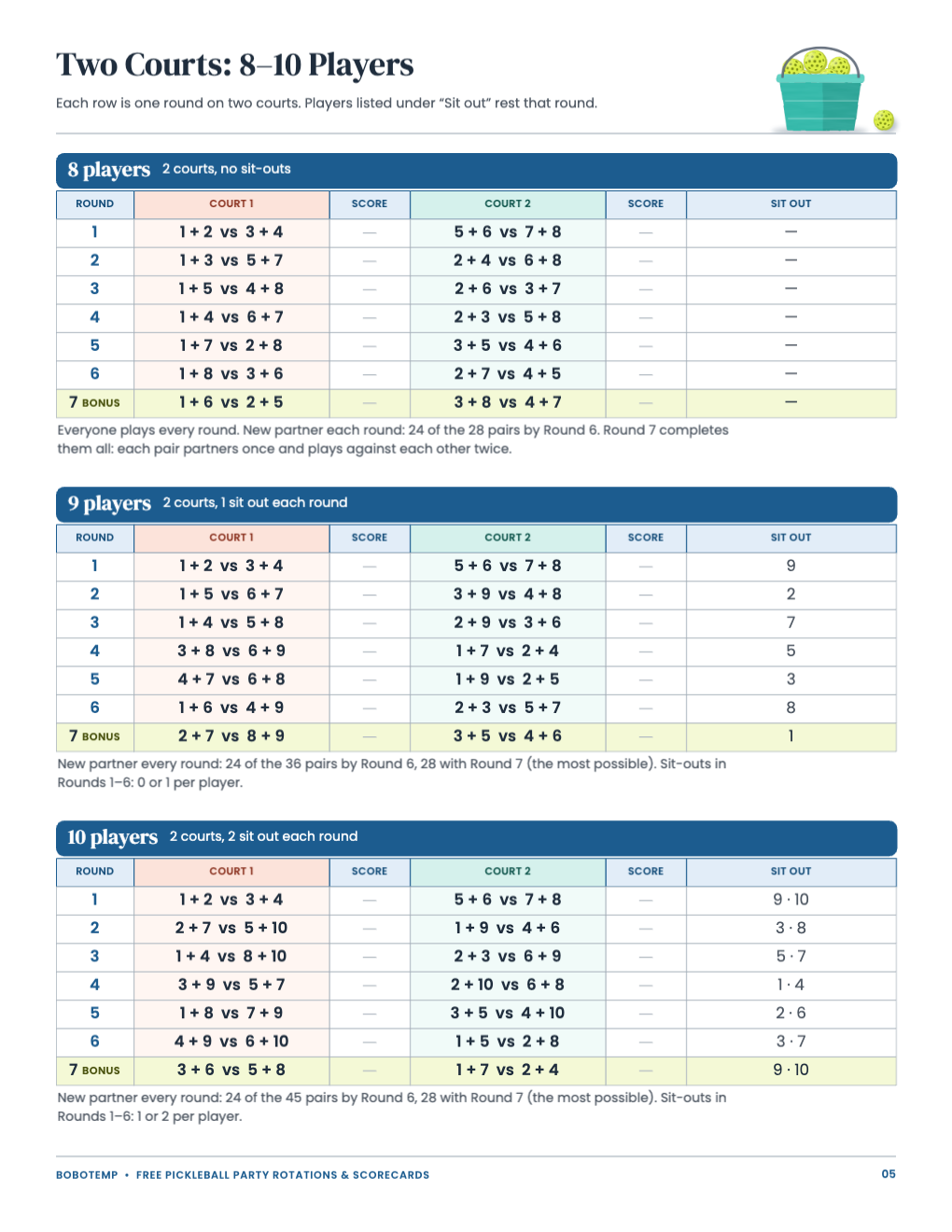
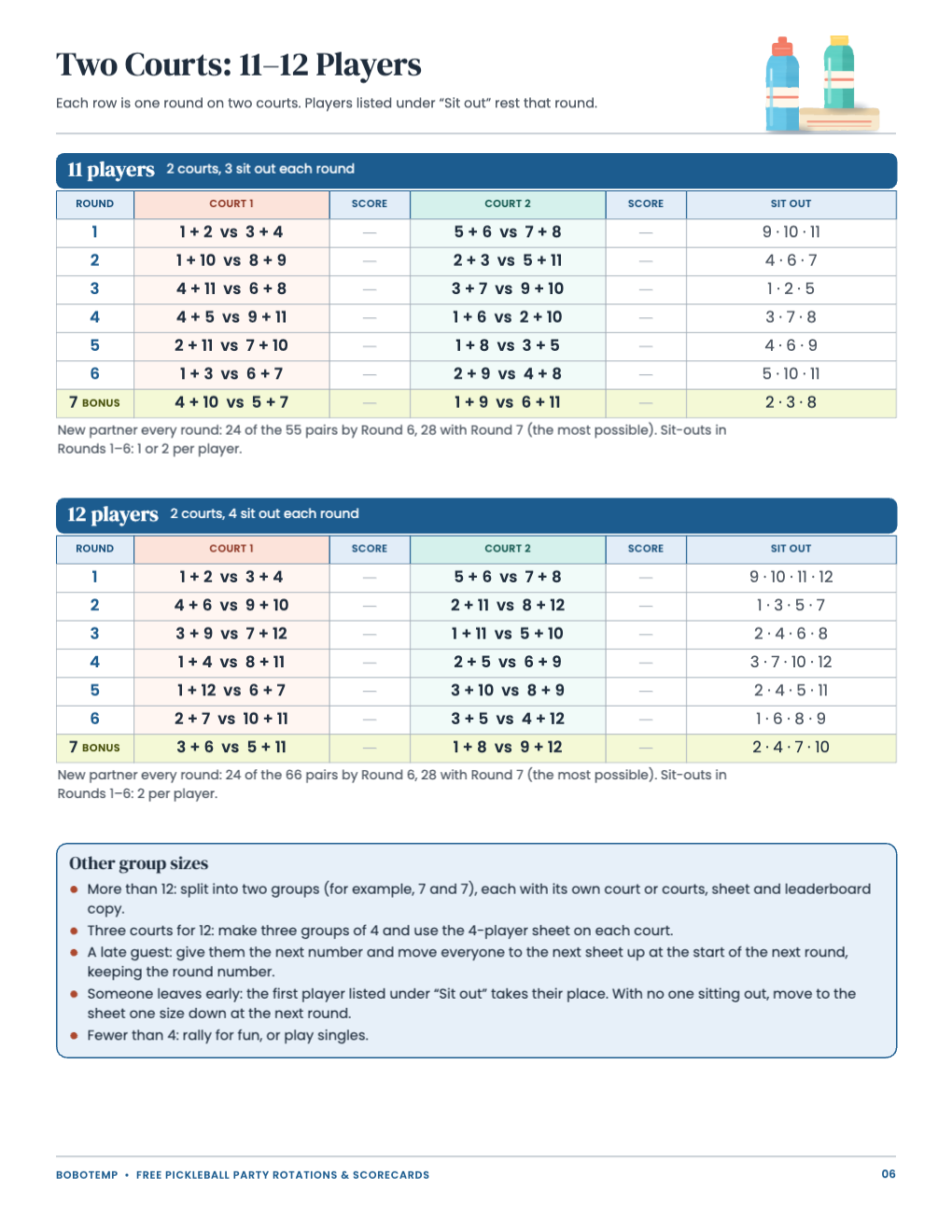
- Rotation sheets for 4–8 players on one court and 8–12 players on two courts
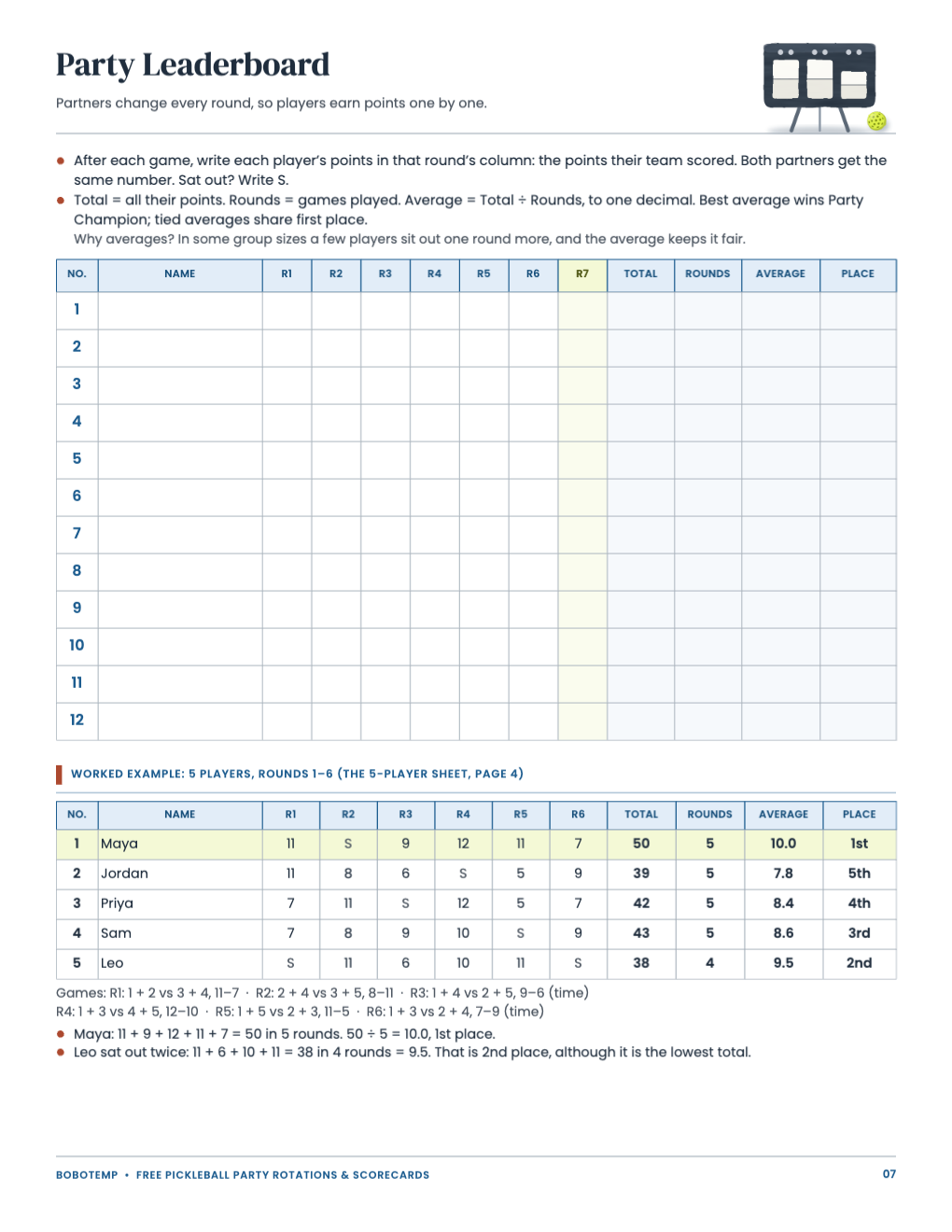
- A party leaderboard with a worked example
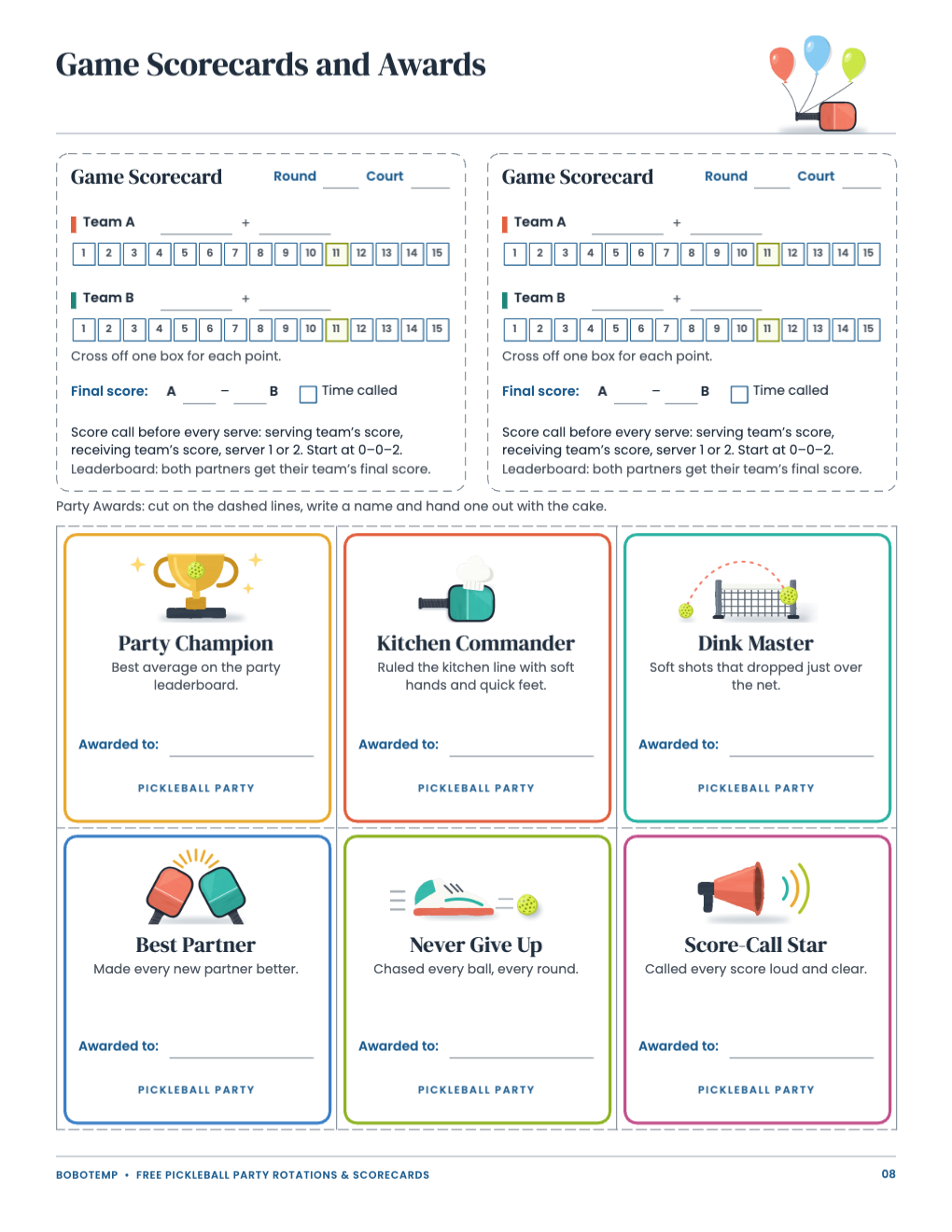
- Two game scorecards and six award cards
Open the free .bobo file
Download the free file, then choose Open or Import in BoboCreate and select it. All eight pages open as one design. The painted artwork layers are locked so they do not move by accident; the words, table lines and boxes stay editable.
Type player names into the rotation sheets
Every sheet uses player numbers: “1 + 2 vs 3 + 4” means players 1 and 2 partner against 3 and 4. Type each guest’s name next to their number in the Name column of the Party Leaderboard (page 7), at a size that sits comfortably in the cell, or print it blank and write the names on the day.
- Find your sheet: page 4 for one court (4–8 players), pages 5 and 6 for two courts (8–12 players). Eight players with two courts use page 5, so nobody sits out.
- Prefer names on the sheet itself? Replace the numbers in each round of your sheet with short first names, and change every round so each player keeps the same slot.
- Write each guest’s number on their name tag too, so they can find themselves on the sheet.
Edit the times
Every time on the 2-Hour Party Plan (page 2) is its own text box. If your court is booked from 3:00, type clock times over the times from arrival, for example 3:00, 3:10 and 3:18, and keep the minutes as they are so the plan still adds up to 120 minutes.
- A shorter booking? Skip the 12-minute bonus round, or make Rounds 4–6 ten minutes each.
- Change the round length in the “Every round works the same way” box too, so the timer matches the plan.
Print on US Letter at 100%
Export a PDF and print on US Letter at 100% or Actual Size, not Fit to page, so the tables and point boxes keep their size. Plain paper suits the guide, plan, rules card, sheets and leaderboard; card stock is nicer for the awards. White backgrounds and light tints print well in grayscale.
- Print your rotation sheet and the rules card for each court or clipboard.
- Page 8 gives 2 scorecards and 6 awards; print it again for more.
- Cut the scorecards and award cards on the dashed lines.
Make it a birthday
Change the award footer “Pickleball Party” to the birthday person’s name, retitle an award for an inside joke, or give the birthday guest number 1 on the two-court sheet for 8: player 1 stays on Court 1 every round.
Open the editable template in BoboCreate
- Download and install BoboCreate Desktop for Mac or Windows.
- Download the free `free-pickleball-party-rotation-scorecards.bobo` file.
- In BoboCreate, choose Open or Import and select the file.
- Type names on the leaderboard, edit the plan times and award titles; preview all eight pages.
- Export a PDF and print on US Letter at 100% or Actual Size.
Download BoboCreate for Mac · Download BoboCreate for Windows
The free source is for your own party. Do not resell or redistribute the design. Physical printing of this edition has not yet been tested, and the party plan has not been run with real players.