
Free PDF + editable BoboCreate template
How to Customize and Print an Indoor Soccer Birthday Party Planner
An indoor soccer birthday goes smoothly when everyone knows the plan: which team starts where, how long each game lasts and who keeps score. This guide covers opening the free Indoor Soccer Birthday Party Planner in BoboCreate, making it fit your party, and printing it at the right size.
Both downloads are the free edition. The editable file opens in BoboCreate Desktop.
The editable file imports in BoboCreate Free 0.3.19 or later. It uses one of Free's three design places, and its own artwork does not count toward your three uploaded images. Older versions of the app need BoboCreate activated to import it, so update BoboCreate first.
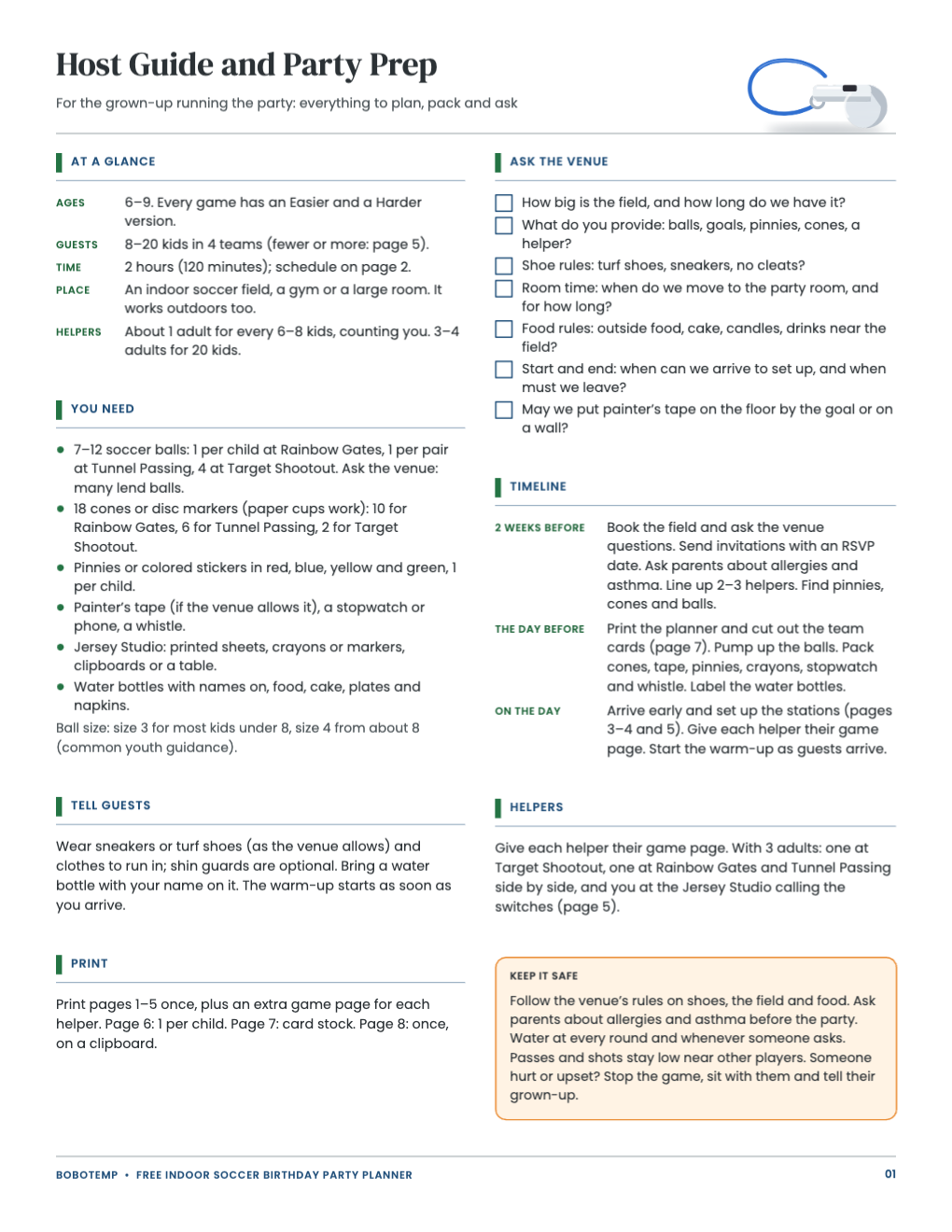
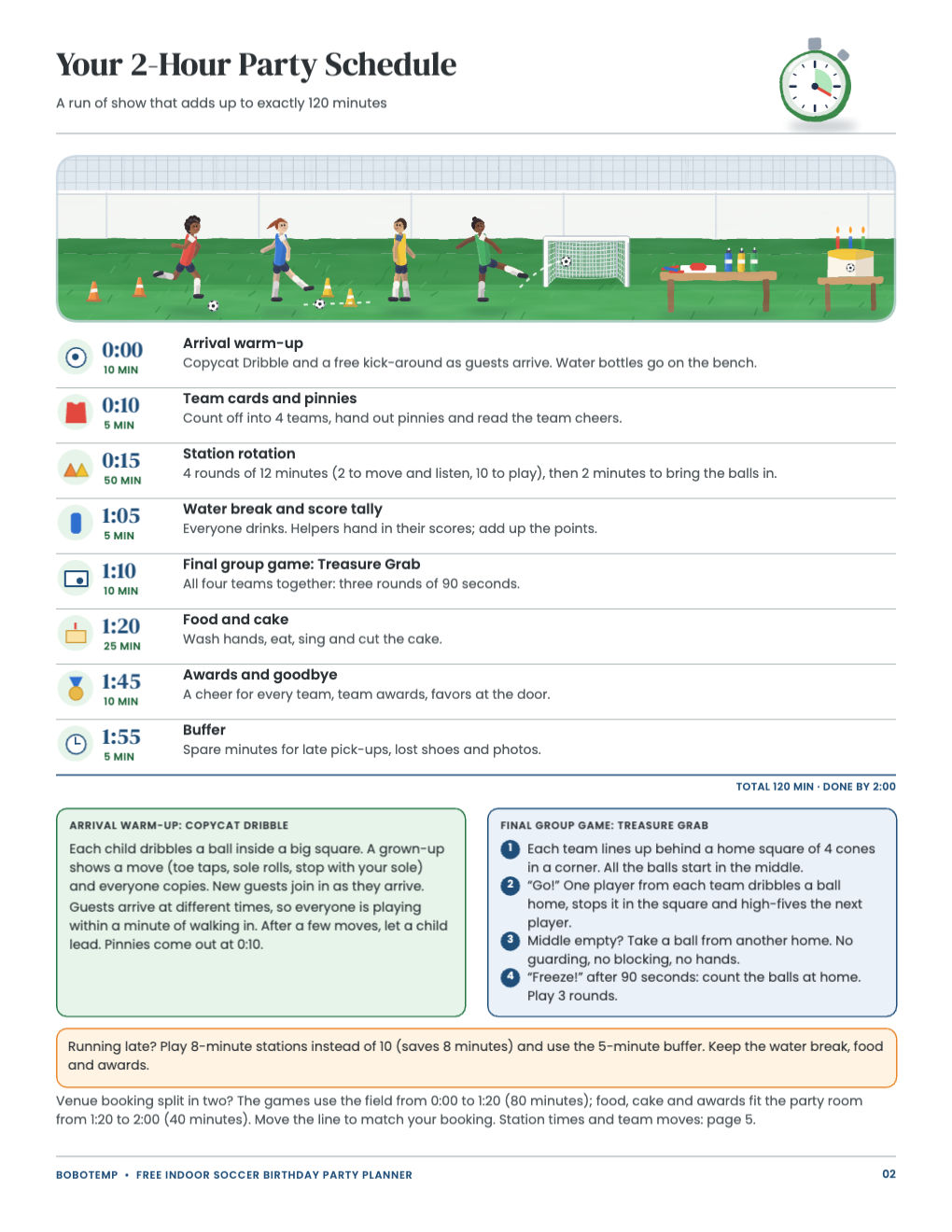
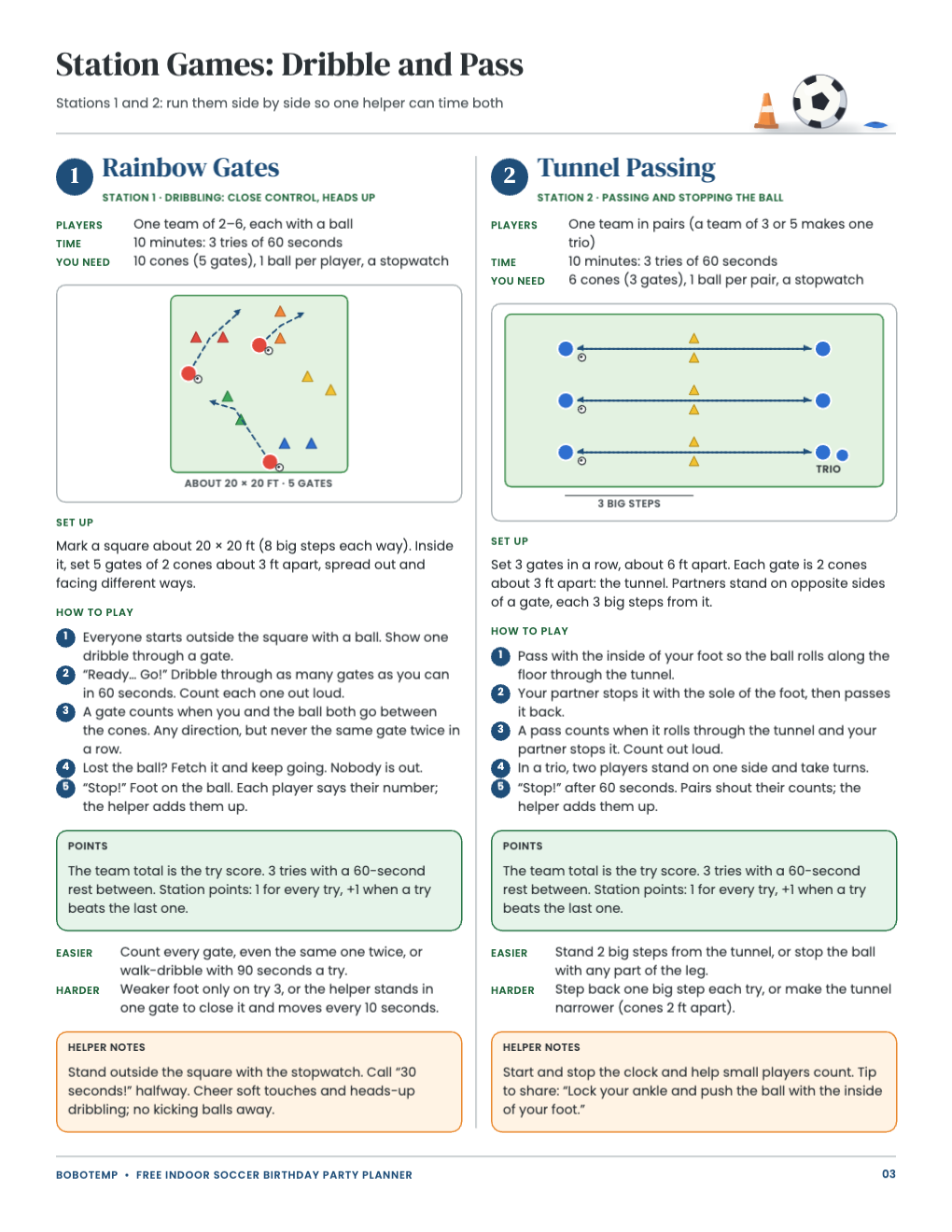
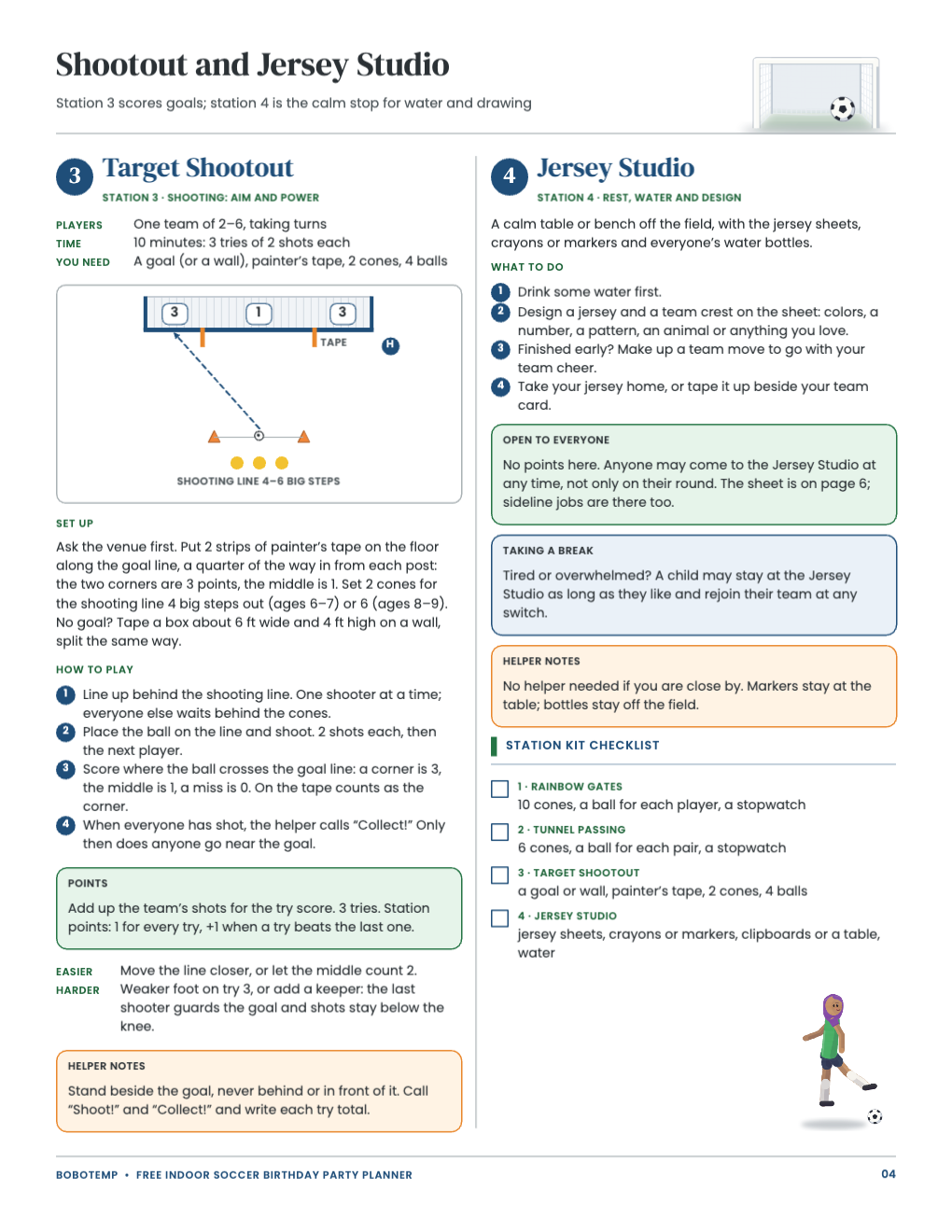
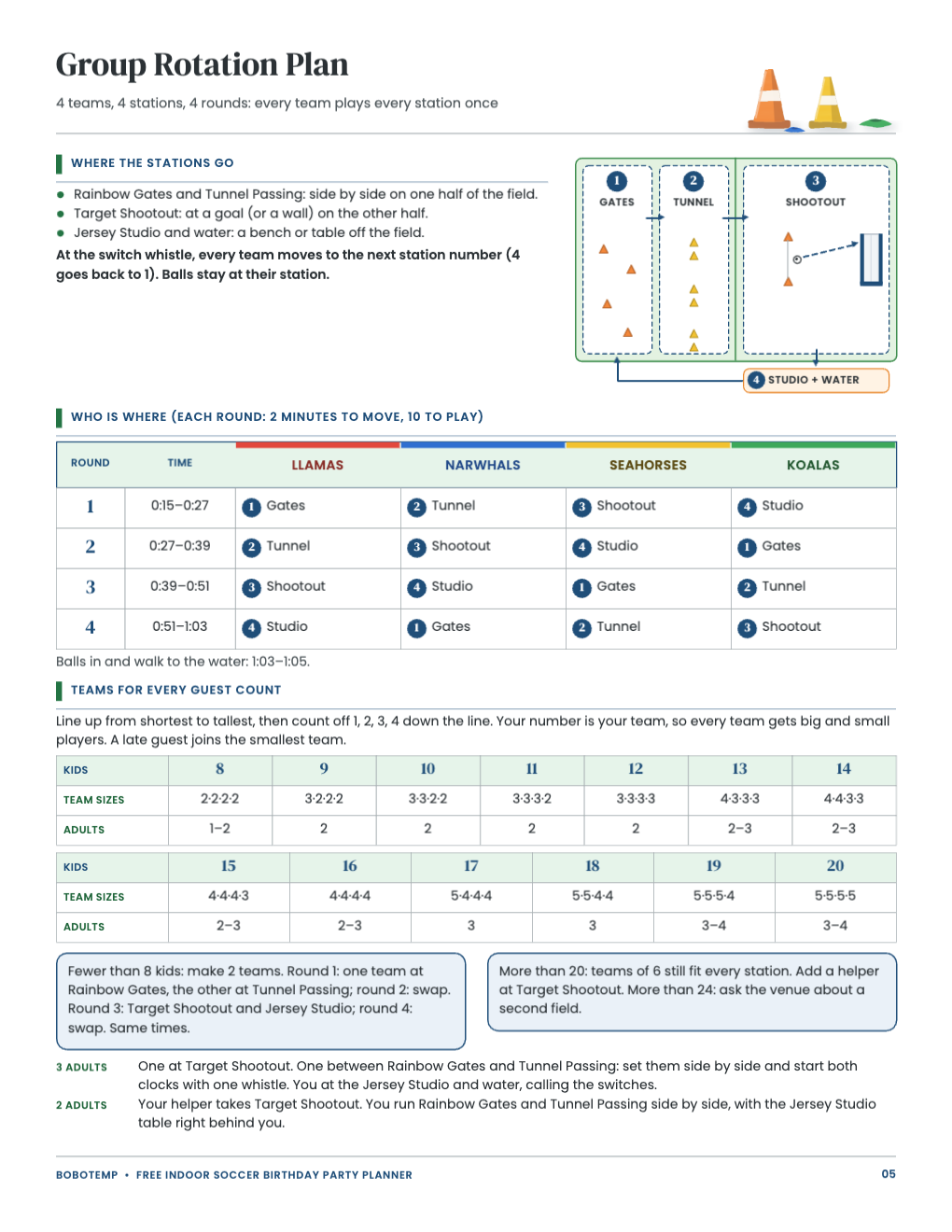
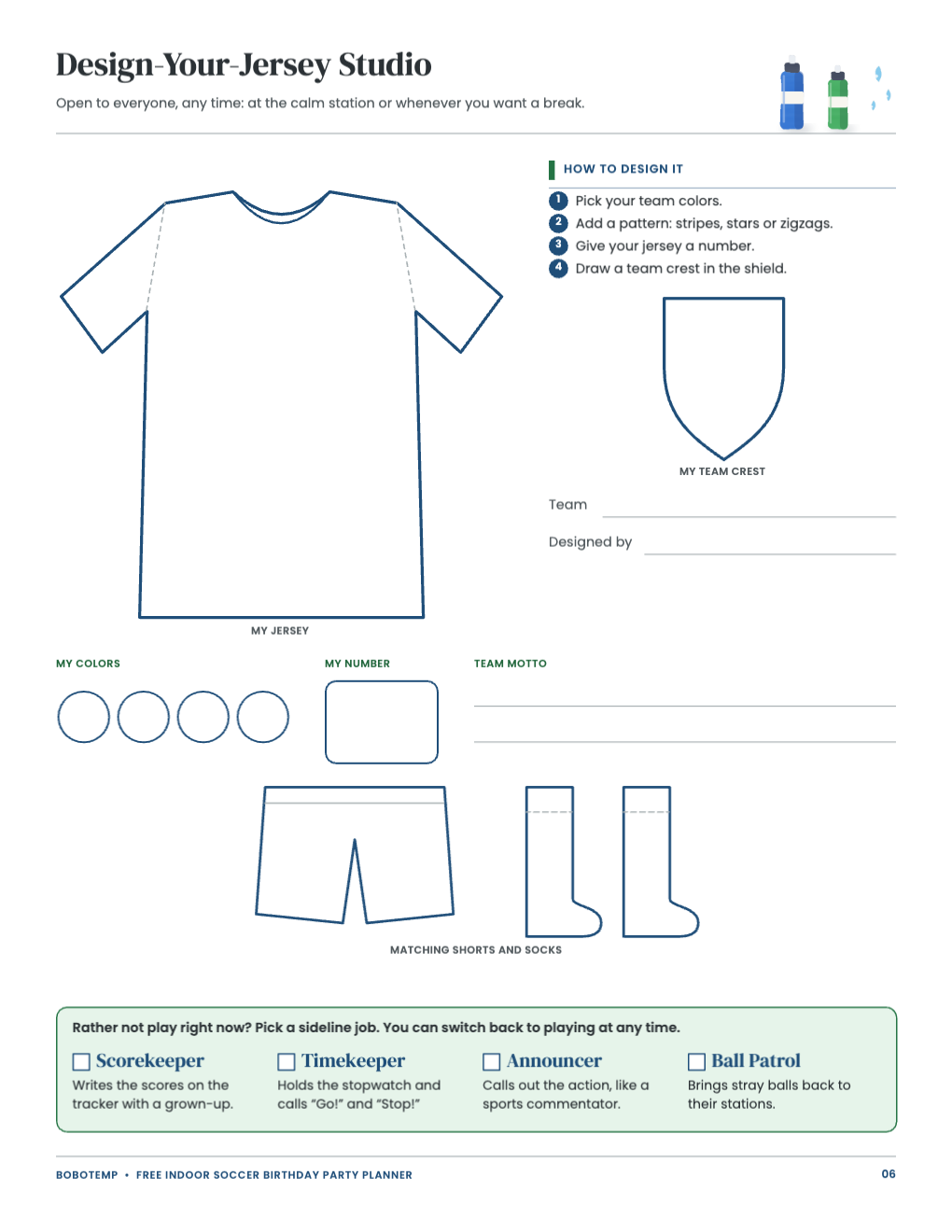
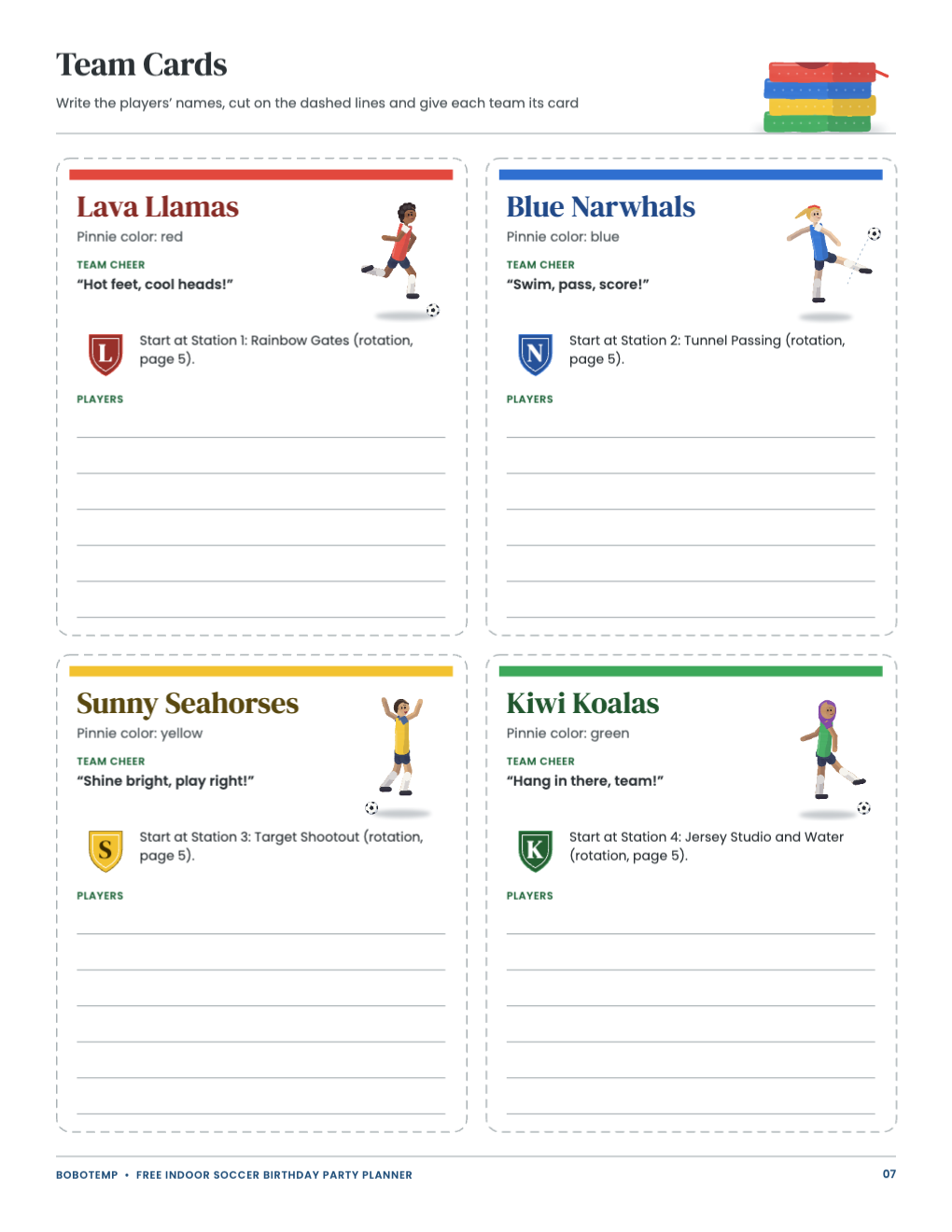
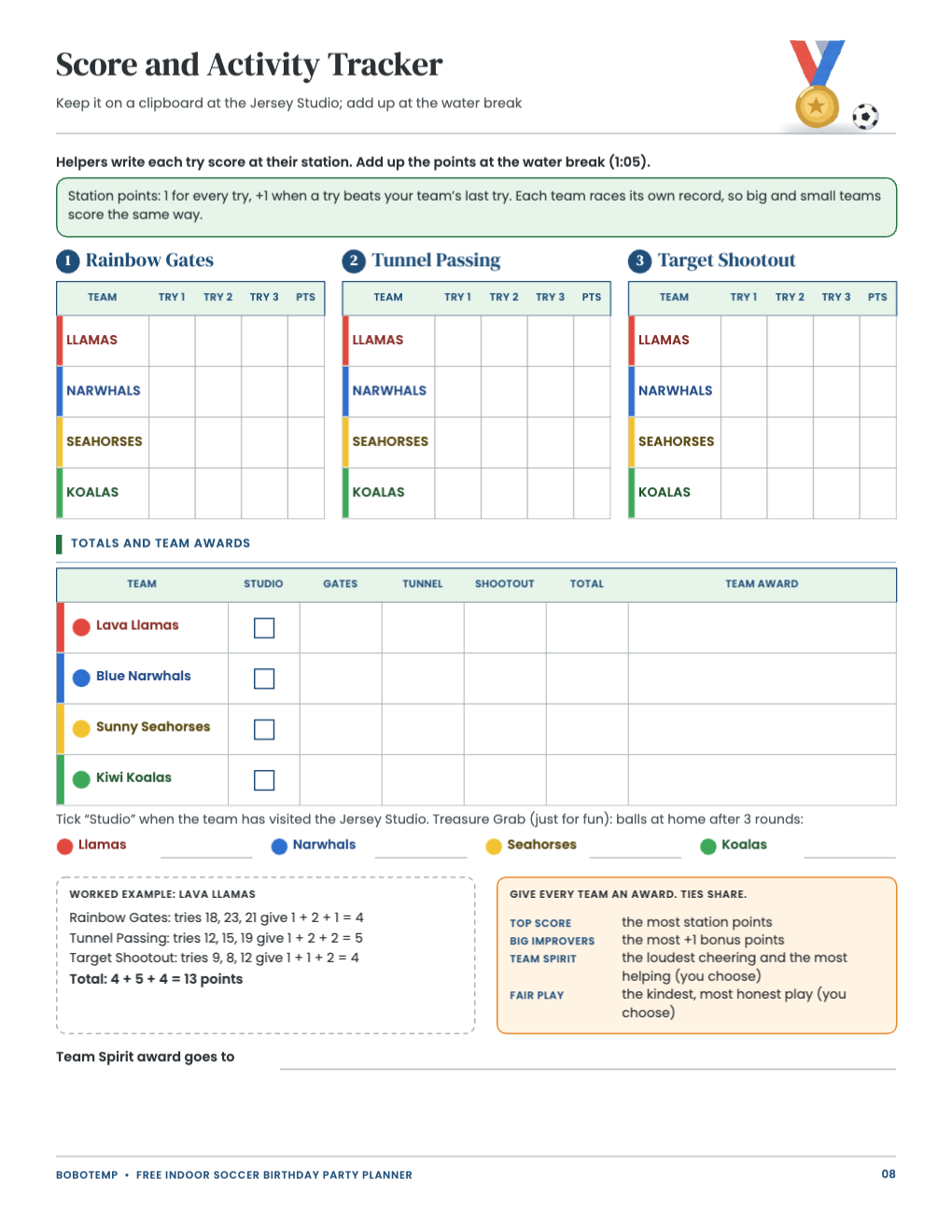
The planner is eight US Letter pages for ages 6–9 and 8–20 kids: a host guide, a 2-hour schedule, three station games with diagrams (Rainbow Gates, Tunnel Passing and Target Shootout), a rotation for four teams, the Design-Your-Jersey Studio, four team cards and a score tracker. Print the PDF as it is, or open the `.bobo` file when you want to change names, times or rules first.
BoboCreate is a desktop design app for Mac and Windows, and the free plan is enough. Once the planner carries the owner’s free-template signature, its artwork does not use up your picture allowance; it does take one of your three design places.
What the free template includes
- Host guide with supplies, ball sizes, venue questions and a timeline
- A 2-hour schedule that adds up to 120 minutes
- Three station games, each with a diagram and helper notes
- A 4-team rotation and team sizes for 8–20 kids
- The Jersey Studio sheet, four team cards and a score tracker
Edit team names and colors
Every word in the planner is a live text box: click or double-click to type, and change its font and color. The four teams are Lava Llamas (red), Blue Narwhals (blue), Sunny Seahorses (yellow) and Kiwi Koalas (green), to match four sets of pinnies or stickers.
- Rename a team everywhere it appears: its team card, the rotation table and the score tracker.
- Change the “Pinnie color” line if your pinnies are other colors, and the letter on the team crest.
- Keep names short: two words fit the cards and the tables.
Change the schedule times
The schedule starts at 0:00, so it works with any start time. If you prefer clock times, type them over the 0:00 to 2:00 times on page 2 and the round times on page 5. Keep the station rounds the same length so every team gets the same time at each station.
- Field and party room booked separately? Move the food line on page 2 to match your booking.
- Running short of time, cut each station to 8 minutes, as the running-late line says.
Edit the game text
The rules, points and helper notes are text boxes too. Adjust the distances for your space, add the names of your helpers to their game, or switch a rule to the Easier or Harder version printed under each game. The diagrams are editable shapes: move a cone or a player if your field is laid out differently.
Export and print
Export a vector PDF for the sharpest lines. Print at 100% or Actual Size on US Letter, never Fit to page, and print one test page on plain paper first.
- Host guide, schedule, game pages, rotation and tracker: plain paper; print an extra game page for each helper.
- Team cards: card stock (65–110 lb). Cut on the dashed lines.
- Jersey Studio sheet: one per child.
Open the editable template in BoboCreate
- Download and install BoboCreate Desktop for Mac or Windows.
- Download the free `free-indoor-soccer-birthday-party-planner.bobo` file.
- In BoboCreate, choose Open or Import and select the file.
- Edit team names, schedule times and game text; preview all eight pages.
- Export a PDF and print at 100% or Actual Size on US Letter.
Download BoboCreate for Mac · Download BoboCreate for Windows
The free source is for your own family. Do not resell or redistribute the design. A home print test of this edition has not been done yet, and the games have not yet been played at a real party.