
Free PDF + editable BoboCreate template
How to Customize and Print Free Flag Football Party Games
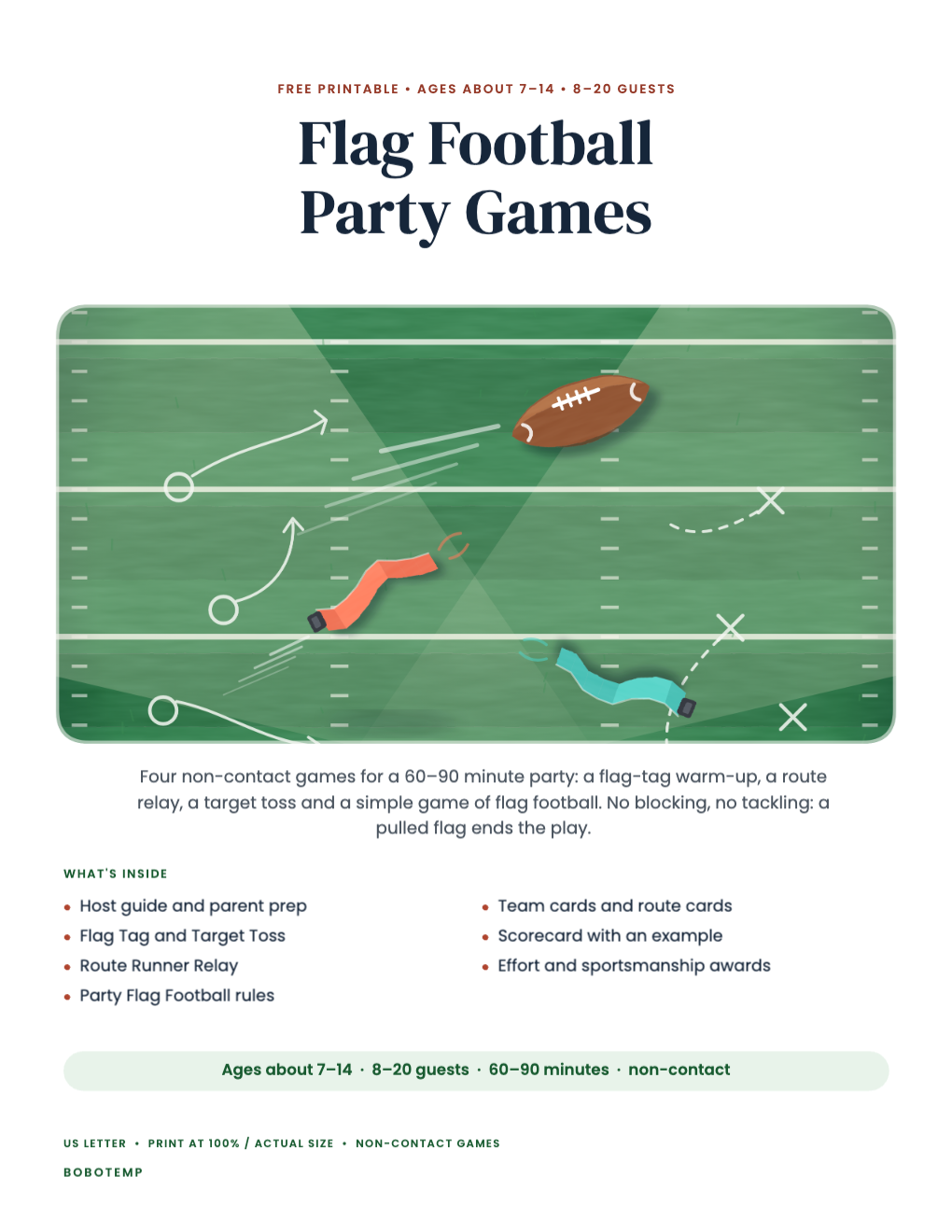
Flag Football Party Games is a free eight-page printable for a non-contact flag football birthday (ages about 7–14, 8–20 guests), and its editable .bobo opens in BoboCreate, a desktop design app for Mac and Windows. This guide covers the making side: opening the file, renaming teams, adjusting the game text for your venue, and printing at the right size. The printable’s own Host Guide explains how to run the games.
Both downloads are the free edition. The editable file opens in BoboCreate Desktop.
The editable file imports in BoboCreate Free 0.3.19 or later. It uses one of Free's three design places, and its own artwork does not count toward your three uploaded images. Older versions of the app need BoboCreate activated to import it, so update BoboCreate first.
You’ll need BoboCreate, a printer, US Letter paper (card stock for the cards and awards), scissors and a pencil for the scorecard.
Every word in the printable is a live text box, so you can change a team name, a cheer, a field size or an award before you print.
What the free template includes
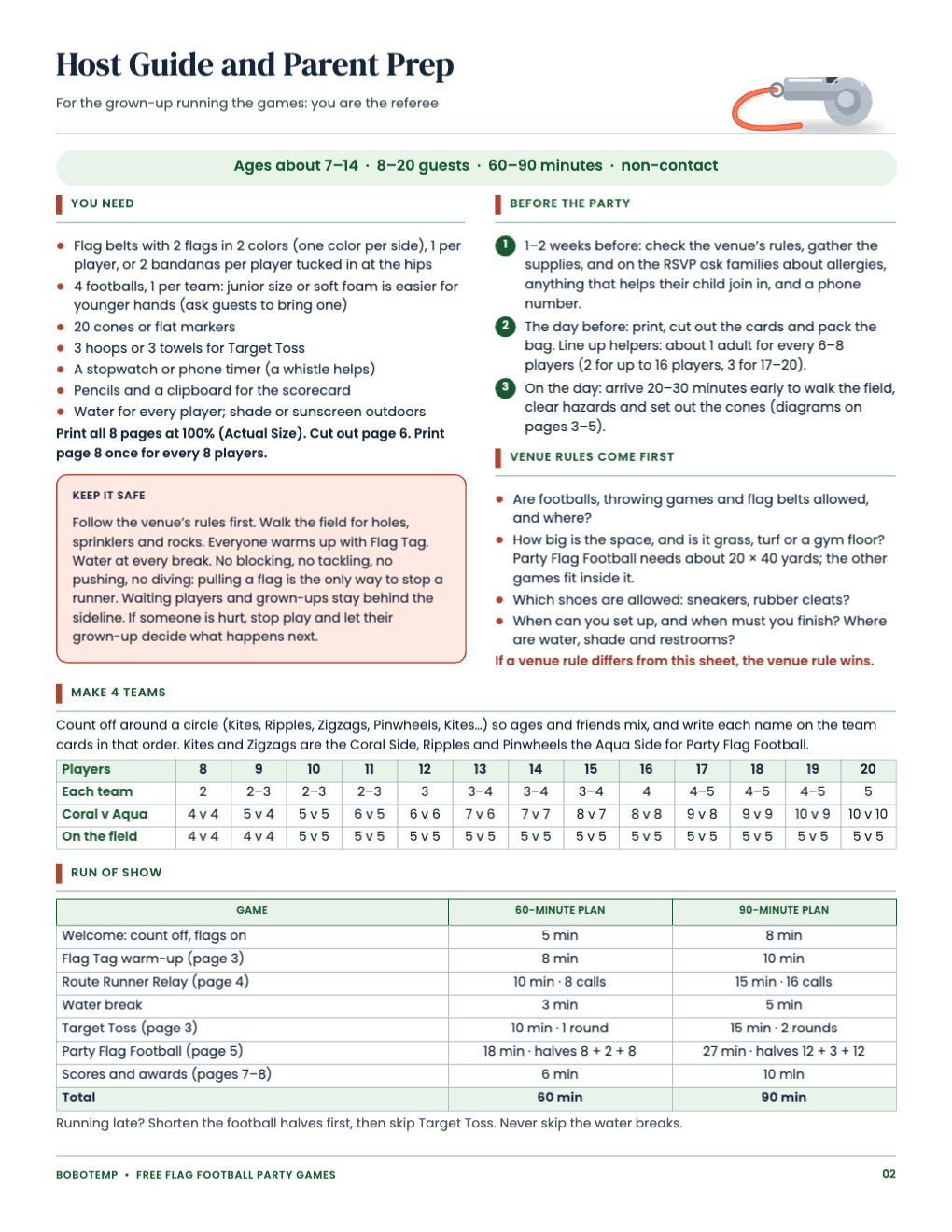
- Cover and Host Guide with parent prep (supplies, venue questions, team splits for 8–20, a 60- and 90-minute run of show)
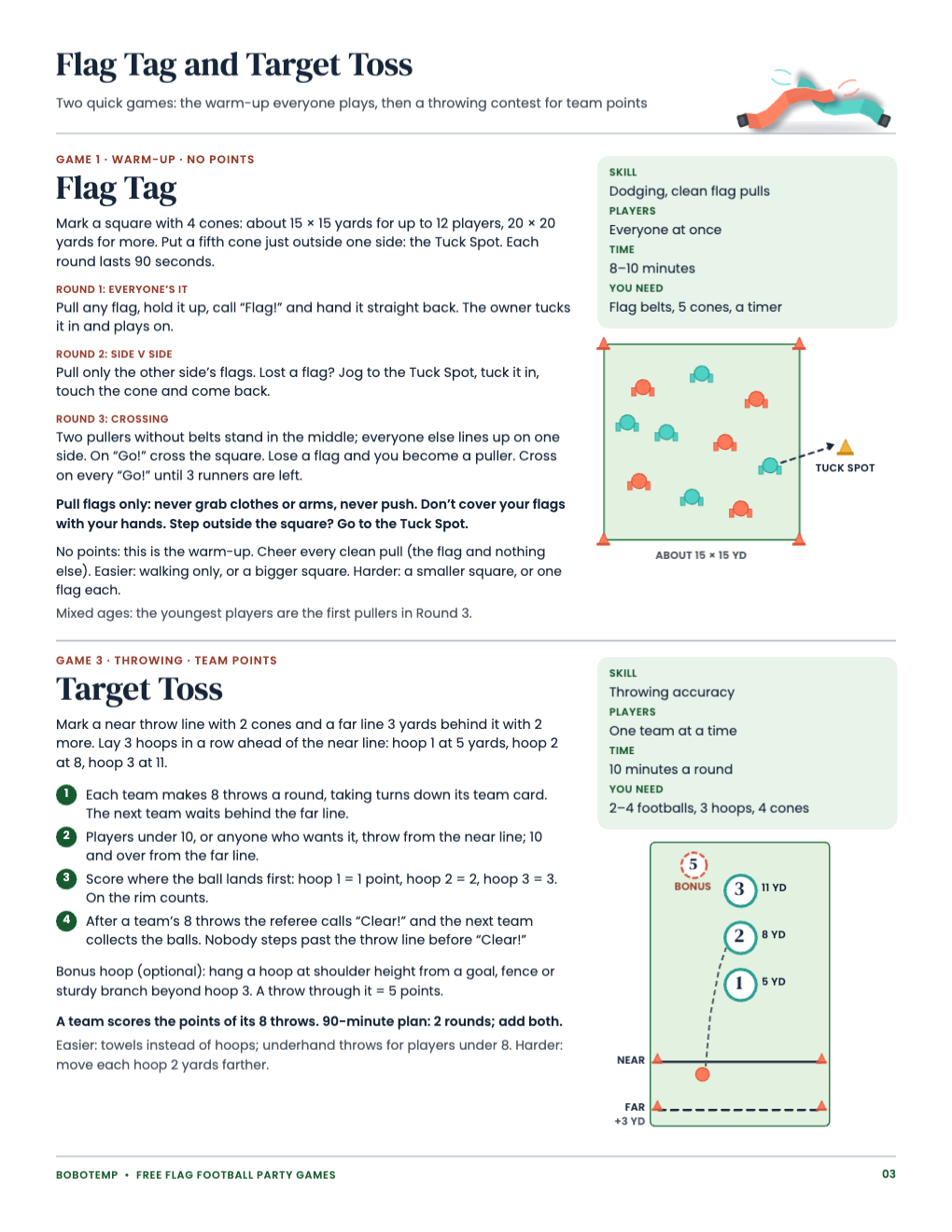
- Flag Tag warm-up and Target Toss, each with a diagram
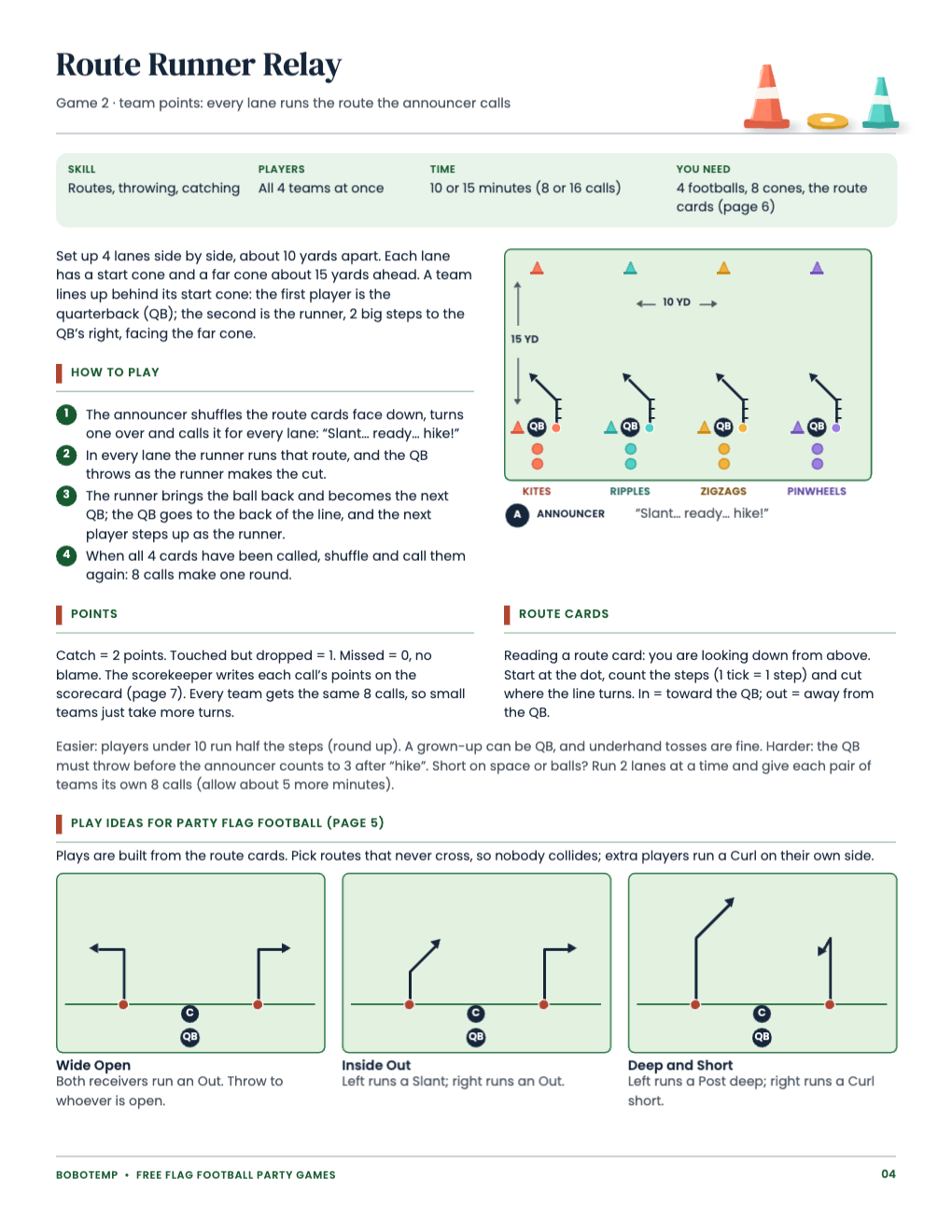
- Route Runner Relay with three play ideas
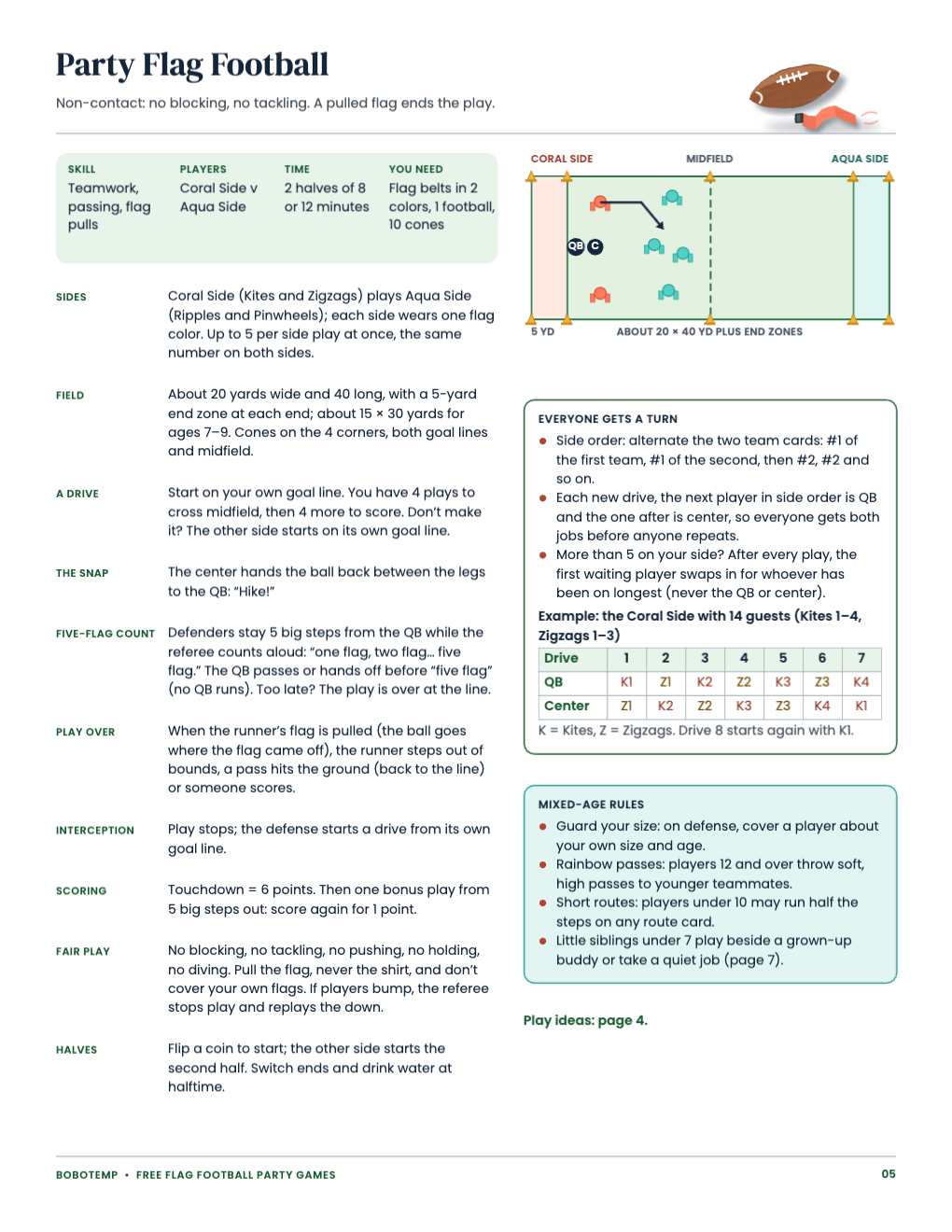
- Party Flag Football: simple non-contact rules and a fair QB and center rotation
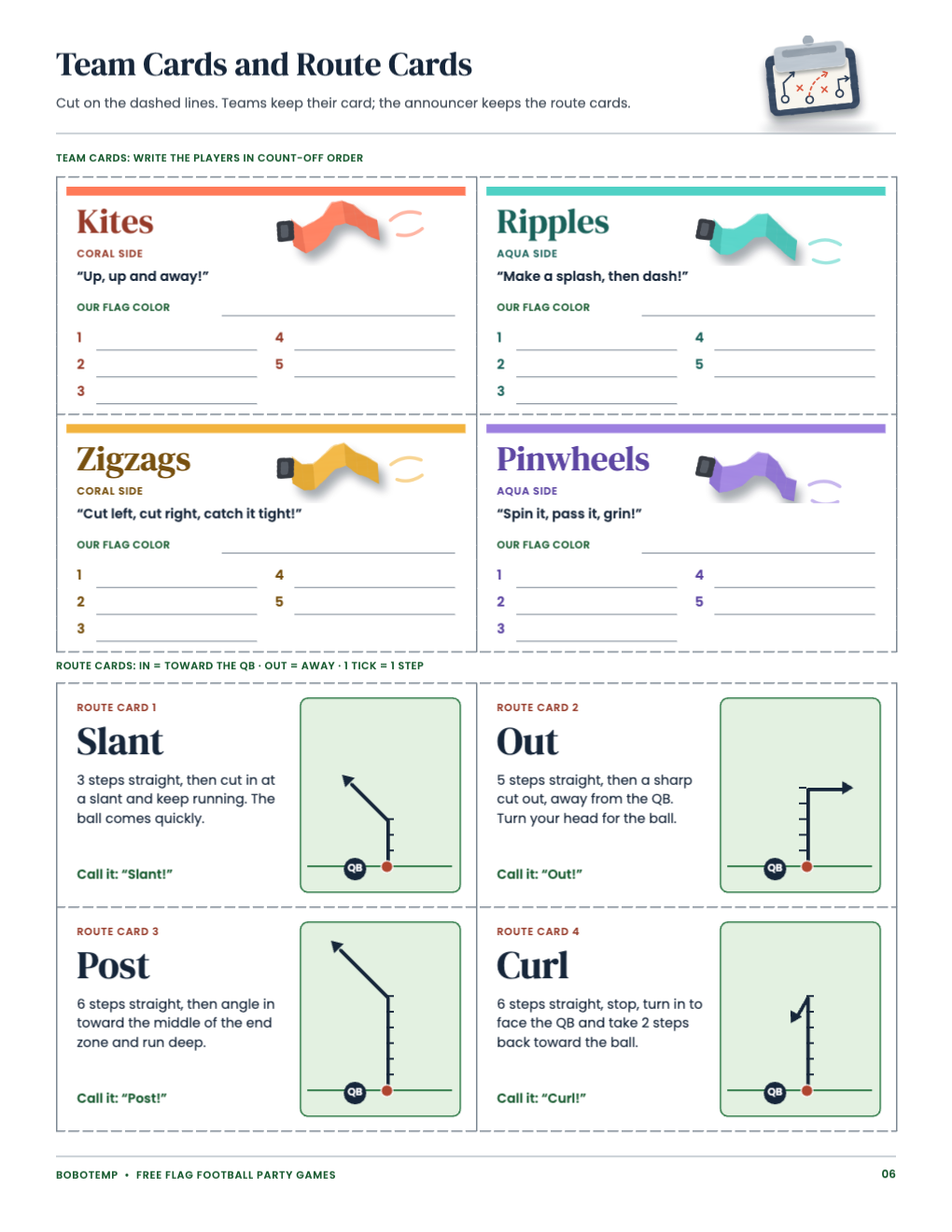
- 4 team cards and 4 route cards (Slant, Out, Post, Curl)
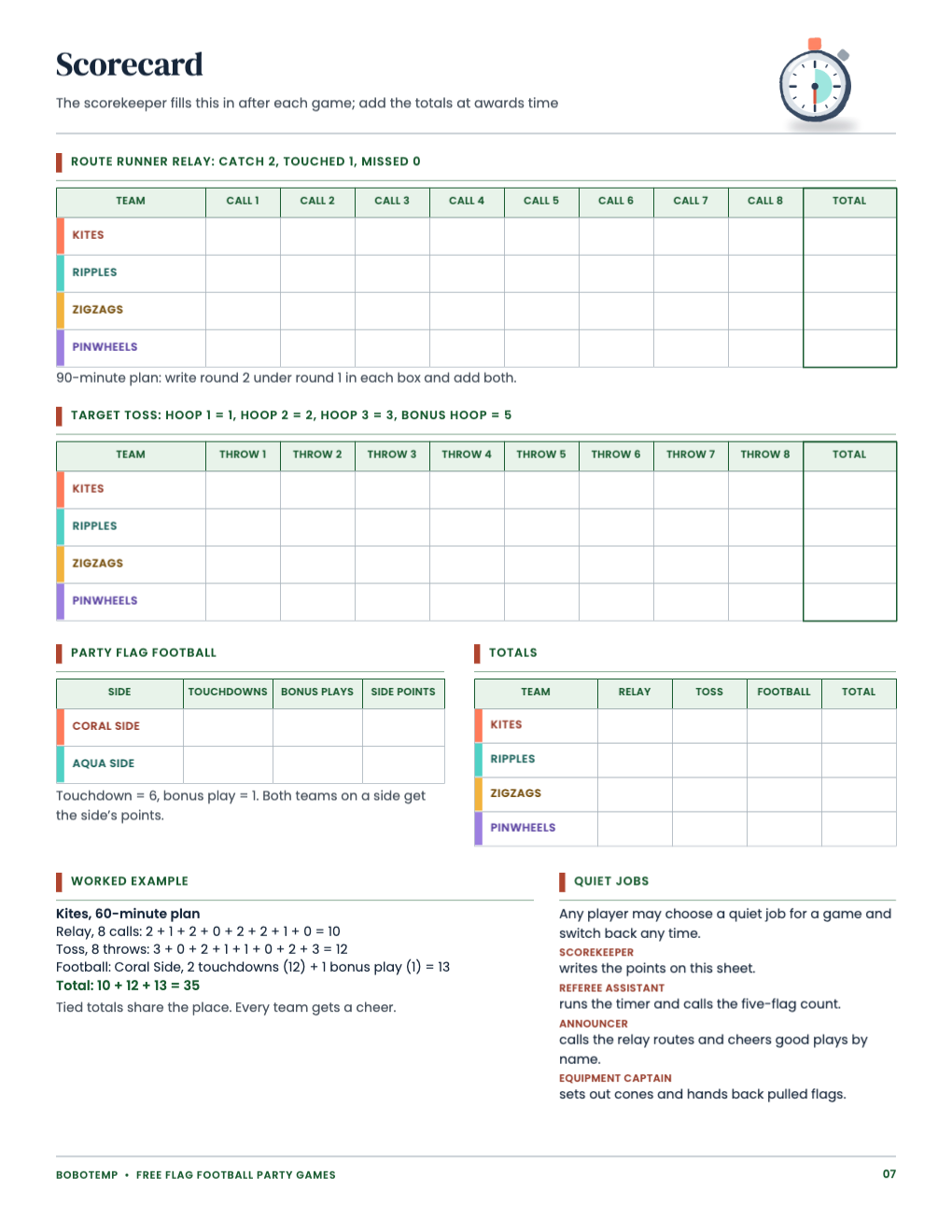
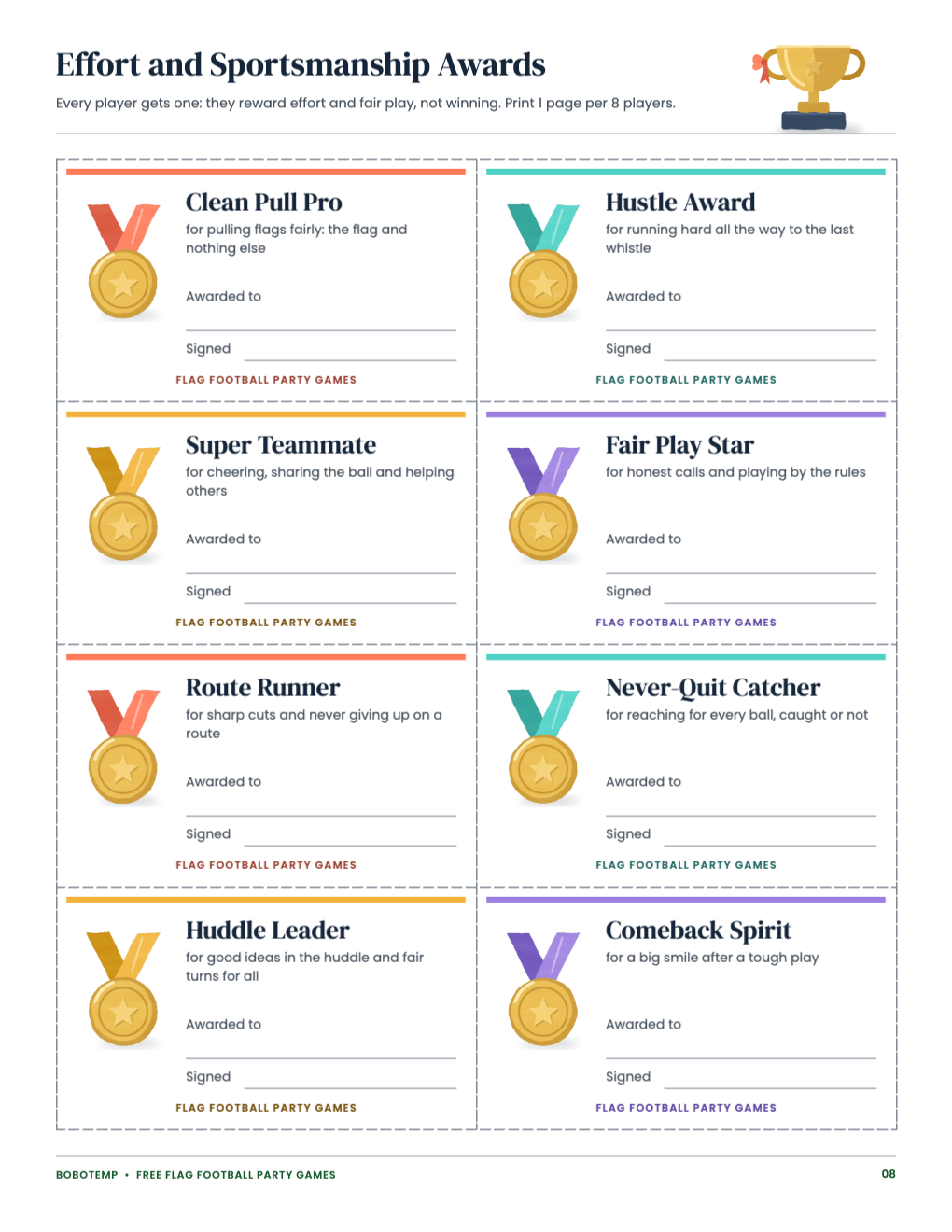
- Scorecard with a worked example, and 8 effort and sportsmanship awards
Open the free .bobo file
Download free-flag-football-party-games.bobo, then choose Open or Import in BoboCreate and select it. All eight pages open as one design; the painted field, flags and medals are locked art layers, so a click lands on the words, not the pictures.
Edit team names and cheers
The four teams are Kites, Ripples, Zigzags and Pinwheels. To rename one, change it everywhere it appears so the game still reads the same: on its team card, in the Host Guide’s count-off line, on the relay lane diagram, on the scorecard rows and in the Party Flag Football rules (Coral Side and Aqua Side list their teams).
- Keep two teams on each side: the count-off alternates sides so the sides stay even.
- Pick original names; team names from pro or college sports don’t belong on a printable you share.
- If a name or cheer wraps, shorten the words rather than shrinking the type.
Adjust the game text for your venue
Your venue’s rules come first. If the space is smaller than about 20 × 40 yards, edit the field sizes on pages 3 and 5; if the venue bans cleats or throwing indoors, say so in the Host Guide. When you change a rule, keep the scorecard in step: the relay is 8 calls worth 2 for a catch and 1 for a touch, and Target Toss is 8 throws a team.
Print US Letter at 100%
Export a vector PDF and print at 100% (Actual Size), not “fit to page”, so the cards, route diagrams and cut lines keep their sizes. Card stock (about 65 lb) is best for the team cards, route cards and awards. Print page 8 once for every 8 players so everyone gets an award, then cut on the dashed lines.
Add a matching invitation
The Midfield Lights girls’ flag football invitation uses the same painted night field and coral and aqua flags. It is a separate product; personalize it in the Bobotemp editor or import a purchased template into BoboCreate.
Open the editable template in BoboCreate
- Download and install BoboCreate Desktop for Mac or Windows.
- Download the free `free-flag-football-party-games.bobo` file.
- In BoboCreate, choose Open or Import and select the file.
- Edit the team names, cheers and game text; preview all eight pages.
- Export a PDF and print US Letter at 100% or Actual Size.
Download BoboCreate for Mac · Download BoboCreate for Windows
The free source is for your own party. Do not resell or redistribute the design. The games have not been playtested with children and physical printing of this edition has not yet been tested.