
Free PDF + editable BoboCreate template
How to Customize and Print a Flag Football Coaching Starter
The Flag Football Coaching Starter is a free eight-page printable for a new youth flag football coach, and its editable .bobo opens in BoboCreate, a desktop design app for Mac and Windows. This guide covers the making side: opening the file, fitting the pages to your league, and printing them at the right size. The starter’s own Coach Start Here page explains how to coach with it.
Both downloads are the free edition. The editable file opens in BoboCreate Desktop.
The editable file imports in BoboCreate Free 0.3.19 or later. It uses one of Free's three design places, and its own artwork does not count toward your three uploaded images. Older versions of the app need BoboCreate activated to import it, so update BoboCreate first.
You will need BoboCreate (the free plan is enough), a printer, US Letter paper and your league’s rulebook.
Every word in the starter is a live text box and every diagram is made of editable shapes, so you can rename a play, change a practice block or move a player before you print.
What the free template includes
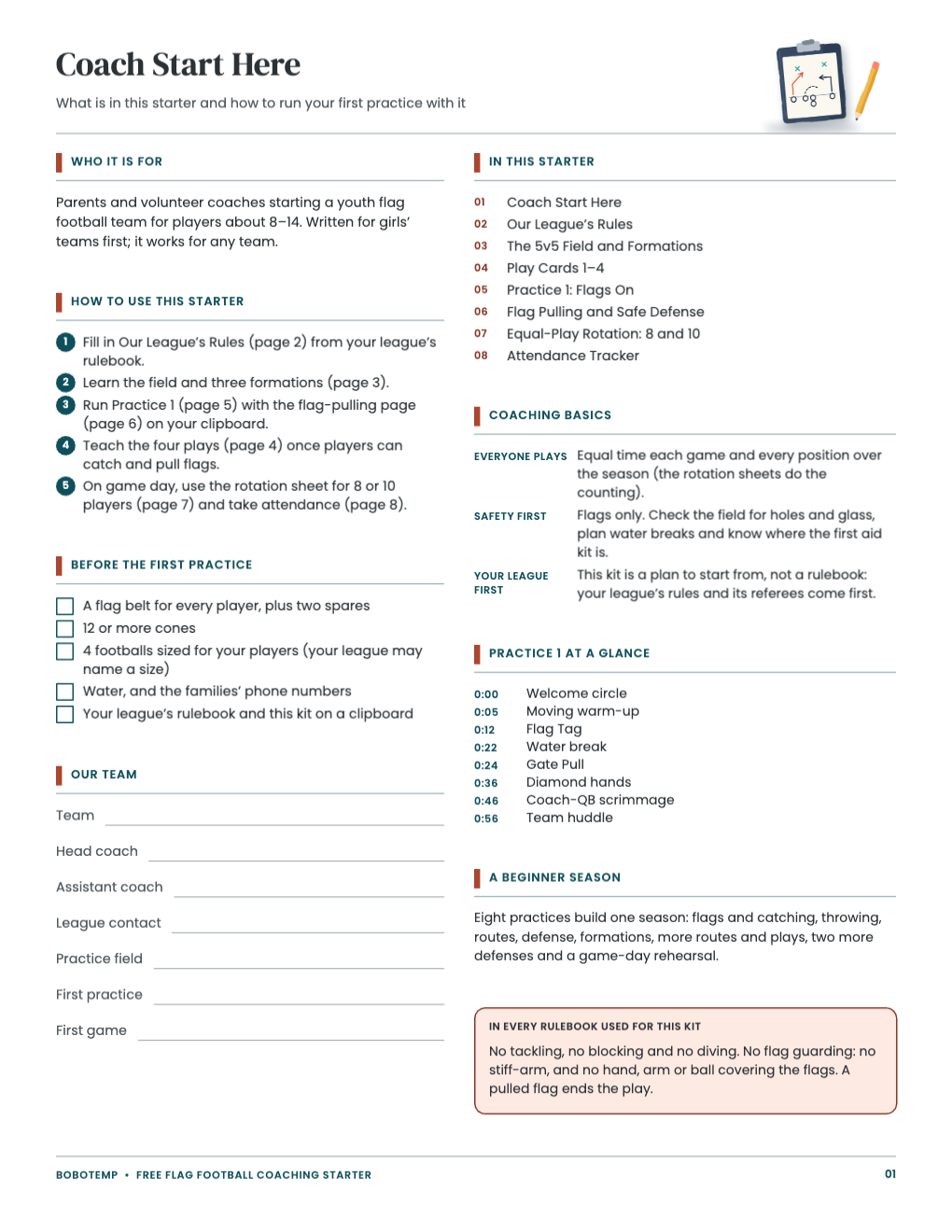
- Coach Start Here with a before-the-first-practice checklist
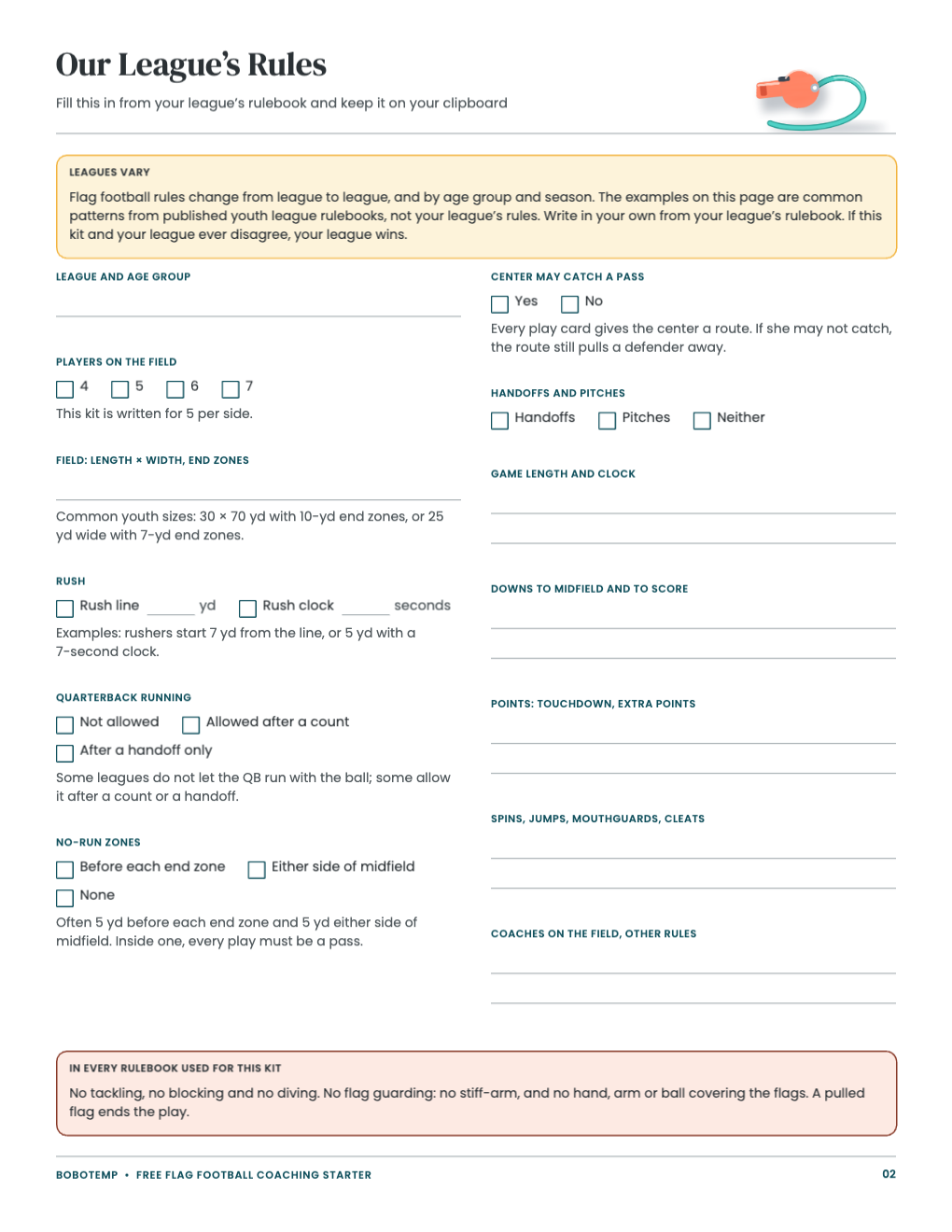
- Our League’s Rules: a fill-in page with the common patterns explained
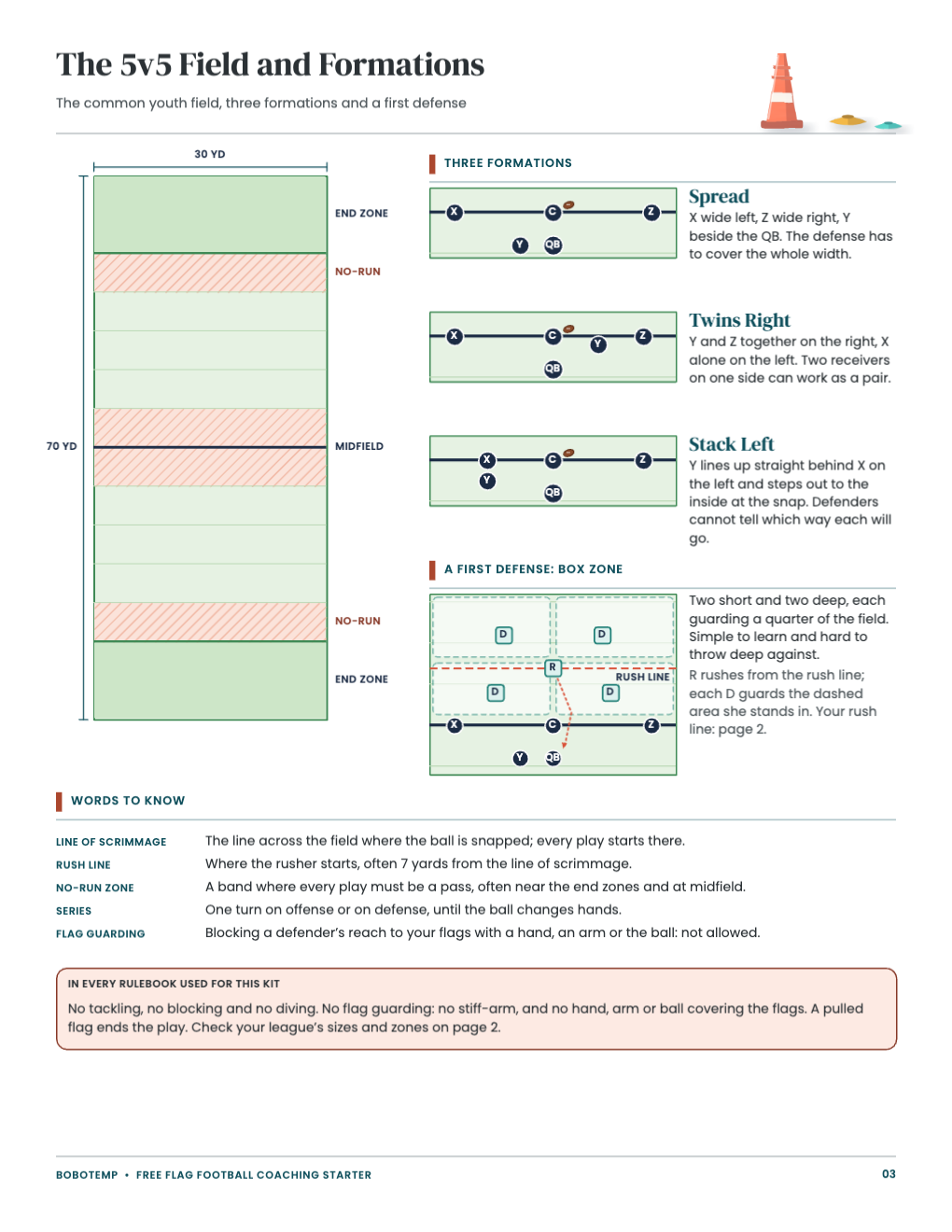
- The 5v5 field, three formations and a first defense
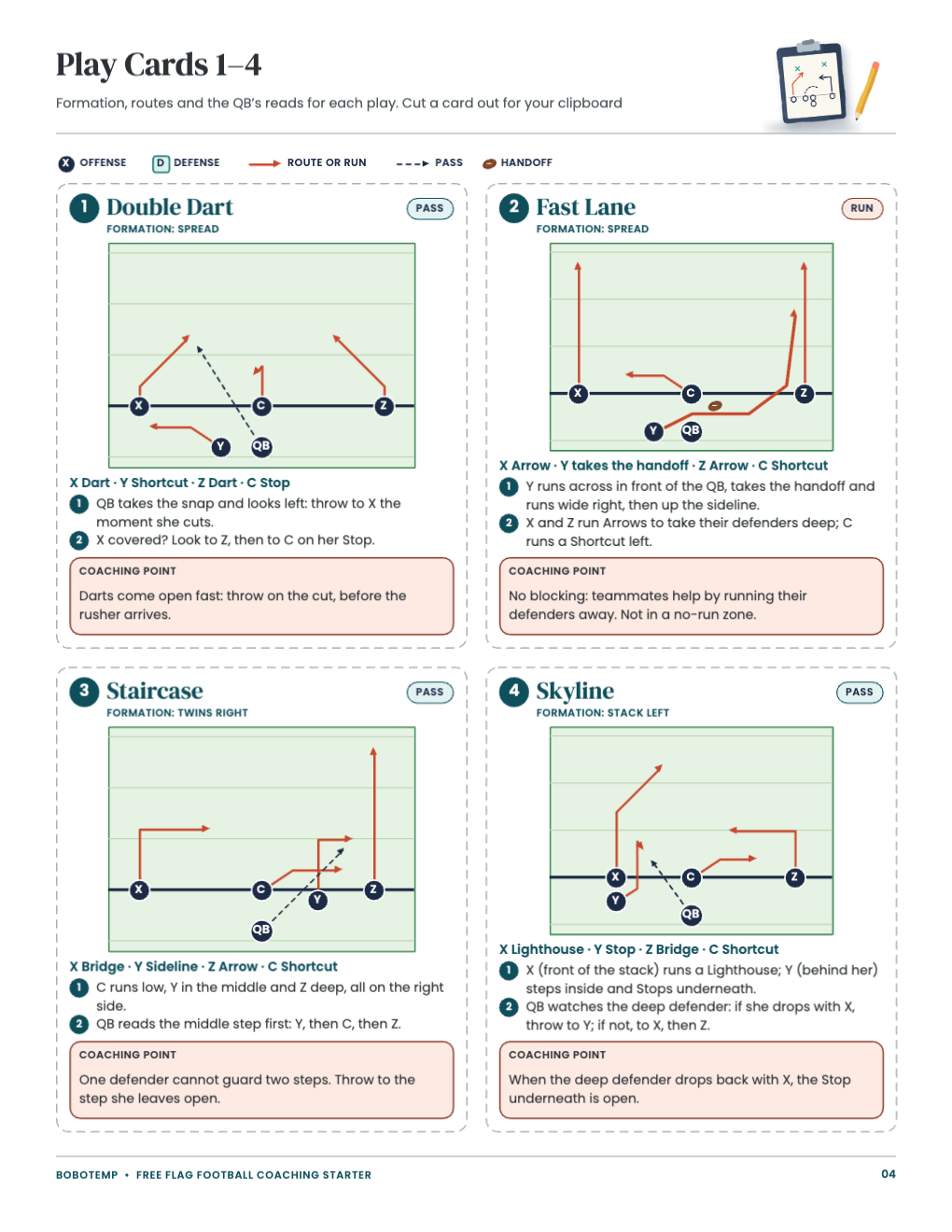
- Four play cards with diagrams and coaching points
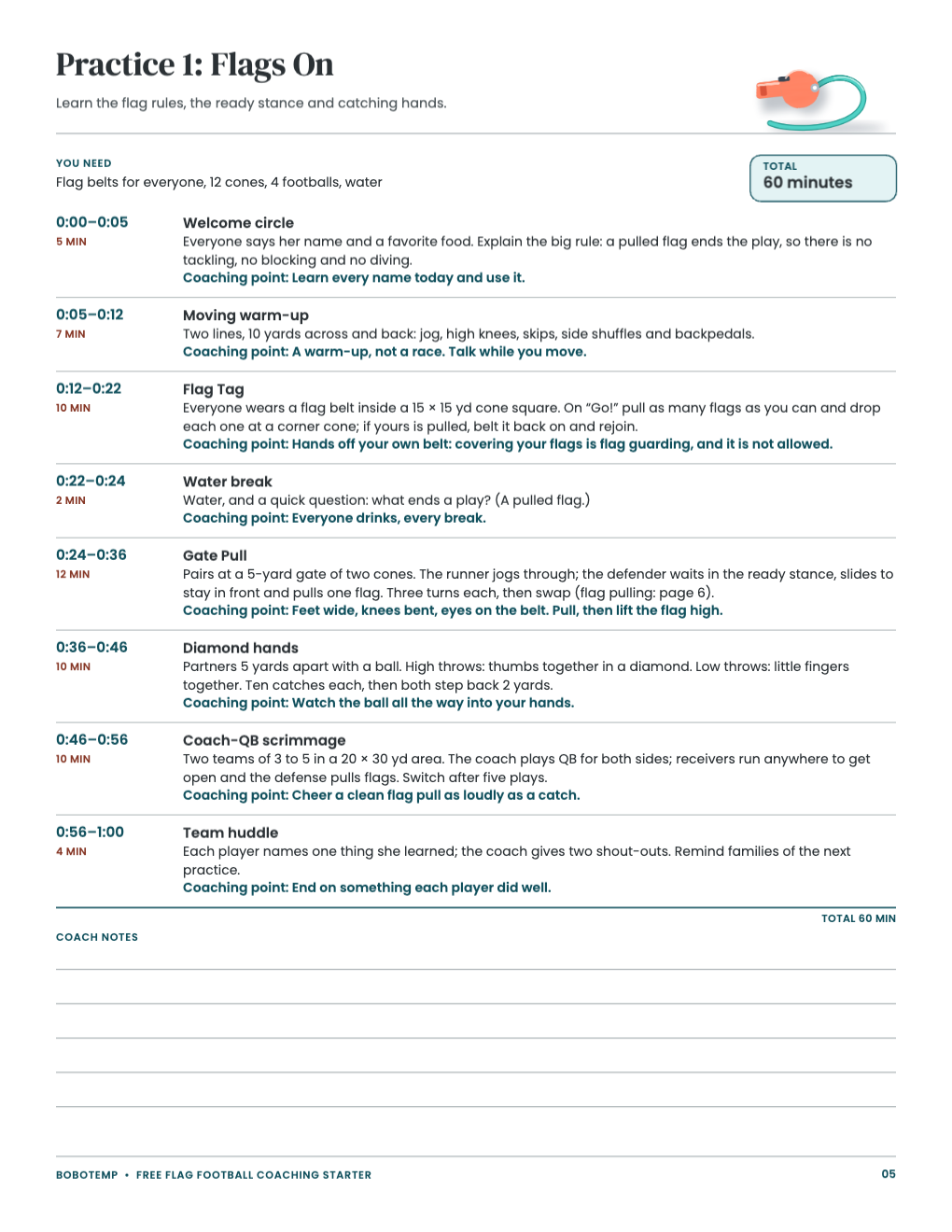
- Practice 1: a 60-minute plan in timed blocks
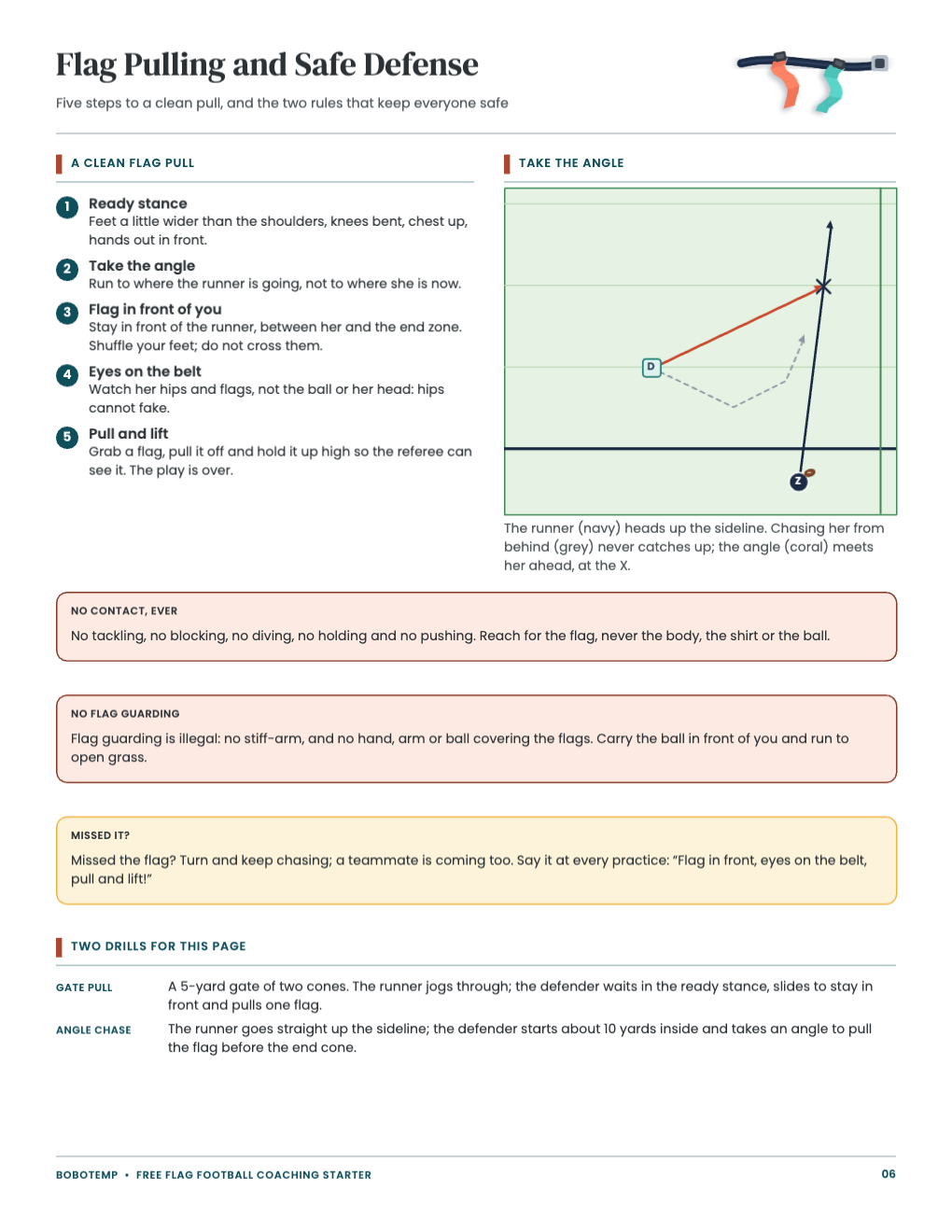
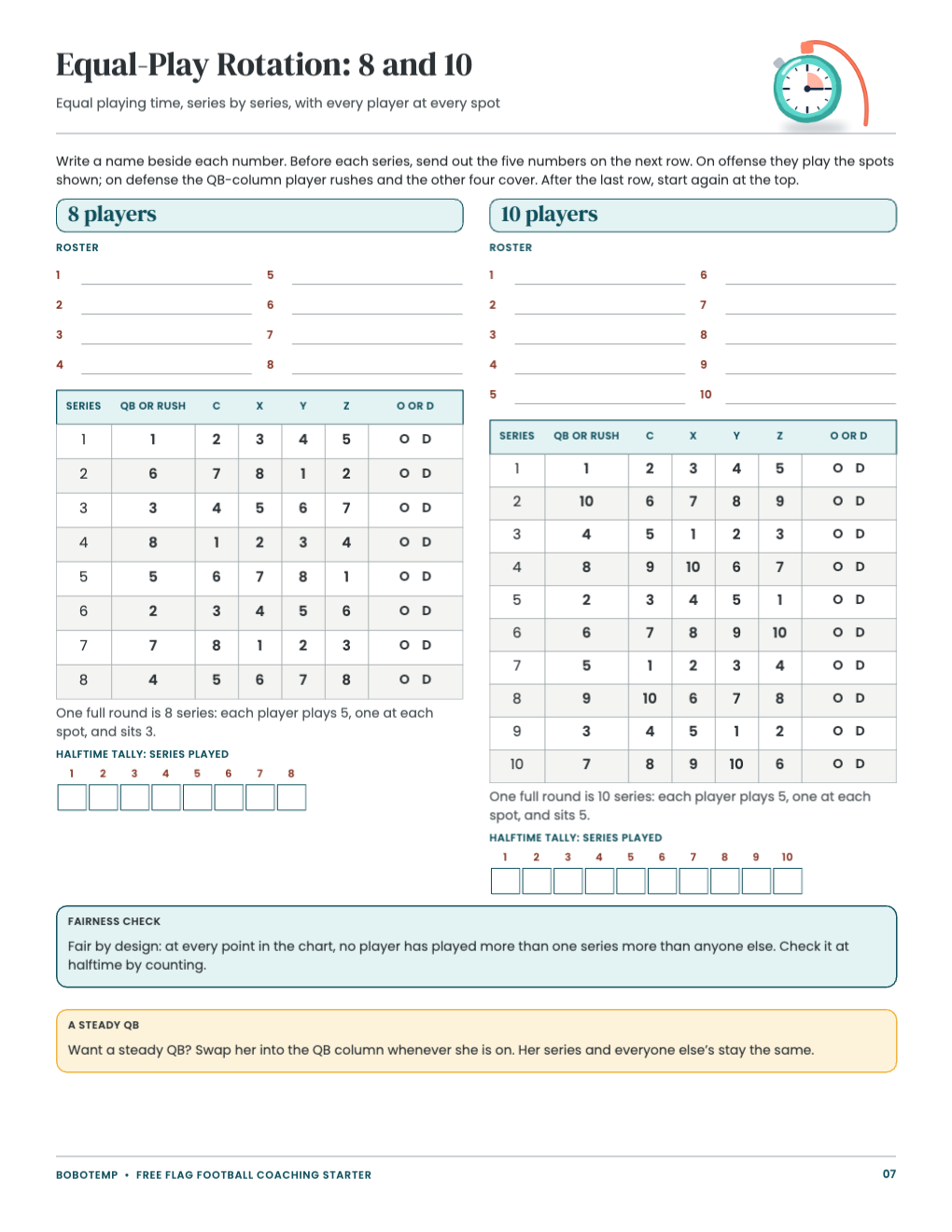
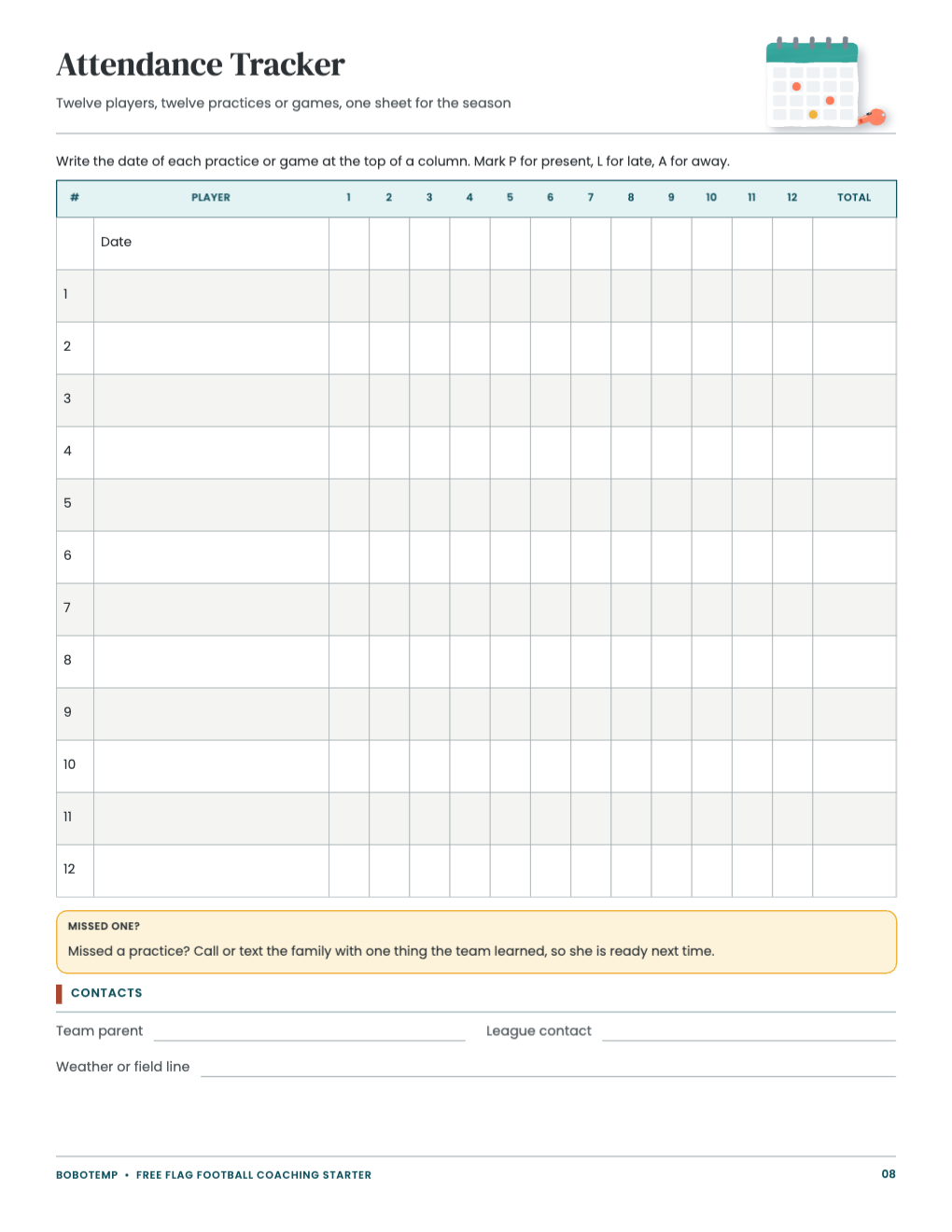
- Flag pulling and safe defense, an equal-play rotation for 8 and 10 players and an attendance tracker
Open the free .bobo file
Download free-flag-football-coaching-starter.bobo, choose Open or Import in BoboCreate and select it. All eight pages open as one design; the painted clipboard, whistle and cones in the page headers are locked art layers, so a click lands on the words and diagrams, not the pictures.
Write in your league’s rules
Rules change from league to league, so page 2 has a box or a line for each one: the rush line or rush clock, whether the quarterback may run, no-run zones, field size, the center catching, game length and points. You can print it and fill it in by hand, or type your league’s answers into the text boxes first.
- If your league uses a different rush distance, also edit the “rush line” notes on the field page so the diagrams and the words agree.
- Keep your league’s rulebook handy: when the starter and your league disagree, your league wins.
Edit plays, practice blocks and rotation names
The play names, assignments and coaching points are text boxes; the players and routes are shapes you can move. If you change a route on a diagram, change the assignments line under it too. Practice 1 lists eight timed blocks that add up to 60 minutes: when you lengthen one block, shorten another so the total stays the same.
Print US Letter at 100%
Export a vector PDF and print at 100% (Actual Size), never “fit to page”, so the field diagrams and cut lines keep their sizes. Print the play cards on card stock if you want them to last a season on a clipboard.
Open the editable template in BoboCreate
- Download and install BoboCreate Desktop for Mac or Windows.
- Download the free `free-flag-football-coaching-starter.bobo` file.
- In BoboCreate, choose Open or Import and select the file.
- Fill in your league’s rules and edit any play or practice text; preview all eight pages.
- Export a PDF and print US Letter at 100% or Actual Size.
Download BoboCreate for Mac · Download BoboCreate for Windows
The free source is for your own team. Do not resell or redistribute the design. The plays and practice plan have not been run on a field by a coach or a team yet, and a home print test of this edition has not been done.