
Free PDF + editable BoboCreate template
How to Customize and Print a Character-Design Party Kit and Invitation
The free Avatar Workshop Party Starter is a make-your-own-character kit for ages 6–11. Open it in BoboCreate to rewrite the profile prompts and award titles, print the sheets at true size, pre-cut pieces for the youngest guests, then personalize and print the matching invitation.
Both downloads are the free edition. The editable file opens in BoboCreate Desktop.
The editable file imports in BoboCreate Free 0.3.19 or later. It uses one of Free's three design places, and its own artwork does not count toward your three uploaded images. Older versions of the app need BoboCreate activated to import it, so update BoboCreate first.
You need BoboCreate (a desktop design app for Mac and Windows), the starter’s free `.bobo` file, a printer, plain paper and card stock. The printable PDF is on the same free page if you would rather print it as it is.
On the free plan you can keep 3 designs and 3 of your own pictures. Official free starters are signed, so their artwork does not use up your picture allowance, but the starter does take one design place, so check that one is free before you import.
What the free template includes
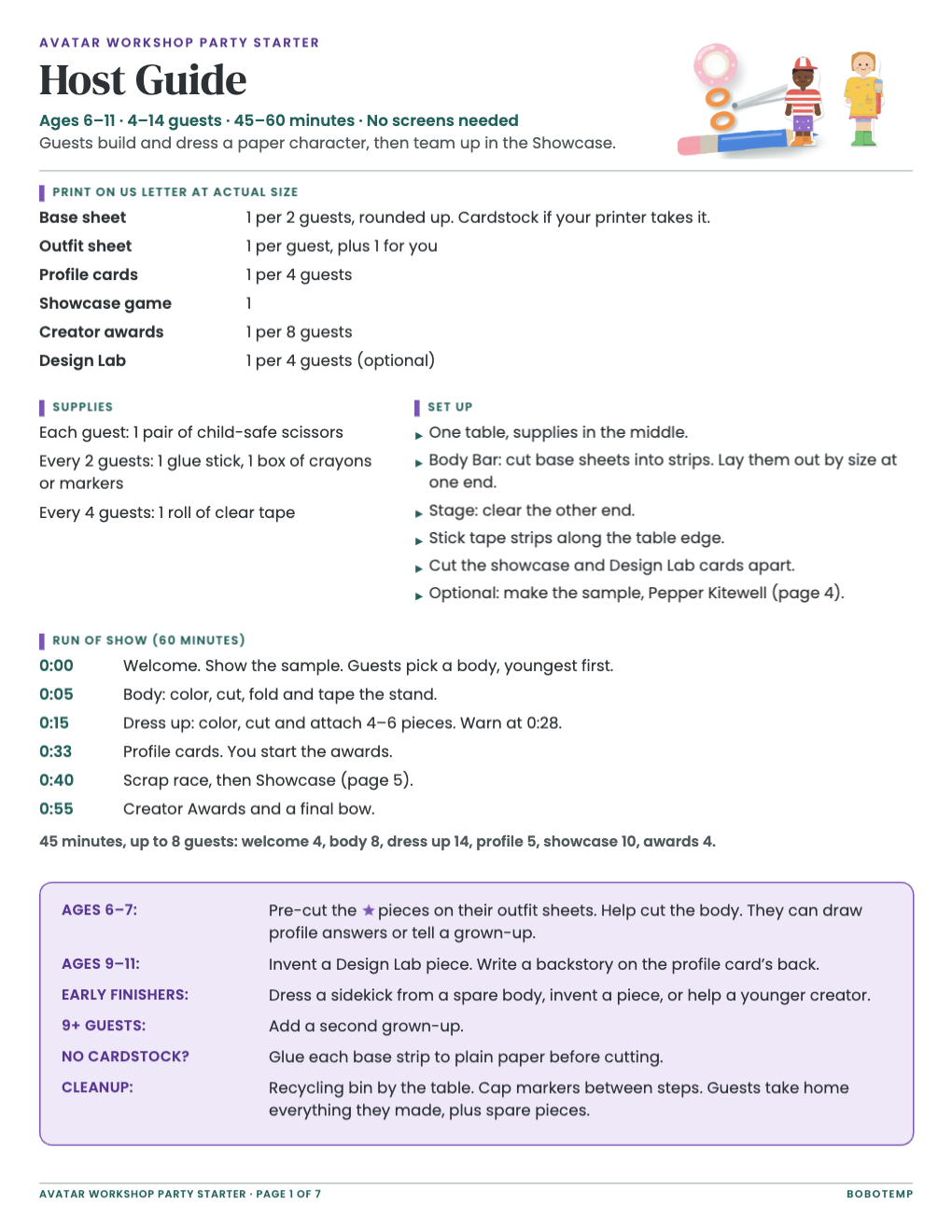
- A Host Guide with print counts, supplies, set-up and a 45- or 60-minute run of show
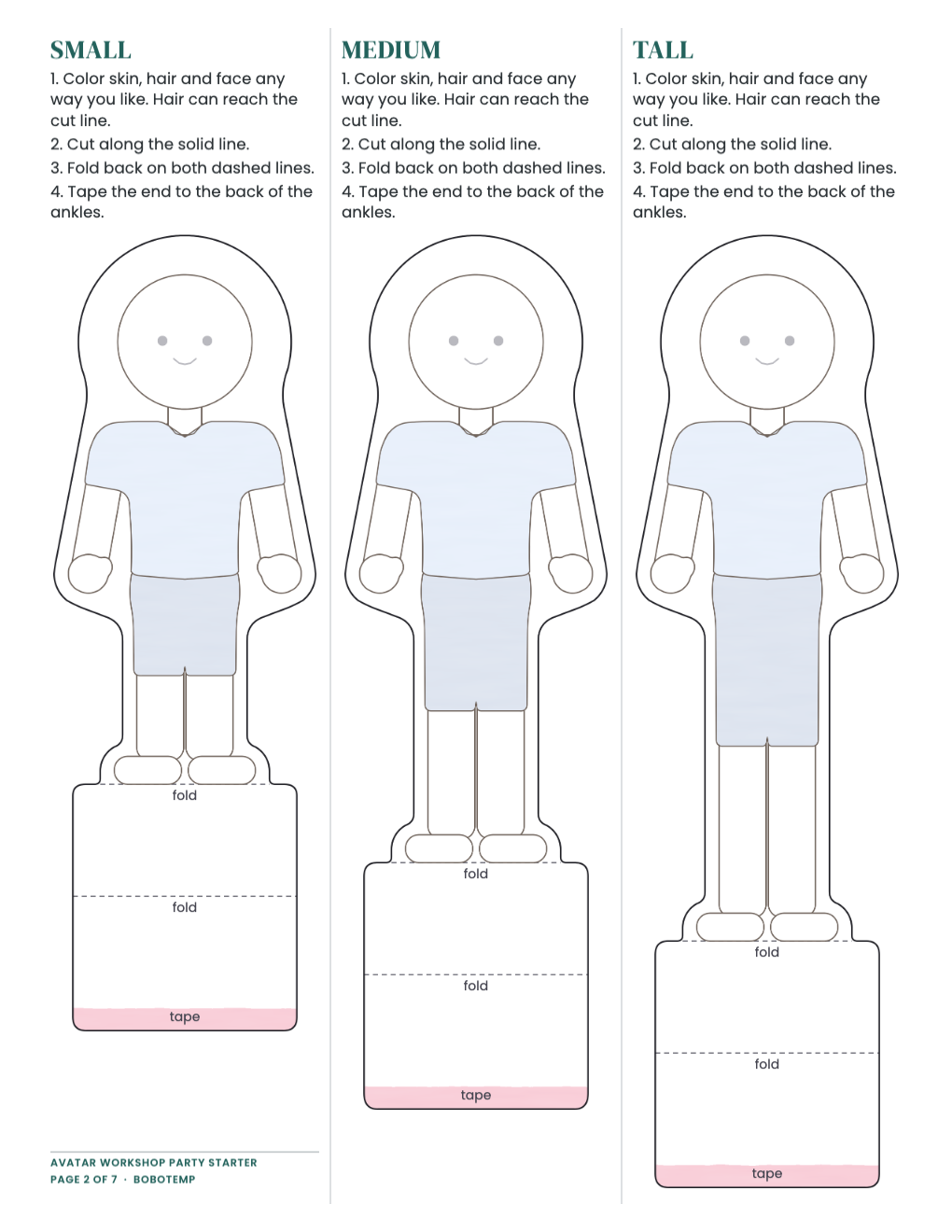
- Small, Medium and Tall paper character bodies with fold-back stands
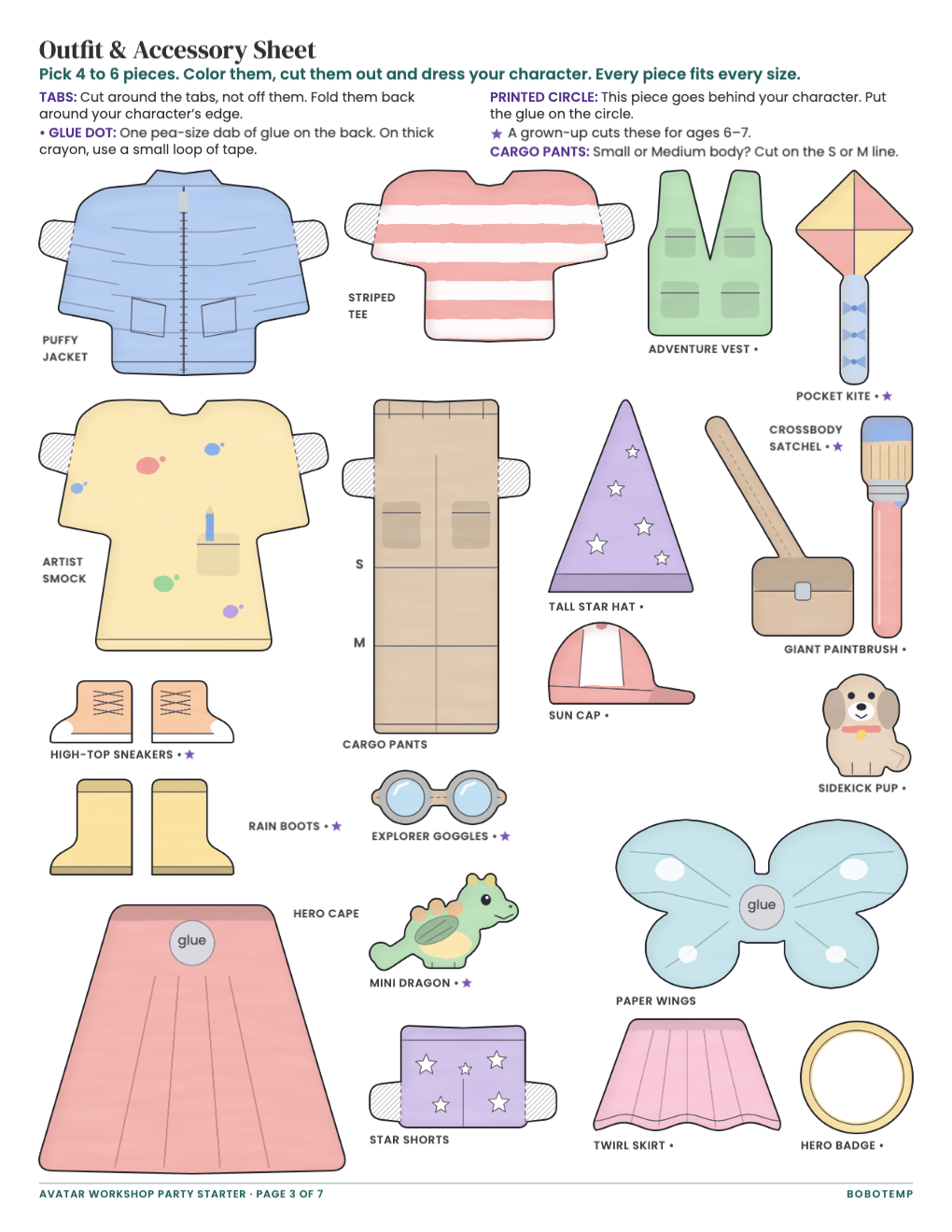
- 20 outfit and accessory pieces that fit every body
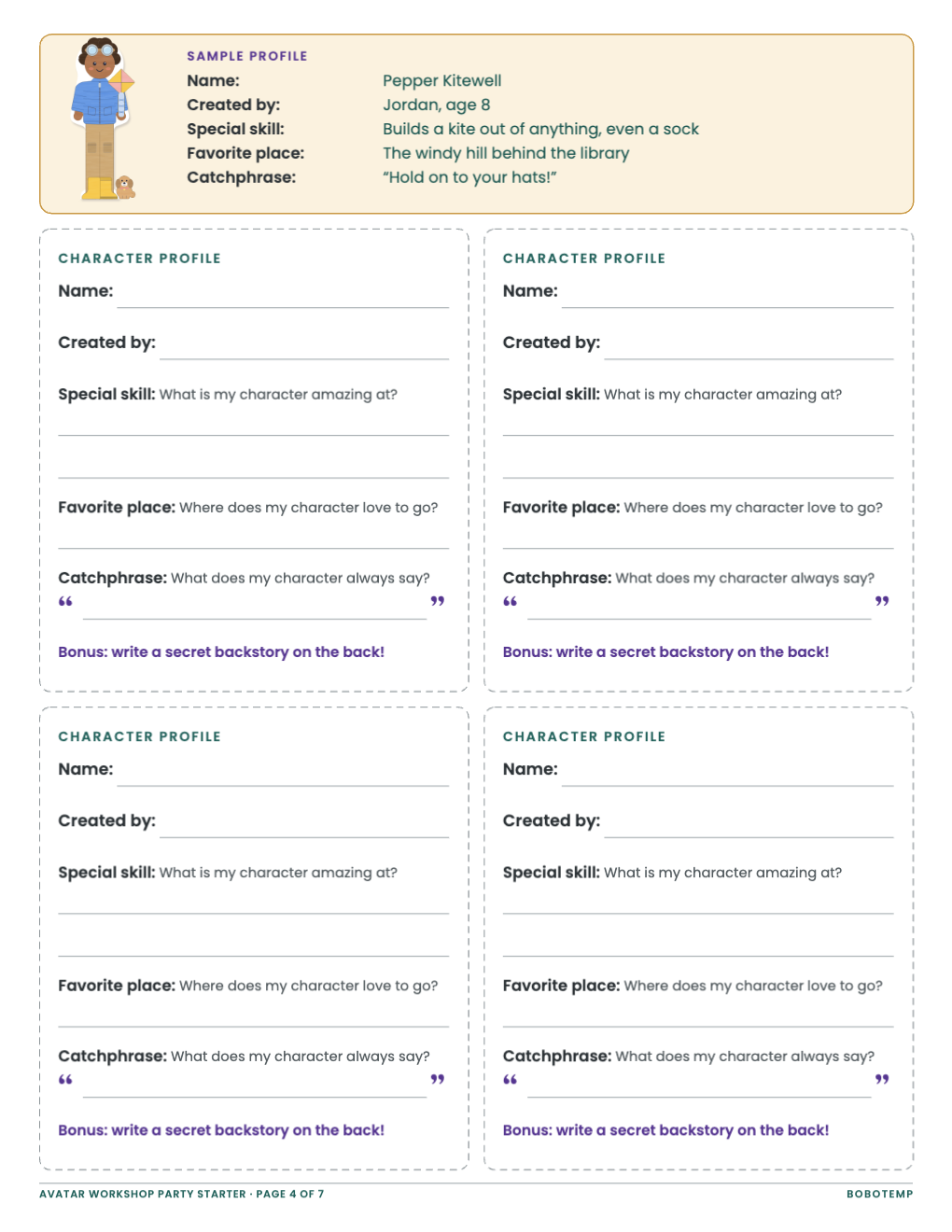
- Character profile cards under a filled-in sample
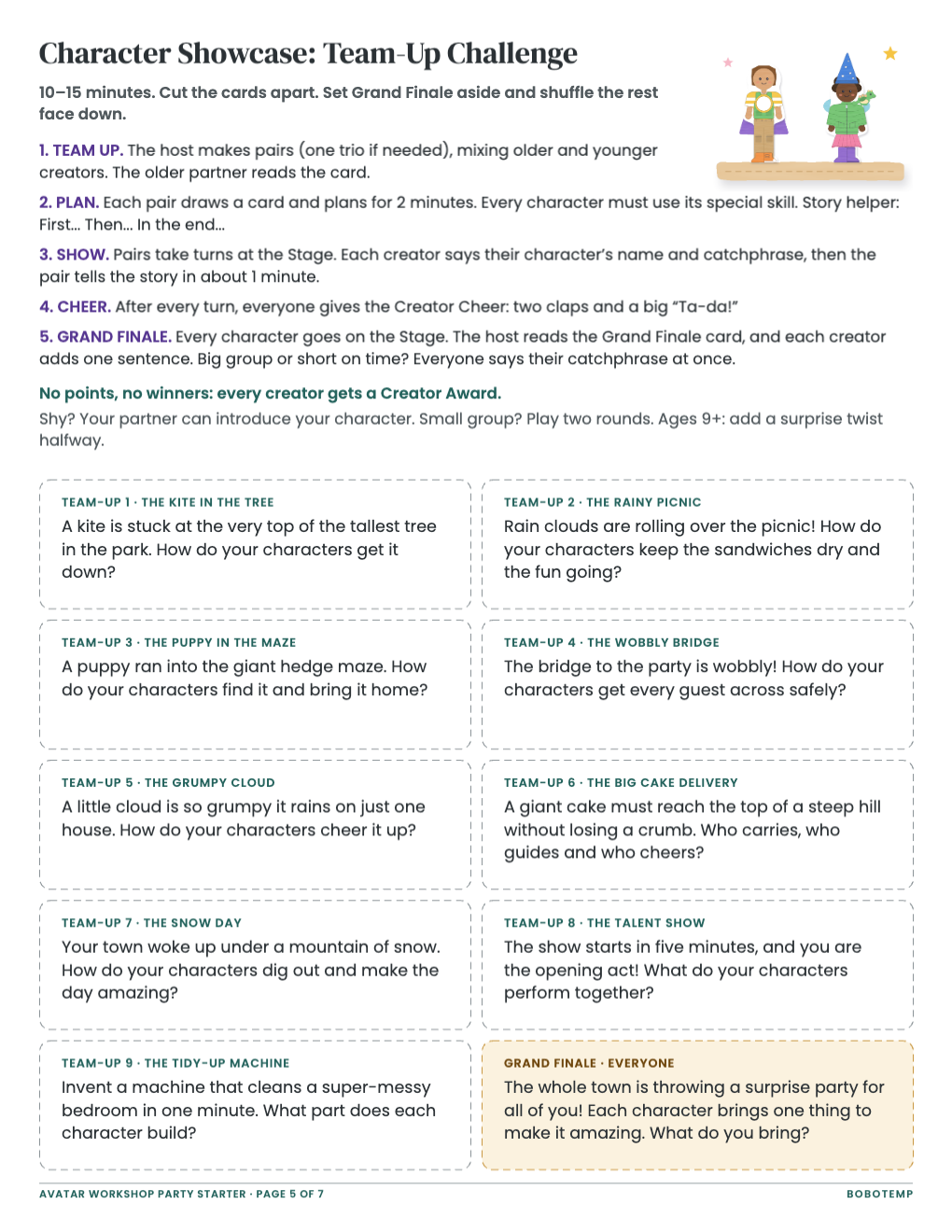
- Character Showcase: Team-Up Challenge, ten cut-apart cards
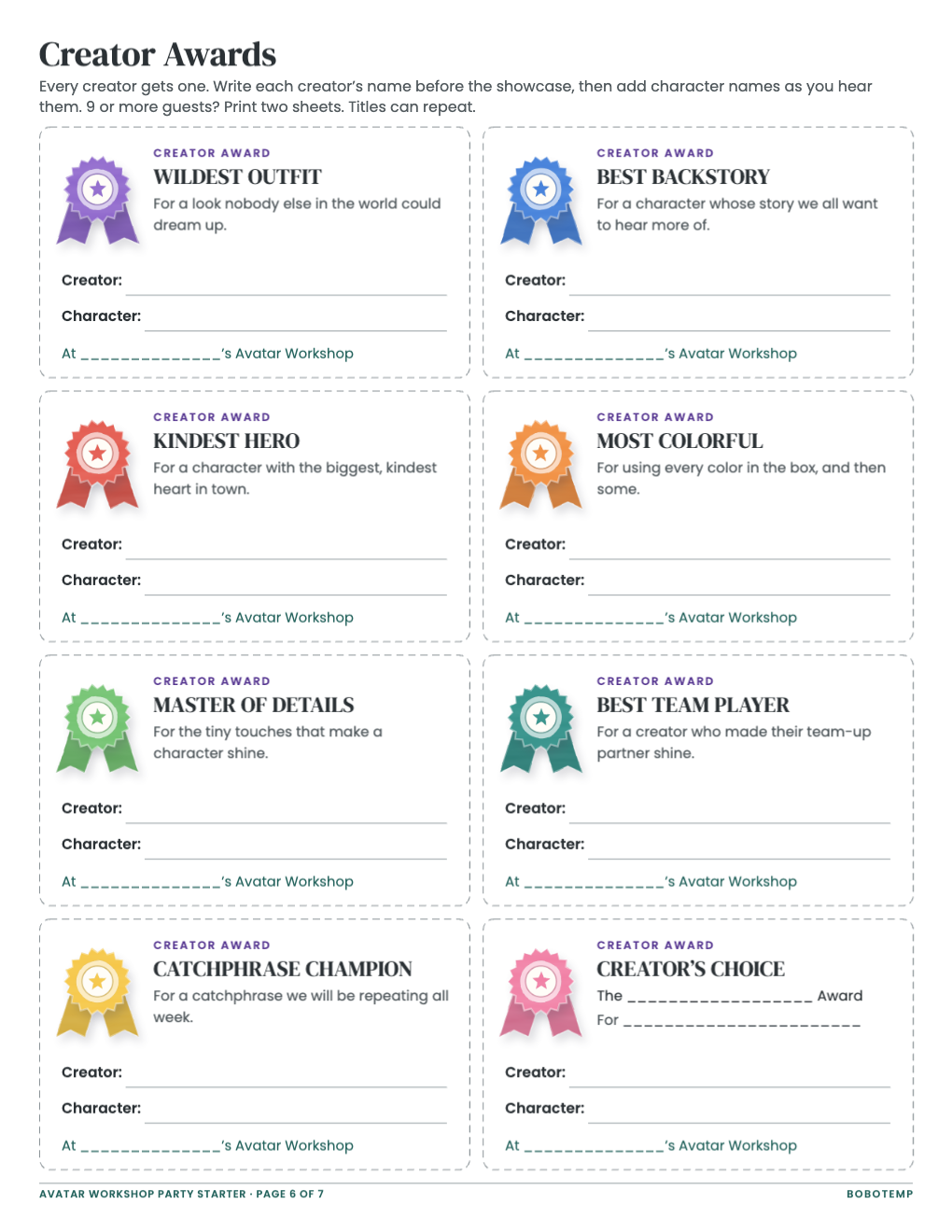
- Eight Creator Awards
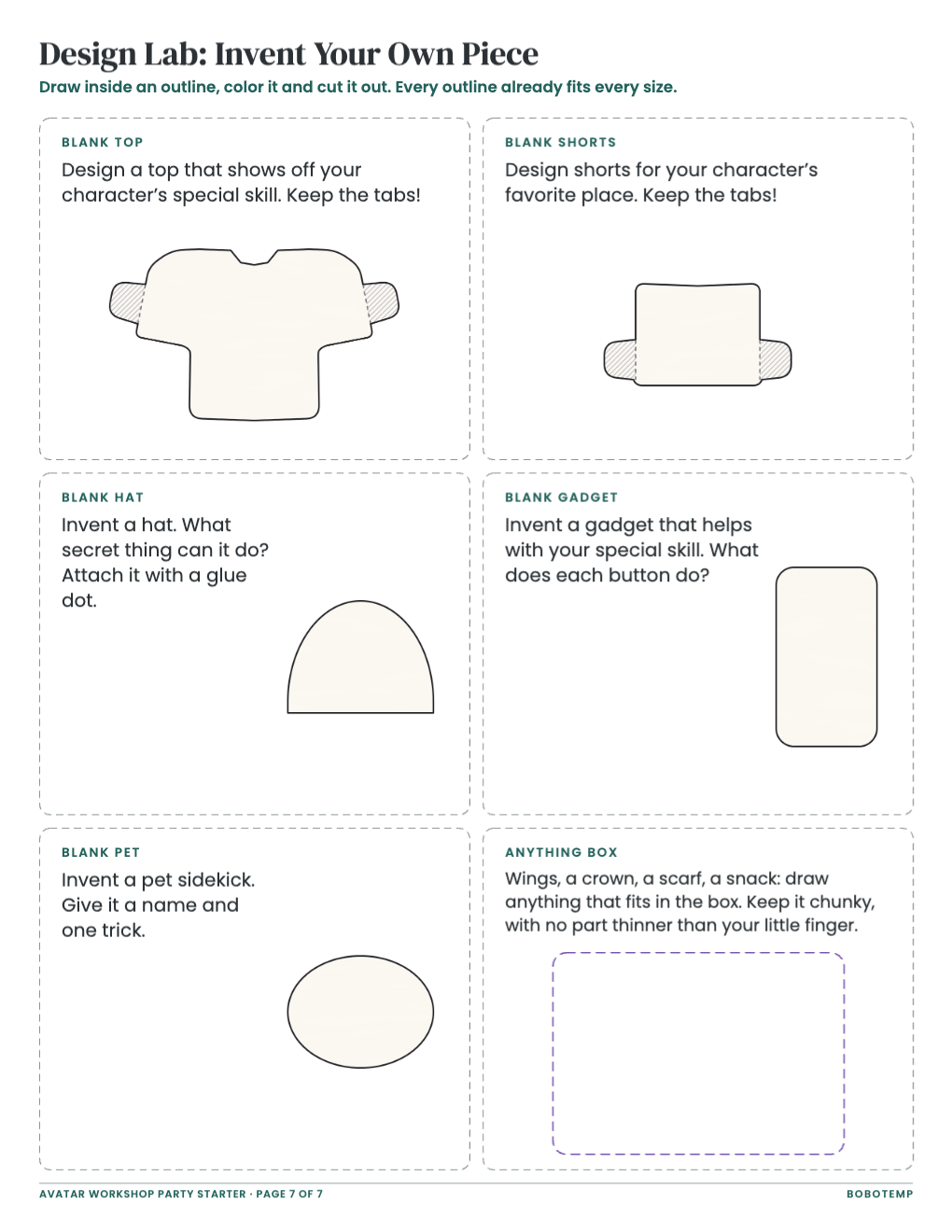
- An optional Design Lab for inventing new pieces
Rewrite the profile card prompts
Every word in the file is a live text box: click or double-click it to type, and change its font and color. The profile cards ask for a name, a special skill, a favorite place and a catchphrase, and a few prompt changes can fit the party to the birthday child. Keep each new prompt about as long as the original, so it stays above its writing lines, and make the same change on all four cards and on the sample.
- Match an interest: for a space fan, “Favorite place” can become “Home planet.”
- Make it easier for 6-year-olds: swap “What is my character amazing at?” for “My character is good at…”
- Change the bonus line: “Write a secret backstory on the back!” could become “Draw your character’s house on the back!”
Change the award titles
The award page holds eight cards, from Wildest Outfit to Creator’s Choice. Retitle any card and rewrite the one-line reason under it to match, keeping new titles no longer than “Catchphrase Champion” so they stay on one line. Type the birthday child’s name into each footer, for example “At Maya’s Avatar Workshop,” so you only write creator and character names at the party.
Print the character sheets at true size
Export a vector PDF from BoboCreate and print at 100% (Actual Size), not “fit to page.” The bodies, outfit pieces and stands are sized in true inches, so sheets printed at different scales will not match.
- Check one sheet: each body strip on page 2 should measure 2.6 inches wide.
- Print the base sheet on light card stock if your printer takes it, so the stand holds firm.
- Print the outfit sheet on plain paper: it folds more cleanly, so the tabs wrap neatly around arms and legs.
- Use the Host Guide’s counts for your guest list, and print the optional Design Lab only for 60-minute parties or guests aged 9 and up.
Pre-cut pieces for ages 6–7
Six outfit pieces carry a star because they are small or have narrow parts: High-Top Sneakers, Rain Boots, Explorer Goggles, Crossbody Satchel, Pocket Kite and Mini Dragon. The evening before, cut those six out of each younger guest’s outfit sheet and paper-clip them to it, so the child can color them flat and cut only the bigger shapes. Allow about four minutes a sheet (a planning estimate). While the scissors are out, cut each base sheet into its three body strips and cut the showcase and Design Lab cards apart.
Personalize and print the matching invitation
The matching Avatar Workshop and Invent-a-World invitations are bought on Bobotemp and personalized in the Bobotemp editor online; you then download a print-ready PDF (front and back) or JPG images. Type only the number and the date where the card already prints “is turning” and “RSVP by,” and keep the place on one line.
Print on card stock between 65 and 110 lb at 100%. BoboCreate’s PDF export can place two 5×7 cards on one US Letter sheet with crop marks for any 5×7 design you have open in BoboCreate; the Bobotemp download is already 5×7, front and back. Print one plain-paper test sheet first and hold it to a window to check that the front and back line up.
Open the editable template in BoboCreate
- Download and install BoboCreate Desktop for Mac or Windows.
- Download the free `free-avatar-workshop-party-starter.bobo` file.
- In BoboCreate, choose Open or Import and select the file.
- Rewrite the profile prompts, award titles and award footers; preview all seven pages.
- Export a PDF and print at 100% or Actual Size.
Download BoboCreate for Mac · Download BoboCreate for Windows
The free source is for your own family and party. Do not resell or redistribute the design. A physical print test of the fit, tabs and stands has not yet been done.