
Free PDF + editable BoboCreate template
How to Customize a Family Interview Kit
Four printable pages to start recording a relative's stories with care: agree what will be shared, choose from twenty gentle questions, capture one memory in detail and keep notes for next time.
Both downloads are the free edition. The .bobo file opens in BoboCreate Desktop.
The editable file imports in BoboCreate Free 0.3.19 or later. It uses one of Free's three design places, and its own artwork does not count toward your three uploaded images. Older versions of the app need BoboCreate activated to import it, so update BoboCreate first.
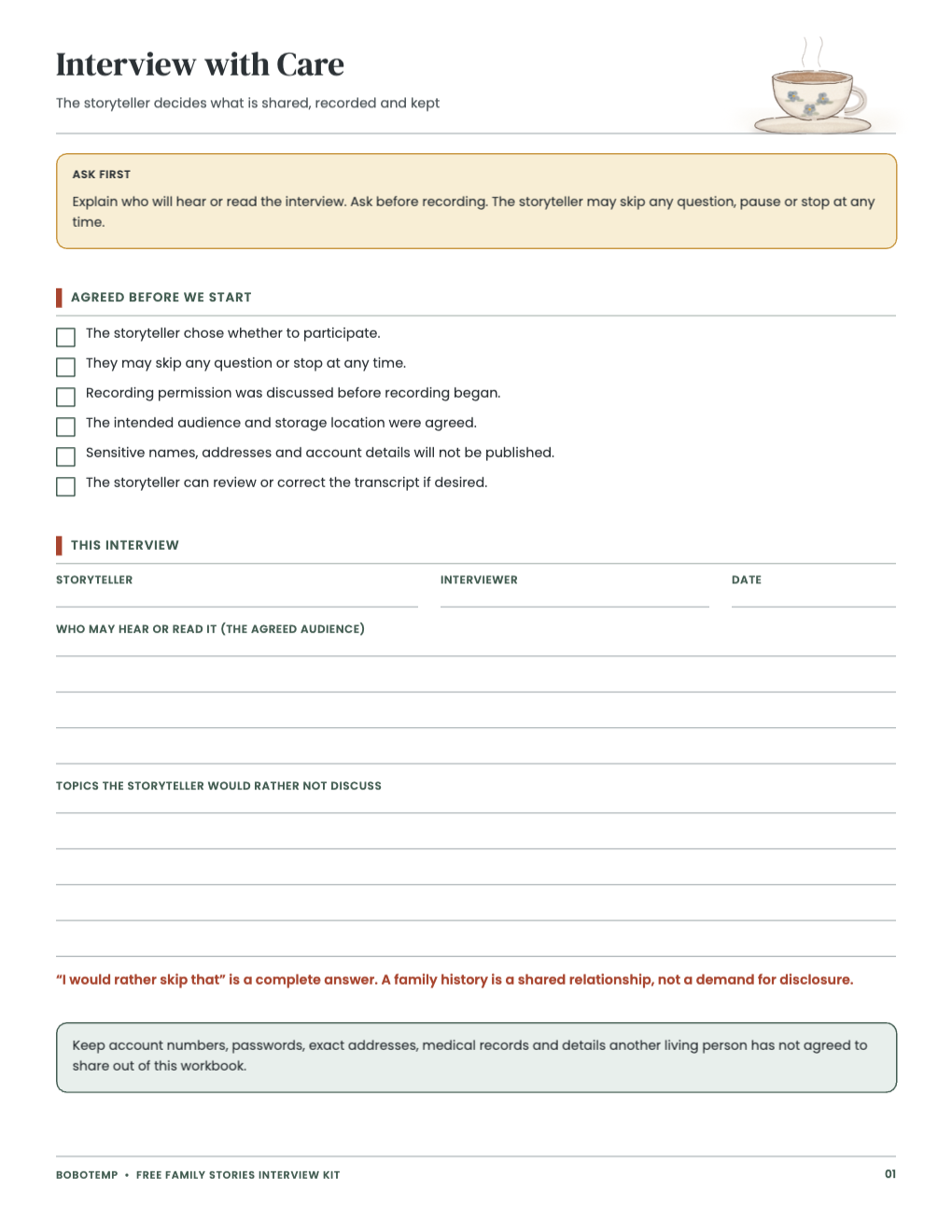
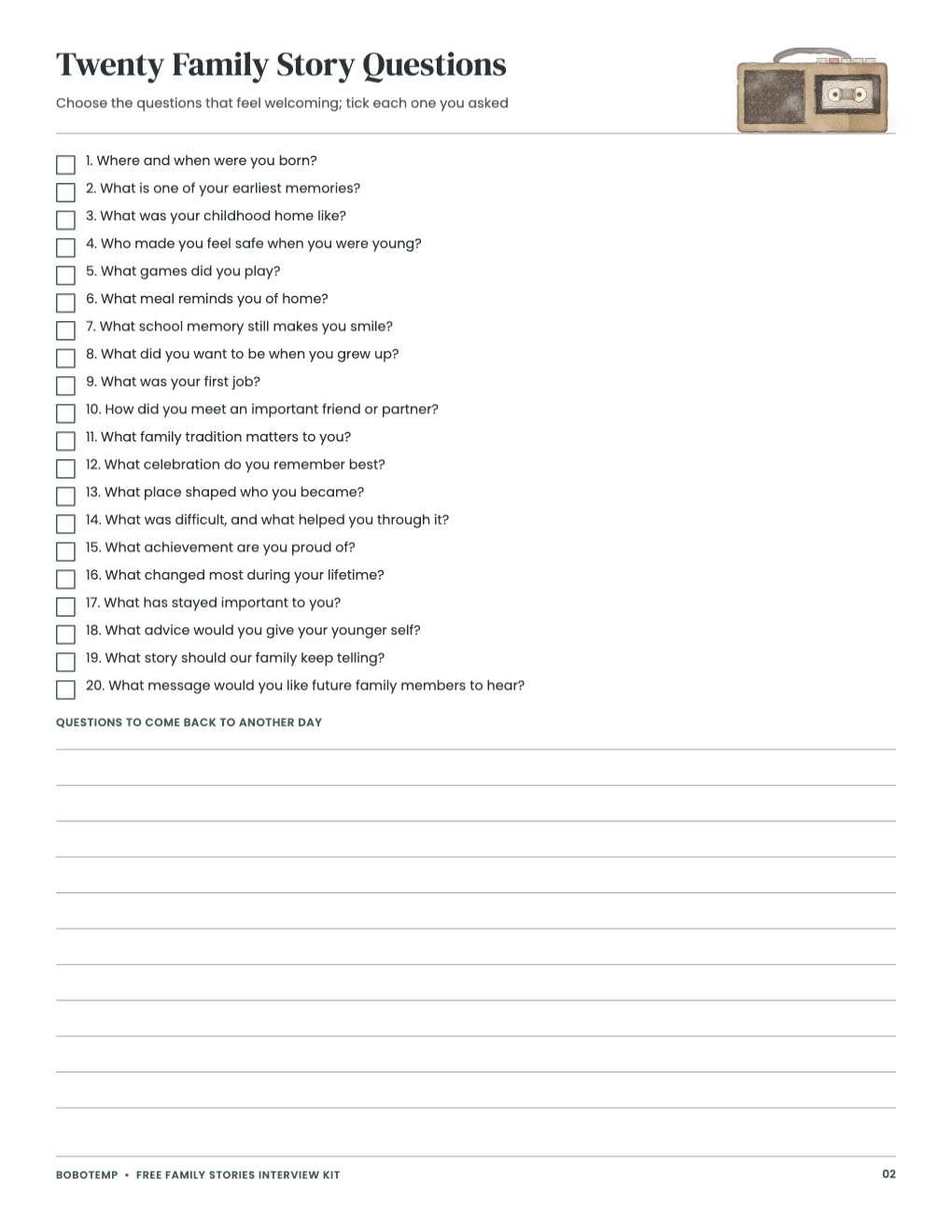
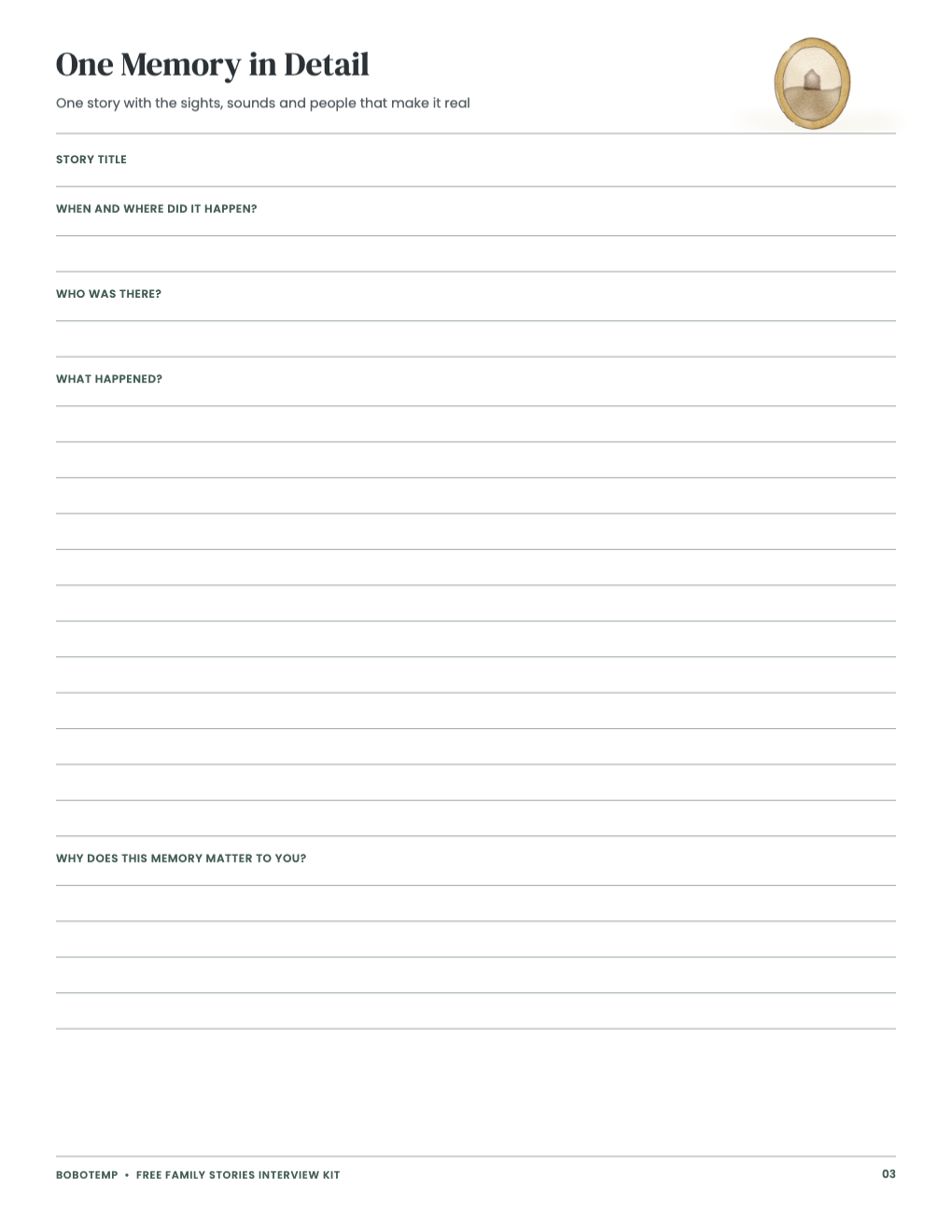
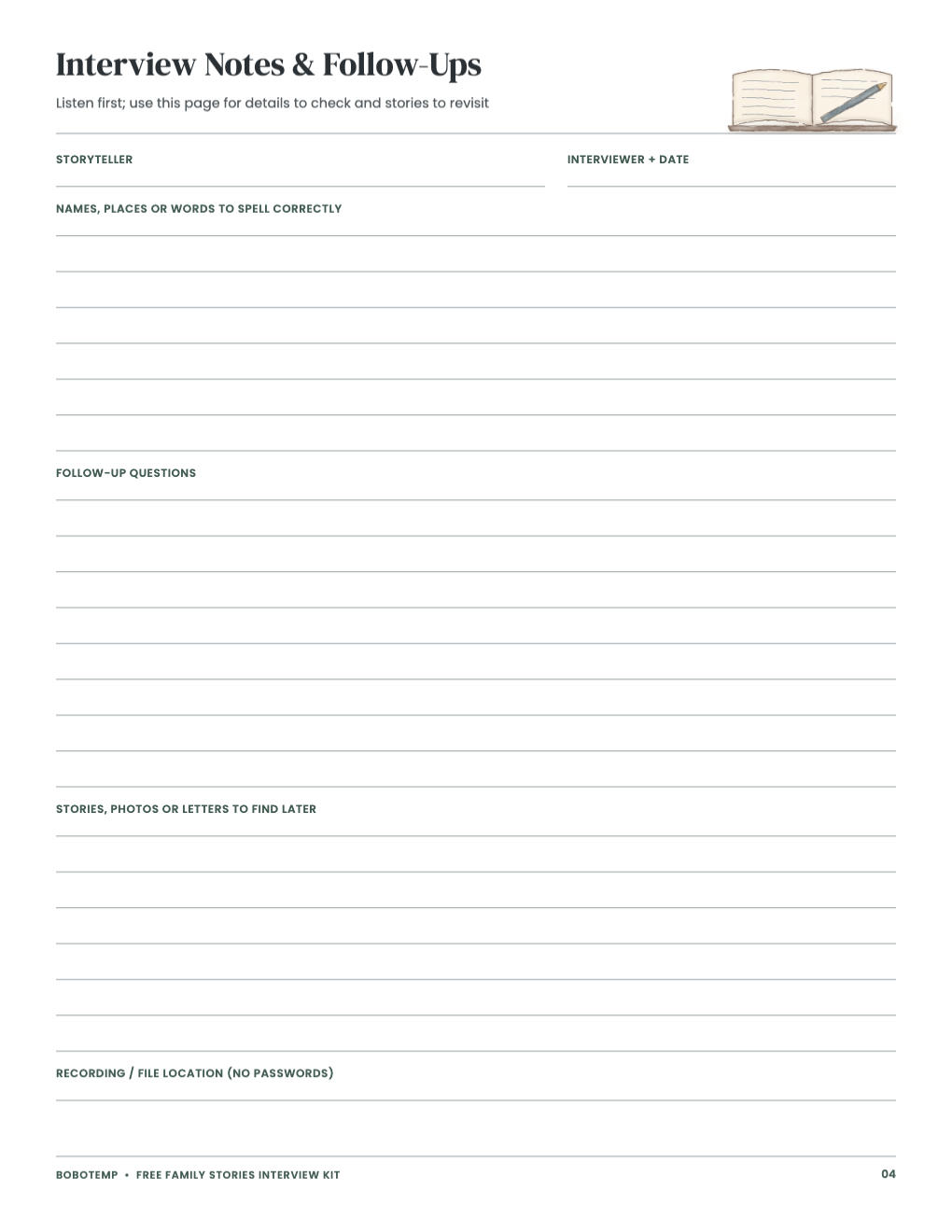
The free PDF is ready to print and use. The free editable `.bobo` file opens in BoboCreate Desktop, so you can personalize the free family stories interview kit while keeping a reusable source for later.
These free pages are complete on their own; the full kit is an optional add-on.
What the free template includes
- 4 complete pages
- 20 gentle questions
- 6 consent checks
Use the free printable
Read page 1 together and agree what will be shared before you start. Pick a few questions from page 2; nobody has to answer them all.
- Use page 3 for one story told in full.
- Write down names to spell and stories to revisit on page 4.
Customize without losing the activity structure
Change the names, headings and questions you want to personalize, then preview every page. Keep the consent notes and the writing lines readable instead of shrinking or covering them.
Print a practical test copy
Print on US Letter paper at Actual Size or 100%. White backgrounds and thin accents print well in grayscale.
What the full kit adds
Adds an interviewer guide, an interview plan, ten topic pages with fifty prompts and five writing lines each, then-and-now, favorites, a life timeline, photo stories, family connections, a family-members index, story overflow pages, a recording and archive checklist and an ink-saver edition.
Open the editable template in BoboCreate
- Download BoboCreate Desktop for Mac or Windows.
- Download the free `free-family-stories-interview-kit-v2.bobo` template.
- Open BoboCreate and choose Open or Import, then select the downloaded file.
- Edit the supported text while preserving the activity, answer and safety structure.
- Preview every page, export a PDF and print at 100% or Actual Size.
Download BoboCreate for Mac · Download BoboCreate for Windows
Agree with the person you interview what may be recorded, kept or shared before you begin, and let them skip any question.
Read the Bobotemp printable guide for the ready-to-print download and practical use instructions.